Need a customized project? We build it to your exact requirements.Contact us on WhatsApp

Free HR Management System UI Design โ€“ Clickable Prototype

F3 HR & Payroll Premium Plan Weekly Plan VIP Premium Plan
โค๏ธ
Need a Custom Business Solution?
Connect with us on WhatsApp to discuss your requirements. Our team will design and develop a tailored software solution aligned with your business workflow, operational needs, and growth objectives.
I Built a Full HR Management System in 5 MINS Using Claude AI (1 Prompt!)

Key Features

Interactive clickable HR prototype rather than a coded application Dashboard overview screen with quick tasks and payroll status Employee directory with profile contact department and role screens Attendance screen with check-in and check-out Leave balances and requests with an approval workflow Team leave calendar and yearly holiday calendar Payroll screens with salary structure payslips deductions and monthly summary Announcements and notice board covering birthdays and anniversaries Realistic mock data throughout so the flow feels like a live system Responsive layout with a soft colour palette and icon set Tweak panel for editing colours fonts and spacing without code Comment and draw-on-canvas feedback for requesting further changes Export as standalone HTML PDF PPTX or zip or send to Canva The exact Claude Design prompt used to generate it

Description

A complete HR management system interface, designed as an interactive prototype in Claude Design from a single written prompt. Every screen a HR system needs is laid out and clickable โ€” dashboard, employee directory, attendance, leave, payroll, announcements โ€” populated with realistic mock data so the flow reads like a working product.

What this is โ€” and what it is not

This is a front-end design prototype, not a coded application. There is no database behind it and no login: nothing you type is saved. What you get is the interface โ€” the layout, navigation, colour system, component set and screen flow โ€” exported as a standalone HTML file you can open in any browser, or as PDF, PPTX, a zip or straight into Canva. Use it to agree a design with a client before development starts, to present an HR system concept, or as the visual layer you wire your own Google Sheets or database behind.

Screens included

  • Admin dashboard with quick tasks and payroll status
  • Employee directory โ€” profile, contact details, department and role
  • Attendance with check-in and check-out
  • Leave balances and requests with an approval workflow
  • Team leave calendar and a yearly holiday calendar
  • Payroll โ€” salary structure, payslips, deductions, monthly summary
  • Announcements and notice board, including birthdays and anniversaries

How it was made

One prompt, listing the modules and the design direction, produced the whole prototype. That prompt is included. Inside Claude Design you can then tweak colours, fonts and spacing directly, leave comments, or even sketch a change on the canvas and have it applied โ€” so adapting it to another company's branding does not mean starting again.

Who it is for

Developers and agencies who want a client-ready HR interface to sign off before writing any backend code, and anyone learning how to get a usable UI out of an AI design tool in one pass.

Requirements

  • A modern browser to open the exported HTML prototype
  • No server, database or installation needed
  • Optional: a Claude account if you want to open and edit the prototype in Claude Design
  • Optional: Canva if you want to continue editing there
  • A backend of your own (Google Sheets, Apps Script or any database) if you want to make it functional

What's Included

  • Interactive HR system prototype (standalone HTML)
  • All screens: dashboard, directory, attendance, leave, payroll, announcements
  • Realistic mock data across every screen
  • Responsive layout with a complete colour and icon system
  • The exact Claude Design prompt used to generate it
  • Full video walkthrough of the build process
  • Free support

Item Details

Versionv1.0
PublishedApr 21, 2026
PlatformGoogle Apps Script
DatabaseGoogle Sheets
CategoryHR & Payroll
Tagshr management system ui designhr management system uihr management system dashboardhr management system templatehr dashboard ui designadmin dashboard ui templatehr system prototypehr dashboard mockup
VideoWatch walkthrough
LicenseRegular License
Subscription Verification Required
This is a free file. Subscribe to our YouTube channel to unlock the source code + Google Sheet. One click โ€” no payment. Google only confirms you are subscribed.
Verify Now
Free download

Subscribe & Unlock Source Code

Subscribe on YouTube, then verify with one click. No payment, no card. Google is used only to confirm your subscription.

What you get

  • Code.gs + HTML filesThe complete Apps Script project
  • Google SheetYour own copy with the data
  • Setup guideInstall steps from start to finish

Not subscribed yet? Subscribe to our channel

Browse More Free Files

Need This Customized For Your Business?

Extra modules, your branding, integrations or reports built on top of this file. You get a clear quote and timeline before any work starts, and support after delivery.

400+
Projects Delivered
90+
Countries Served

What We Customize

Features & Functions
Add new features, modify existing scripts, custom formulas & automations
API & Integrations
Connect with WhatsApp, Payment Gateways, CRM & more
Design & UI Changes
Custom branding, layout redesign, dark mode, mobile optimization
Full Custom Projects
Dashboards, billing systems, inventory, CRM โ€” built from scratch
Get Free Quote on WhatsApp

20-30% advance to start โ€ข Clear quote before work begins โ€ข Support included after delivery

Free
Source Code File

People choose these

Paid picks from the same category

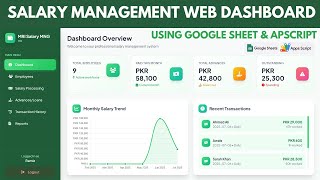
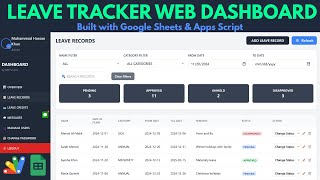
How to Make Employee Payslip Management System in Google Apps Script | D34 How to Make Employee Payslip Management System in Google Apps Script | D34 46 views this month Apps Script How to Make HR Leave Tracker Web App Dashboard with Google Sheets + Apps Script | D25 How to Make HR Leave Tracker Web App Dashboard with Google Sheets + Apps Script | D25 34 views this month Apps Script Employee Salary Management System | HR Payroll Dashboard with Google Sheets DB | D27 Employee Salary Management System | HR Payroll Dashboard with Google Sheets DB | D27 45 views this month Apps Script

Reviews & Feedback

What buyers and viewers say about I Built a Full HR Management System in 5 MINS Using Claude AI (1 Prompt!).

No star ratings yet Tap a star to be the first to rate it.
18 comments from
YouTube viewers
Sort
@DurvishJawaleOfficial via YouTube
Prompt pls
1 like on YouTube
@EngrMushtaqAhmad via YouTube
Kindly Continue this project we need to see more from You.
1 like on YouTube
@huzefadatasci8411 via YouTube
It is an amazing
@rishwanthmyanapuri1301 via YouTube
Nice. Please take it forward and implement in Google app scripts with Google sheets as data base
@Ramiz.Parmar via YouTube
Superb ๐ŸŽ‰ I'm very thankful to you as I learn lot of things as I connected to you from beginning
@irfanchauhan495 via YouTube
Really appreciate.... Day by Day.. your efforts to improve our knowledge and give us new varieties of Web Applications are remarkable.... Before sometime we weren't able to think about the development of Web Apps.. Now, with your great support, cooperation and guidance, we are able to develop and customize many web apps..... I am really thankful to Allah who has given me a brother like MOHAMMED RAMEEZ... Who really a Booster for us to achieve our wish web projects.... I pray that May Allah Rewards you with BEST..... in Deen and Duniya...
@pieceofcode_ via YouTube
Can you share HTML file of this design, please?
@puzzlegambit via YouTube
Please make a video on giw to develop a webapp on antigravity and its advanced uses.
@elixiruniverse7701 via YouTube
Superb se bhi upar. Ur all web projects are very professional and unique. Thanks for share and teach all of u.
@RealToonStoriesHQ via YouTube
Knowledge able video
@JeanTube7777 via YouTube
Es increรญble lo que se puede hacer. Pero claro saliendo pedir detalladamente a la herramienta.
@sawadogovalentin via YouTube
Thanks this absolutely stunning. Thank you for the detailed explanation. Figma seems more and more like old school
@Antigravity1-i4x via YouTube
Incredible
@gusadiyanto via YouTube
Wow..very fast for creating project based on AI Claude ๐Ÿ˜ฎ๐Ÿ‘
@Mind_Mastery_INDIA via YouTube
very nice brother i am buy project from you your work very nice
@TBappi-Happi via YouTube
Nice, job i like your prompt job...
@akinduyiteadeolu2640 via YouTube
Wow, how do I subscribe for claude
@jordanfelipe31 via YouTube
Very nice ๐Ÿ‘๐Ÿฟ