



Important Notice: Your success matters to us. If anything goes wrong after purchase, contact us on WhatsApp and we'll personally get it fixed.

How to Build Realtime Chat Messaging App Using Appscript & Google sheet | B14

B14 Chat & Messaging Weekly Plan Premium Plan VIP Premium Plan
❤️
Need a Custom Business Solution?
Connect with us on WhatsApp to discuss your requirements. Our team will design and develop a tailored software solution aligned with your business workflow, operational needs, and growth objectives.
How to Build Realtime Chat Messaging App Using Appscript & Google sheet | B14

Key Features

Sign up and login from the sheet Session lasting three hours before re-login Refreshing does not sign you out Contact list of other users Search and filter across contacts Connect to anyone by typing their username One-to-one private conversations Green bubbles for sent and grey for received Date and time stamped on every message Conversation history stored in the sheet Messages filtered so each person sees only their own Logout button Google Sheets as the database

Description

A private messaging app where the database is a Google Sheet. Users sign up, find each other, and hold one-to-one conversations that stay readable afterwards — no server, no messaging service, no per-user cost.

Finding someone to talk to

Your contacts are listed with a search over them, which matters once the list runs past a handful. And when the person you want is not in the list at all, you type their username and press Connect — the conversation opens directly. That is how a new user gets talking on their first day instead of waiting to be added by somebody.

Reading a conversation back

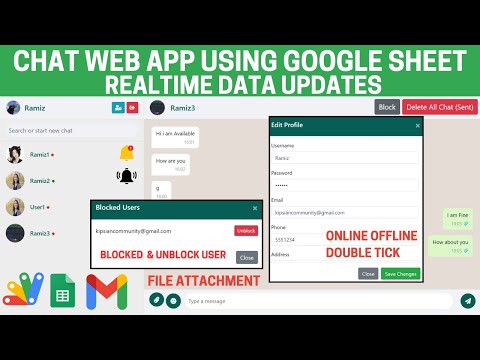
Sent messages are green, received are grey, and every message carries its date and time. Those two choices are what make the history usable weeks later: you can tell at a glance who said what and when, rather than scrolling an undifferentiated list. Everything is stored in the sheet and filtered per conversation, so each person sees only the messages that involve them.

Staying signed in

A session lasts three hours. Refreshing the page does not throw you out mid-conversation, but the login does expire rather than staying open indefinitely on a shared machine — a sensible middle ground for a chat app people leave open.

What it does not do

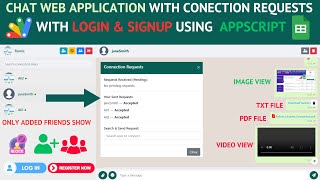
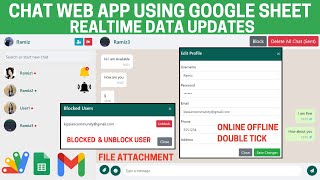
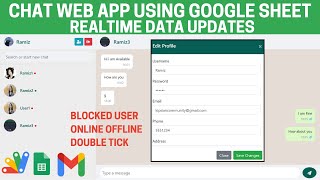
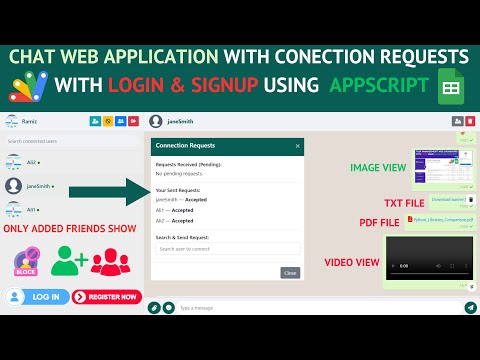
This is the straightforward one: text conversations, contacts and history. There are no attachments, read receipts, presence indicators or push notifications. If you need those, the larger Apps Script chat builds cover ticks and presence, file attachments with message deletion, and connection requests that must be accepted before chatting.

Requirements

  • A Google account (Gmail or Google Workspace)
  • Google Sheets and Google Apps Script — no hosting or server needed
  • A login sheet with usernames and passwords
  • A messages sheet for the conversation history
  • Users reaching the app by the deployed link

What's Included

  • Complete Google Apps Script source code
  • Sign up and login with three-hour sessions
  • Contact list with search
  • Connect to a user by username
  • One-to-one chat with colour-coded bubbles
  • Date and time on every message
  • Conversation history stored and filtered per user
  • Logout
  • Google Sheets structure for logins and messages
  • Deployment and authorisation walkthrough
  • Step-by-step video walkthrough of the full build
  • Free support from the developer

Item Details

Versionv1.0
PublishedAug 22, 2025
PlatformGoogle Apps Script
DatabaseGoogle Sheets
CategoryChat & Messaging
Tagschat appchat applicationrealtime chat app google sheetsmessaging web app apps scriptone to one chat systembuild a chat app without servergoogle sheets chat databaseprivate messaging web app
VideoWatch walkthrough
LicenseRegular License

How to Build Realtime Chat Messaging App Using Appscript & Google sheet | B14

Chat & Messaging

What You Get

Code.gs FilesComplete Apps Script source code files
HTML FilesAll HTML template files included
Google SheetYour own copy with all data and scripts
Setup GuideStep-by-step video tutorials included
6 Months SupportBug fixes, tweaks, and guidance — all free
Free UpdatesAll future updates included at no extra cost
Regular License B14
Subtotal $6.00 USD
Total $6.00 USD
Other payment methods
Wise / Bank Transfer · via WhatsApp +92 343 534 7417 $6.00
RE
Redotpay
How to Build Realtime Chat Messaging App Using Appscript & Google sheet | B14
Secure checkout
Amount due
$6.00
Total due
Redotpay Account
1002896884
Order summary
ItemHow to Build Realtime Chat Messaging App Using Appscript & Google sheet | B14
ReferenceB14
Payment MethodRedotpay
Total$6.00
How to pay
  1. Copy the Redotpay account
  2. Pay $6.00 via Redotpay
  3. Enter the transaction reference below
  4. Submit the details below to complete your order
Payments are confirmed typically within 2 business hours (Monday to Saturday). You will receive an email once access is enabled.
Your receipt and download link will be sent to this address.
Country code is set from your location. Change it if needed and enter the number without the code.
Upload a screenshot of the paymentDrop it here or click to browse · JPG or PNG, up to 2 MB
Confirmed typically within 2 business hours (Monday to Saturday)
Encrypted connection
Confirmation in 2 business hours
Emailed receipt
BP
Binance Pay
How to Build Realtime Chat Messaging App Using Appscript & Google sheet | B14
Secure checkout
Amount due
$6.00
Total due · no additional fees
Binance Pay ID
766412546
Account holder: Muahmmad Ramiz Imdad
Order summary
ItemHow to Build Realtime Chat Messaging App Using Appscript & Google sheet | B14
ReferenceB14
Payment MethodBinance Pay
Total$6.00
How to pay
  1. Open the Binance app and choose Pay
  2. Enter the Pay ID
  3. Send $6.00 in any supported asset
  4. Copy the Order ID from your Binance receipt
  5. Enter it below with a screenshot and submit
Payments are confirmed typically within 2 business hours (Monday to Saturday). You will receive an email once access is enabled.
Your receipt and download link will be sent to this address.
Country code is set from your location. Change it if needed and enter the number without the code.
Upload a screenshot of the paymentDrop it here or click to browse · JPG or PNG, up to 2 MB
Confirmed typically within 2 business hours (Monday to Saturday)
Encrypted connection
Confirmation in 2 business hours
Emailed receipt
CR
Cryptocurrency
How to Build Realtime Chat Messaging App Using Appscript & Google sheet | B14
Secure checkout
Amount due
$6.00
Send the equivalent amount in the selected asset
Select an asset
Wallet address
15jjKnm6NgxN1Wgbfh7xdBWgbCFztHeNhE
Send only the selected asset on the selected network. Transfers made on a different network cannot be recovered.
Order summary
ItemHow to Build Realtime Chat Messaging App Using Appscript & Google sheet | B14
ReferenceB14
Payment MethodCryptocurrency
Total$6.00
How to pay
  1. Select an asset above
  2. Copy the wallet address and send the equivalent of $6.00
  3. Enter the transaction hash below
  4. Submit the details below to complete your order
Payments are confirmed typically within 2 business hours (Monday to Saturday). You will receive an email once access is enabled.
Your receipt and download link will be sent to this address.
Country code is set from your location. Change it if needed and enter the number without the code.
Upload a screenshot of the paymentDrop it here or click to browse · JPG or PNG, up to 2 MB
Confirmed typically within 2 business hours (Monday to Saturday)
Encrypted connection
Confirmation in 2 business hours
Emailed receipt
PA
PayPal
How to Build Realtime Chat Messaging App Using Appscript & Google sheet | B14
Secure checkout
Amount due
$6.00
Total due
Pay $6.00 with PayPal
Opens PayPal in a new tab. Return here with your Transaction ID to complete the submission.
Order summary
ItemHow to Build Realtime Chat Messaging App Using Appscript & Google sheet | B14
ReferenceB14
Payment MethodPayPal
Total$6.00
How to pay
  1. Select Pay $6.00 with PayPal; PayPal opens in a new tab
  2. Copy the Transaction ID from your PayPal receipt
  3. Enter it below with a screenshot of the payment, then submit
  4. Your payment is verified and access is enabled; the download link is also emailed to you
Payments are confirmed typically within 2 business hours (Monday to Saturday). You will receive an email once access is enabled.
Your receipt and download link will be sent to this address.
Country code is set from your location. Change it if needed and enter the number without the code.
Upload a screenshot of the paymentDrop it here or click to browse · JPG or PNG, up to 2 MB
Confirmed typically within 2 business hours (Monday to Saturday)
Encrypted connection
Confirmation in 2 business hours
Emailed receipt

Need This Customized For Your Business?

Extra modules, your branding, integrations or reports built on top of this file. You get a clear quote and timeline before any work starts, and support after delivery.

400+
Projects Delivered
89+
Countries Served

What We Customize

Features & Functions
Add new features, modify existing scripts, custom formulas & automations
API & Integrations
Connect with WhatsApp, Payment Gateways, CRM & more
Design & UI Changes
Custom branding, layout redesign, dark mode, mobile optimization
Full Custom Projects
Dashboards, billing systems, inventory, CRM — built from scratch
Get Free Quote on WhatsApp

20-30% advance to start • Clear quote before work begins • Support included after delivery

$6.00
USD · card / manual pay

People choose these

Paid picks from the same category

Chat Web App Using Google Sheet & Appscript V2 | C18 Chat Web App Using Google Sheet & Appscript V2 | C18 461 views this month Apps Script $6.00 USD Chat Web Application with Connections Request using Google Sheet & Appscript | C29 Chat Web Application with Connections Request using Google Sheet & Appscript | C29 452 views this month Apps Script $6.00 USD I Built an NFC Attendance System with AI (PHP & MySQL) I Built an NFC Attendance System with AI (PHP & MySQL) 70 views this month PHP $9.02 USD

Reviews & Feedback

What buyers and viewers say about How to Build Realtime Chat Messaging App Using Appscript & Google sheet | B14.

No star ratings yet Tap a star to be the first to rate it.
3 comments from
YouTube viewers
Sort
@pgdlhp7514 via YouTube
give me code scoure
@MuhammadHafeezHafeez-my4cq via YouTube
Google sheet copy ka option kidar hai g
@Prabh_hundal_01 via YouTube
Please provide code or make video so that we can add notice or notification from html page and notices stored in spreadsheet and show for one day on other html page