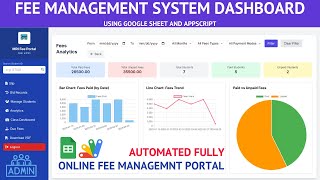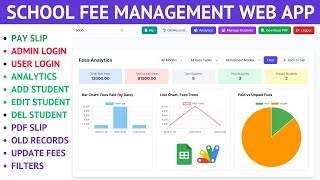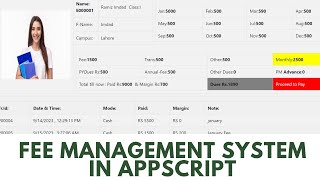



The fee challan a student takes to the bank — generated from your sheet by typing a student ID, printed with every copy the process needs.
A student enters their ID and the challan builds itself: challan ID, section, semester, group, year, due date, the institution's bank account, a barcode, and the student's name and roll number. No office staff filling in a pad by hand, and no queue at the accounts window in the week before a deadline.
Real institutional challans are not one amount. Tuition, water and transport, hostel, admission, web portal, migration, library fund, degree and transcript verification, security, student card and additional fees each carry their own line — and the total is calculated for you. Because the heads come from the sheet, a student who owes no hostel fee simply shows zero against it.
Below the total sits the higher figure payable after the due date. It is the line that makes a challan do its job: the deadline stops being a policy someone has to explain and becomes a number on the paper in the student's hand.
The slip prints as the full set — bank copy, accounts department copy and student copy — with a bank charges line and space for the stamp and date. Print it, pay it, keep your copy.
Every fee head cell must hold a value, using 0 rather than a blank, for a student whose fee head does not apply. A blank cell makes the lookup fail with an ID-not-found error, which is the one thing that trips people up on first setup. Keep the spreadsheet's sharing restricted — it holds every student's fee record.
| Version | v1.0 |
| Published | Aug 22, 2025 |
| Platform | Google Apps Script |
| Database | Google Sheets |
| Category | Education & School, Billing & Invoicing |
| Tags | |
| Video | Watch walkthrough |
| License | Regular License |
Subscribe on YouTube, then verify with one click. No payment, no card. Google is used only to confirm your subscription.
What you get
Not subscribed yet? Subscribe to our channel
Extra modules, your branding, integrations or reports built on top of this file. You get a clear quote and timeline before any work starts, and support after delivery.
What We Customize
20-30% advance to start • Clear quote before work begins • Support included after delivery
Paid picks from the same category
How to Build a Complete Student Fee Management System with Google Apps Script and React | D50
1,177 views this month
Google Sheets Fee Management System with Apps Script | Fee Management Web App | C35
41 views this month
Fee Management System Using Apps Script | Fee Management Web App Admin & Staff Login | C36
45 views this month
What buyers and viewers say about How to Automate Student Fee Challans with Google Apps Script & Google sheets.