

Need a customized project? We build it to your exact requirements.Contact us on WhatsApp

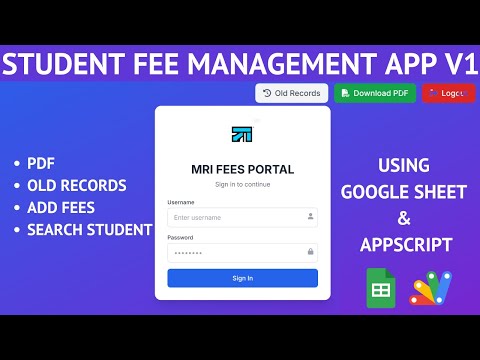
Fee Management System with Admin & Staff Login – Apps Script

C36 Education & School Billing & Invoicing Weekly Plan Premium Plan VIP Premium Plan
Fee Management System Using Apps Script | Fee Management Web App Admin & Staff Login | C36
You get
  • Google Sheet link
  • Source code file
  • Resale rights
  • Edit rights
  • Setup guide
  • AI setup help

Key Features

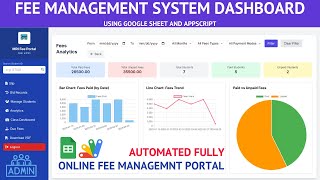
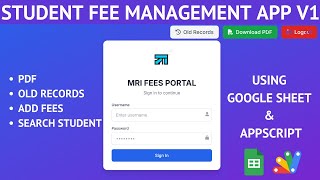
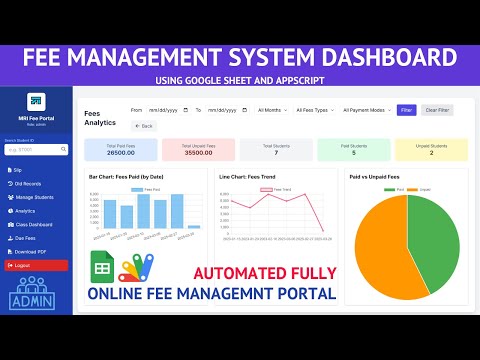
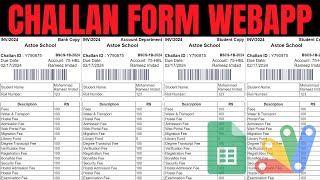
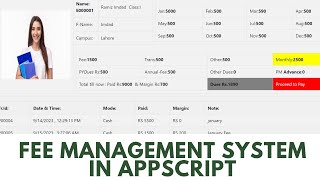
Admin and staff logins with role-based access Student master with session trade institute and total fees Search a student by ID to fill the slip automatically Month selector on every fee receipt Duplicate-month guard blocking a second payment for one month Transaction ID recorded with each payment Fee type and payment mode selected per receipt Old Records with that student's full payment history Get and Update Receipt to correct a past payment Add update and delete students from the app Search filter across the student list Analytics with total paid and unpaid students Bar chart of fees collected by date Line chart of the collection trend Pie chart of paid versus unpaid fees Filters by month fee type and payment mode Staff limited to slips history and PDF download Download any fee slip as a PDF

Description

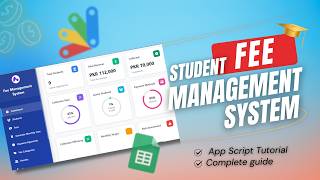
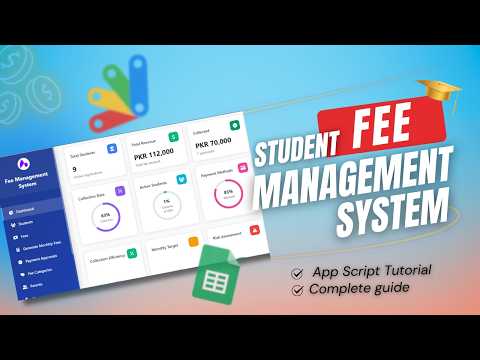
Version two of the fee portal, and the one a principal can actually run a school on: two roles, a student master kept inside the app, and an analytics screen that answers how much has been collected and how much has not.

Principal and clerk see different things

The admin login belongs to the principal — student management, analytics, everything. The staff login is deliberately narrow: raise a slip, look up old records, download the PDF. A clerk cannot edit a student's total fees or read the collection figures, which is the point of splitting the roles.

The guard that matters

Try to take the same month's fee twice from the same student and the app refuses with a submission error saying that month is already paid. In a manual register that mistake happens constantly and is found weeks later; here it cannot be saved at all. A payment that was genuinely recorded wrong is fixed instead through Old Records — press Get, correct it, and Update Receipt writes the change back, so a cash entry that should have been online is a two-click fix.

Students without the spreadsheet

Manage Students adds, updates and deletes student records from inside the app, with a search filter over the list, so admissions and fee changes never mean opening the sheet.

Where the money actually is

Analytics counts students, paid students and unpaid students, and totals fees due against fees collected — then draws it: a bar chart of collection by date, a line chart of the trend, and a pie of paid against unpaid. Filters narrow all of it by month, fee type and payment mode, so "how much exam fee came in by card in January" is three clicks rather than an afternoon.

Requirements

  • A Google account (Gmail or Google Workspace)
  • Google Sheets and Google Apps Script — no hosting or server needed
  • A Login sheet with admin and staff accounts
  • A student data sheet keyed on student ID
  • A modern browser (Chrome, Edge, Firefox or Safari)

What's Included

  • Complete Google Apps Script source code
  • Fee slip, student management and analytics front-end
  • Admin and staff login screens
  • Google Sheets structure for logins, students and fee records
  • Step-by-step video walkthrough of the full build
  • Free support from the developer

Item Details

Versionv1.0
PublishedAug 22, 2025
PlatformGoogle Apps Script
DatabaseGoogle Sheets
CategoryEducation & School, Billing & Invoicing
Tagsfee management system google apps scriptstudent fee management systemschool fees management system source codefee management system google sheetsfee management system for schoolfees management system project with source codeschool fee collection softwarefee receipt system with pdf
VideoWatch walkthrough
LicenseRegular License
Regular License C36
Subtotal $9.99 USD
Total $9.99 USD
Other payment methods
Wise / Bank Transfer · via WhatsApp +92 343 534 7417 $19.98$9.99
Redotpay
Fee Management System Using Apps Script | Fee Management Web App Admin & Staff Login | C36
Secure checkout
Amount due
$9.99$19.98
Total due
Redotpay Account
1002896884
How to pay
  1. Copy the Redotpay account
  2. Pay $9.99 via Redotpay
  3. Enter the transaction reference below
  4. Submit the details below to complete your order
Order details$9.99
Order summary
ItemFee Management System Using Apps Script | Fee Management Web App Admin & Staff Login | C36
ReferenceC36
Payment MethodRedotpay
Total$9.99
Your payment proofReference + screenshot — takes a minute
Your receipt and download link will be sent to this address.
Country code is set from your location. Change it if needed and enter the number without the code.
Upload a screenshot of the paymentDrop it here or click to browse · JPG or PNG, up to 2 MB
Confirmed typically within 2 hours (24/7)
Encrypted connection
Confirmation in 2 hours
Emailed receipt
Get a custom version for your business

Your features, branding and reports, built on this system. Free quote before any work starts.

Chat on WhatsApp
Binance Pay
Fee Management System Using Apps Script | Fee Management Web App Admin & Staff Login | C36
Secure checkout
Amount due
$9.99
Total due · no additional fees
Binance Pay ID
766412546
Account holder: Muahmmad Ramiz Imdad
How to pay
  1. Open the Binance app and choose Pay
  2. Enter the Pay ID
  3. Send $9.99 in any supported asset
  4. Copy the Order ID from your Binance receipt
  5. Enter it below with a screenshot and submit
Order details$9.99
Order summary
ItemFee Management System Using Apps Script | Fee Management Web App Admin & Staff Login | C36
ReferenceC36
Payment MethodBinance Pay
Total$9.99
Your payment proofReference + screenshot — takes a minute
Your receipt and download link will be sent to this address.
Country code is set from your location. Change it if needed and enter the number without the code.
Upload a screenshot of the paymentDrop it here or click to browse · JPG or PNG, up to 2 MB
Confirmed typically within 2 hours (24/7)
Encrypted connection
Confirmation in 2 hours
Emailed receipt
Cryptocurrency
Fee Management System Using Apps Script | Fee Management Web App Admin & Staff Login | C36
Secure checkout
Amount due
$9.99
Send the equivalent amount in the selected asset
Select an asset
Wallet address
15jjKnm6NgxN1Wgbfh7xdBWgbCFztHeNhE
Send only the selected asset on the selected network. Transfers made on a different network cannot be recovered.
How to pay
  1. Select an asset above
  2. Copy the wallet address and send the equivalent of $9.99
  3. Enter the transaction hash below
  4. Submit the details below to complete your order
Order details$9.99
Order summary
ItemFee Management System Using Apps Script | Fee Management Web App Admin & Staff Login | C36
ReferenceC36
Payment MethodCryptocurrency
Total$9.99
Your payment proofReference + screenshot — takes a minute
Your receipt and download link will be sent to this address.
Country code is set from your location. Change it if needed and enter the number without the code.
Upload a screenshot of the paymentDrop it here or click to browse · JPG or PNG, up to 2 MB
Confirmed typically within 2 hours (24/7)
Encrypted connection
Confirmation in 2 hours
Emailed receipt
PayPal
Fee Management System Using Apps Script | Fee Management Web App Admin & Staff Login | C36
Secure checkout
Amount due
$9.99
Total due
Pay $9.99 with PayPal
Opens PayPal in a new tab. Return here with your Transaction ID to complete the submission.
How to pay
  1. Select Pay $9.99 with PayPal; PayPal opens in a new tab
  2. Copy the Transaction ID from your PayPal receipt
  3. Enter it below with a screenshot of the payment, then submit
  4. Your payment is verified and access is enabled; the download link is also emailed to you
Order details$9.99
Order summary
ItemFee Management System Using Apps Script | Fee Management Web App Admin & Staff Login | C36
ReferenceC36
Payment MethodPayPal
Total$9.99
Your payment proofReference + screenshot — takes a minute
Your receipt and download link will be sent to this address.
Country code is set from your location. Change it if needed and enter the number without the code.
Upload a screenshot of the paymentDrop it here or click to browse · JPG or PNG, up to 2 MB
Confirmed typically within 2 hours (24/7)
Encrypted connection
Confirmation in 2 hours
Emailed receipt
Custom development

Need this customized for your business?

Extra modules, your branding, integrations or reports built on top of this file. You get a clear quote and timeline before any work starts, and support after delivery.

400+Projects delivered
91+Countries served

20–30% advance to start · Clear quote before work begins · Support after delivery

What we customize

  • Features & functionsNew features, changes to existing scripts, custom formulas and automations
  • API & integrationsWhatsApp, payment gateways, CRM and more
  • Design & UI changesYour branding, layout redesign, dark mode, mobile layout
  • Full custom projectsDashboards, billing, inventory, CRM, built from scratch
$9.99
USD · card / manual pay

People choose these

Paid picks from the same category

How to Build a Complete Student Fee Management System with Google Apps Script and React | D50 How to Build a Complete Student Fee Management System with Google Apps Script and React | D50 85 views this month Apps Script $9.99 USD Google Sheets Fee Management System with Apps Script | Fee Management Web App | C35 Google Sheets Fee Management System with Apps Script | Fee Management Web App | C35 46 views this month Apps Script $9.99 USD Complete Google Apps Script Fees Management Dashboard Portal with Role-Based Access | C36v1 Complete Google Apps Script Fees Management Dashboard Portal with Role-Based Access | C36v1 43 views this month Apps Script $9.99 USD

Reviews & Feedback

What buyers and YouTube viewers say about this project.

Sort
@Subeesh.A-z via YouTube
Today complete 9k
@onenonlymovies via YouTube
unable to download the google sheet
@nileshpawar302 via YouTube
Nice vedio But improve Class wise fees management.
@irfanchauhan495 via YouTube
Nice Videos.... Always Helpful by Sharing new and innovative ideas to make our daily work in easy way.
@bbsfunzone6868 via YouTube
Aapke video bahut acha hai jaise k aap ne ek teacher attendance ka video web app ka banaya hai jise dekh kar maine bhi banay lekin web app link sirf pc par hi open hota aur jab mai android mobile se link open karta hu to unable to open likh kar ata hai jabki aapke wale web app link mobile aur pc dono par open hota hai please iska solution bataye.