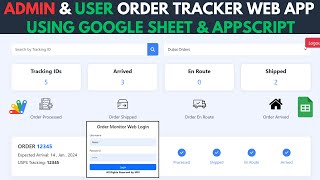
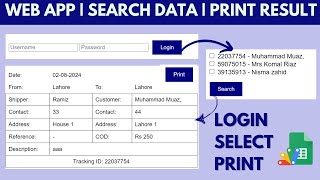
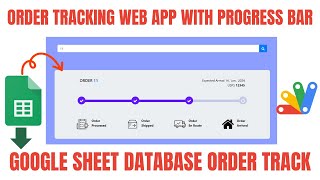
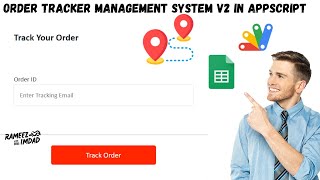





Need a customized project? We build it to your exact requirements.Contact us on WhatsApp

Free Courier Tracking System – Google Sheets Apps Script

F26 Logistics & Delivery Free Weekly Plan Premium Plan VIP Premium Plan
❤️
Need a Custom Business Solution?
Connect with us on WhatsApp to discuss your requirements. Our team will design and develop a tailored software solution aligned with your business workflow, operational needs, and growth objectives.
AI prompt available Free This file has free AI prompts. Login, open AI Learning, then copy the prompts.
Login to View
I Built a Courier Tracking Web App with Claude Code 2.0 & Fable 5.1 | Google Sheets + Apps Script
You get
  • Google Sheet link
  • Source code file
  • Resale rights
  • Edit rights
  • Setup guide
  • AI setup help

Key Features

Public tracking page where customers enter a tracking number with no login Status timeline from created picked up and departed facility to out for delivery and delivered Shipment details and delivery details shown side by side Admin panel with add edit and delete shipments Bulk shipment import Dashboard with total shipments in transit delivered and COD outstanding JSON row data in Google Sheets with one row per date One-click demo data setup that builds every sheet and seeds shipments Two-file Apps Script build - Code.js plus index.html Deploys as a Google Apps Script web app with no hosting bill The two AI prompts used to generate this build Step-by-step video showing the full Claude Code build process

Description

A courier and parcel tracking web app running entirely on Google Sheets and Google Apps Script. Your customer types a tracking number into a public page — no login, no app to install — and sees exactly where the parcel is: created, picked up, departed facility, in transit, out for delivery, delivered. Behind it sits an admin panel where you add, edit, import and manage every shipment, plus a dashboard summarising total shipments, in transit, delivered and COD outstanding.

What it does

Shipments are stored in Google Sheets in a compact JSON row format — one row per date, with that day's shipments held together — so the sheet stays small and fast as volume grows. A single demo-data function builds every sheet and fills it with sample shipments, so the app is working within a minute of pasting the code in. The whole build is two files, Code.js and index.html, deployed as an Apps Script web app: there is no server to rent and no database to configure.

Built with Claude Code — and the prompts come with it

This app was generated with Claude Code (Fable 5.1 / Opus) and then hand-finished. The video shows the whole process end to end: setting up the extension in VS Code, queueing the prompts, pasting the output into Apps Script, deploying, and fixing the parts the AI did not get right the first time. The two prompts used are published in the AI Prompts section on rameezscripts.com, so you can run the same build yourself — in Claude Code, Codex, Gemini or Cursor — or adapt them for a different app entirely.

Who it is for

Small courier, cargo and last-mile delivery operators who want a tracking page without a monthly SaaS bill, and developers who want to see a realistic AI-assisted build from blank folder to deployed web app.

Requirements

  • A Google account (Gmail or Google Workspace)
  • Google Sheets as the database — no server or MySQL needed
  • Google Apps Script web app deployment access
  • Modern browser (Chrome, Edge, Firefox or Safari)
  • No AI subscription needed to run the app — the finished source code is included
  • Optional: Claude Code in VS Code if you want to repeat the build from the prompts

What's Included

  • Full Apps Script source code (Code.js + index.html)
  • Public shipment tracking page
  • Admin panel with shipment CRUD and import
  • Dashboard with shipment status totals
  • Google Sheets JSON data structure
  • One-click demo data setup function
  • The two AI prompts used to generate the build
  • Full video walkthrough of the build and deployment
  • Free support and paid customization on request

Item Details

Versionv1.0
PublishedSep 2, 2026
PlatformGoogle Apps Script
DatabaseGoogle Sheets
CategoryLogistics & Delivery
Tagscourier tracking systemcourier tracking system projectcourier management systemparcel tracking systemcourier tracking system google sheetscourier tracking software freecourier delivery tracking softwarepackage tracking system
VideoWatch walkthrough
LicenseRegular License
Subscription Verification Required
This is a free file. Subscribe to our YouTube channel to unlock the source code + Google Sheet. One click — no payment. Google only confirms you are subscribed.
Verify Now
Free download

Subscribe & Unlock Source Code

Subscribe on YouTube, then verify with one click. No payment, no card. Google is used only to confirm your subscription.

What you get

  • Code.gs + HTML filesThe complete Apps Script project
  • Google SheetYour own copy with the data
  • Setup guideInstall steps from start to finish

Not subscribed yet? Subscribe to our channel

Browse More Free Files

Need This Customized For Your Business?

Extra modules, your branding, integrations or reports built on top of this file. You get a clear quote and timeline before any work starts, and support after delivery.

400+
Projects Delivered
91+
Countries Served

What We Customize

Features & Functions
Add new features, modify existing scripts, custom formulas & automations
API & Integrations
Connect with WhatsApp, Payment Gateways, CRM & more
Design & UI Changes
Custom branding, layout redesign, dark mode, mobile optimization
Full Custom Projects
Dashboards, billing systems, inventory, CRM — built from scratch
Get Free Quote on WhatsApp

20-30% advance to start • Clear quote before work begins • Support included after delivery

Free
Source Code File

People choose these

Paid picks from the same category

Grocery Store POS System with Barcode Scanner | Google Sheet POS + Apps Script + AI Grocery Store POS System with Barcode Scanner | Google Sheet POS + Apps Script + AI 241 views this month Apps Script How to Build an App with Claude AI: Complete Church Management System in Google Sheets How to Build an App with Claude AI: Complete Church Management System in Google Sheets 161 views this month Apps Script Manage Your Installments Like a Pro: Complete Web App Demo Manage Your Installments Like a Pro: Complete Web App Demo 205 views this month PHP

Reviews & Feedback

What buyers and viewers say about I Built a Courier Tracking Web App with Claude Code 2.0 & Fable 5.1 | Google Sheets + Apps Script.

No star ratings yet Tap a star to be the first to rate it.
9 comments from
YouTube viewers
Sort
@moazammehmood4239 via YouTube
What a UI I love it, Keep up the good work bro ❤
1 like on YouTube
@ImSadiqz via YouTube
Great work bhai. Keep it up.
@dynextron-qzz-io via YouTube
The perfect logistics app
@abubakaraminuisa via YouTube
This person it working nicely and always try to make anything excellent
@JeanTube7777 via YouTube
La ui es muy limpia. Exelente.
@manuelspctips via YouTube
Biggest project ever, well done
@PadhakuKida via YouTube
Great work
@khanasadullah5125 via YouTube
New colour and ui perfect bhai
@richarrh via YouTube
Great tutorial! It's impressive to see how quickly you can build a full courier tracking system with AI and Apps Script. Thanks for sharing the workflow!
