




Need a customized project? We build it to your exact requirements.Contact us on WhatsApp

Free Python Google Sheets API Script – Read & Write Data

PYTHON Automation & Integration Premium Plan Weekly Plan VIP Premium Plan
❤️
Need a Custom Business Solution?
Connect with us on WhatsApp to discuss your requirements. Our team will design and develop a tailored software solution aligned with your business workflow, operational needs, and growth objectives.
How to Connect Python to Google Sheets | Complete Tutorial 2026
You get
  • Google Sheet link
  • Source code file
  • Resale rights
  • Edit rights
  • Setup guide
  • AI setup help

Key Features

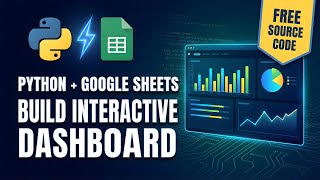
Python reads and writes a live Google Sheet Google Sheets API and Google Drive API enabled in Cloud Console Service account with a downloadable JSON key Sheet shared with the service account as editor Required Python libraries installed automatically on first run Generates an HTML dashboard from the sheet data Plotly charts including top students by GPA Key statistics summary block Optional auto-refresh every 30 seconds Works with VS Code on Windows macOS or Linux Full source code to copy and adapt

Description

Python and Google Sheets, properly connected — not exported CSVs, but a script that reads and writes the live sheet. The setup is the part everyone gets stuck on, so the walkthrough goes through the Google Cloud side click by click.

The connection, step by step

Enable the Google Sheets API and the Google Drive API in the Cloud Console, create a service account, generate a JSON key and download it. Then the step that is easy to miss and breaks everything when skipped: share your Google Sheet with the service account's email address as an editor. A service account is its own identity; without that share it has no access to your file, and the error it returns does not say so clearly.

What the script does

It connects, writes data into the sheet, reads it back, and builds an HTML dashboard from it using Plotly — charts, a top-performers ranking and a key statistics block. Answer yes at the prompt and auto-refresh is enabled on a thirty-second cycle, so the dashboard updates itself while the sheet changes. Missing Python libraries are installed on first run rather than left to you.

Why do this at all

Google Sheets is a database everyone in the office can already read, and Python is where the real processing happens — pandas, scraping, machine learning, scheduled jobs. Joining them means your script's output lands somewhere non-technical colleagues can open, and their edits are readable by your script. The example is a student dashboard; the connection works for anything.

Versions

VS Code and Python are the only tools. Python 3.11 or 3.10 are recommended over the newest release, which is the usual cause of library errors on a fresh install.

Requirements

  • Python installed — 3.11 or 3.10 recommended over the newest release
  • VS Code or any editor that can run a Python file
  • A Google account with access to Google Cloud Console
  • Google Sheets API and Google Drive API enabled on a Cloud project
  • A service account JSON key saved as credentials.json beside the script

What's Included

  • Complete Python source code
  • Google Cloud setup walkthrough — APIs, service account and JSON key
  • Sheet sharing steps for the service account
  • Script that reads and writes the live Google Sheet
  • Plotly HTML dashboard with charts and key statistics
  • Optional 30-second auto-refresh
  • Step-by-step video walkthrough of the full setup
  • Free support from the developer

Item Details

Versionv1.0
PublishedJan 27, 2026
PlatformGoogle Apps Script
DatabaseGoogle Sheets
CategoryAutomation & Integration
Tagspython google sheets apipython google sheets api tutorialconnect python to google sheetsgoogle sheets api python examplepython google spreadsheet apiread write google sheets with pythongoogle service account json keygoogle sheets api python quickstart
VideoWatch walkthrough
LicenseRegular License
Subscription Verification Required
This is a free file. Subscribe to our YouTube channel to unlock the source code + Google Sheet. One click — no payment. Google only confirms you are subscribed.
Verify Now
Free download

Subscribe & Unlock Source Code

Subscribe on YouTube, then verify with one click. No payment, no card. Google is used only to confirm your subscription.

What you get

  • Code.gs + HTML filesThe complete Apps Script project
  • Google SheetYour own copy with the data
  • Setup guideInstall steps from start to finish

Not subscribed yet? Subscribe to our channel

Browse More Free Files

Need This Customized For Your Business?

Extra modules, your branding, integrations or reports built on top of this file. You get a clear quote and timeline before any work starts, and support after delivery.

400+
Projects Delivered
91+
Countries Served

What We Customize

Features & Functions
Add new features, modify existing scripts, custom formulas & automations
API & Integrations
Connect with WhatsApp, Payment Gateways, CRM & more
Design & UI Changes
Custom branding, layout redesign, dark mode, mobile optimization
Full Custom Projects
Dashboards, billing systems, inventory, CRM — built from scratch
Get Free Quote on WhatsApp

20-30% advance to start • Clear quote before work begins • Support included after delivery

Free
Source Code File

People choose these

Paid picks from the same category

Grocery Store POS System with Barcode Scanner | Google Sheet POS + Apps Script + AI Grocery Store POS System with Barcode Scanner | Google Sheet POS + Apps Script + AI 233 views this month Apps Script How to Build an App with Claude AI: Complete Church Management System in Google Sheets How to Build an App with Claude AI: Complete Church Management System in Google Sheets 161 views this month Apps Script Manage Your Installments Like a Pro: Complete Web App Demo Manage Your Installments Like a Pro: Complete Web App Demo 205 views this month PHP

Reviews & Feedback

What buyers and viewers say about How to Connect Python to Google Sheets | Complete Tutorial 2026.

No star ratings yet Tap a star to be the first to rate it.
24 comments from
YouTube viewers
Sort
@LearnKidsZone via YouTube
Also explain what are key futures to connect python.
1 like on YouTube
@MuhammadSharjeel-d4p via YouTube
awesome video well explained
1 like on YouTube
@MuhammadSharjeel-d4p via YouTube
before and after it show 12 comments. why number is not increasing.
1 like on YouTube
@DurvishJawaleOfficial via YouTube
Thank you for making these type of videos❤🎉
1 like on YouTube
@DurvishJawaleOfficial via YouTube
Wow!, sir what a project 👏 👌 🎉🎉❤❤❤❤
1 like on YouTube
@LearnKidsZone via YouTube
I need more videos like this.
1 like on YouTube
@LearnKidsZone via YouTube
Informative❤
1 like on YouTube
@noncopyrightmusicak1040 via YouTube
Wow😮 Such a good project! Thank you!!❤
@tebss-support via YouTube
One of the most awaited project.. Wonderful Sir!
@AsaKhatun-mr7pu via YouTube
Thank you so much for your valuable video 🎉🎉🎉🎉
@hillriderr via YouTube
This is absolutely wonderful and awaiting new projects
@irfanchauhan495 via YouTube
Simply Superb for Automation of our many Tasks..... Really Nice Way to Connect... Thank you brother
@sonamlimbu821 via YouTube
Wow .... love it.
@Nolly_African_Tales via YouTube
my bro is unlocking possibilities for developing countries to have access to the modern world technologies
@irfanmuhammad5016 via YouTube
So helpful ❤
@nicholasrosa3362 via YouTube
Great work 🎉 Easy to follow instructions
@MoneyMindedMasud via YouTube
this is the most complete and beginner-friendly guide I’ve seen on connecting Google Sheets with Python. Loved the clarity
@rodasluis1308 via YouTube
Great tutoria, thank you very muchl!!
@ToumerteMesmoudi via YouTube
😊 Always amazing..Thanks ❤
@hillriderr via YouTube
🎉🎉🎉🎉❤❤❤❤❤❤❤❤thank youuuu
@darkmanweb2000 via YouTube
I will have to download this video. Great one Sir
@darkmanweb2000 via YouTube
The best python connection tutorial I have ever watched. Thanks Bro
@maancade2224 via YouTube
جزاك الله ❤😊
@Ariel1433 via YouTube
❤Amazing... Unlimited possibilites. Thanks❤