




Need a customized project? We build it to your exact requirements.Contact us on WhatsApp

Free Python to Google Sheets Script – Student Dashboard

Python1 Automation & Integration Premium Plan Weekly Plan VIP Premium Plan
❤️
Need a Custom Business Solution?
Connect with us on WhatsApp to discuss your requirements. Our team will design and develop a tailored software solution aligned with your business workflow, operational needs, and growth objectives.
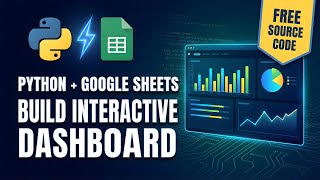
How to Connect Python to Google Sheets | Complete Tutorial 2026
You get
  • Google Sheet link
  • Source code file
  • Resale rights
  • Edit rights
  • Setup guide
  • AI setup help

Key Features

Python script reading and writing a Google Sheet Google Cloud service account authentication JSON credentials file kept in your own project folder Sheets API and Drive API setup walked through Sheet shared with the service account as editor Sheet name set in one line of the script Demo student data written into the sheet on run Student dashboard generated as an HTML file Charts built with the Plotly library Top students by GPA and key statistics Optional auto refresh every thirty seconds Yes or no prompt when the script starts Missing Python libraries installed automatically Tested Python versions named to avoid version errors

Description

This one answers a question a lot of people get stuck on: the Google Sheet lives in Drive and the Python script lives on your machine, so how do the two actually talk? The answer is a Google Cloud service account, and this file walks the whole setup end to end — then shows what you can do once the connection works.

Getting the connection made

You enable the Google Sheets API and the Google Drive API in the Cloud Console, create a service account, generate a JSON key and drop it into your project folder as the credentials file. The step almost everyone misses is the last one: the service account has its own email address, and the sheet has to be shared with that address as an editor. Miss it and the script authenticates fine and still cannot see your sheet.

Writing to the sheet from Python

With that in place, running the script writes rows into the sheet — demo student records in the walkthrough, your own data once you swap the source. The sheet name is set in one line, so pointing the script at a different workbook is a one-word edit rather than a rewrite.

The dashboard it builds

The same run produces a student dashboard as an HTML file, with charts drawn using Plotly: top students by GPA, key statistics and a chart view of everything that went into the sheet. On start the script asks whether you want live monitoring; answer yes and the dashboard reloads itself every thirty seconds, which turns an HTML file into something you can leave open on a second screen.

Before you start

You need VS Code and Python installed. The walkthrough names the Python versions it was built and tested against rather than assuming the newest release behaves, which saves the version errors these scripts usually die on. Missing libraries install themselves on the first run.

Requirements

  • Python installed on your computer
  • VS Code or any Python editor
  • A Google Cloud project with Sheets and Drive APIs enabled
  • A service account with a downloaded JSON key
  • The target Google Sheet shared with the service account email as editor
  • An internet connection for the first library install

What's Included

  • Complete Python source for the Sheets connection
  • Google Cloud service account setup steps
  • Credentials file placement and naming notes
  • Script that writes records into your sheet
  • Generated student dashboard HTML file
  • Plotly charts for GPA ranking and key statistics
  • Optional auto refresh every thirty seconds
  • Automatic install of any missing Python libraries
  • Tested Python version numbers to avoid errors
  • Step-by-step video walkthrough of the full setup
  • Free support from the developer

Item Details

Versionv1.0
PublishedOct 13, 2025
PlatformGoogle Apps Script
DatabaseGoogle Sheets
CategoryAutomation & Integration
Tagsconnect python to google sheetslink python to google sheetsconnect python script to google sheetspython google sheets api tutorialgoogle sheets api service accountwrite to google sheet from pythonpython dashboard from google sheetsplotly dashboard google sheets
VideoWatch walkthrough
LicenseRegular License
Subscription Verification Required
This is a free file. Subscribe to our YouTube channel to unlock the source code + Google Sheet. One click — no payment. Google only confirms you are subscribed.
Verify Now
Free download

Subscribe & Unlock Source Code

Subscribe on YouTube, then verify with one click. No payment, no card. Google is used only to confirm your subscription.

What you get

  • Code.gs + HTML filesThe complete Apps Script project
  • Google SheetYour own copy with the data
  • Setup guideInstall steps from start to finish

Not subscribed yet? Subscribe to our channel

Browse More Free Files

Need This Customized For Your Business?

Extra modules, your branding, integrations or reports built on top of this file. You get a clear quote and timeline before any work starts, and support after delivery.

400+
Projects Delivered
91+
Countries Served

What We Customize

Features & Functions
Add new features, modify existing scripts, custom formulas & automations
API & Integrations
Connect with WhatsApp, Payment Gateways, CRM & more
Design & UI Changes
Custom branding, layout redesign, dark mode, mobile optimization
Full Custom Projects
Dashboards, billing systems, inventory, CRM — built from scratch
Get Free Quote on WhatsApp

20-30% advance to start • Clear quote before work begins • Support included after delivery

Free
Source Code File

People choose these

Paid picks from the same category

Grocery Store POS System with Barcode Scanner | Google Sheet POS + Apps Script + AI Grocery Store POS System with Barcode Scanner | Google Sheet POS + Apps Script + AI 233 views this month Apps Script How to Build an App with Claude AI: Complete Church Management System in Google Sheets How to Build an App with Claude AI: Complete Church Management System in Google Sheets 161 views this month Apps Script Manage Your Installments Like a Pro: Complete Web App Demo Manage Your Installments Like a Pro: Complete Web App Demo 205 views this month PHP

Reviews & Feedback

What buyers and viewers say about How to Connect Python to Google Sheets | Complete Tutorial 2026.

No star ratings yet Tap a star to be the first to rate it.
3 comments from
YouTube viewers
Sort
@DurvishJawaleOfficial via YouTube
I have to save this video also🎉🎉 ❤❤❤
1 like on YouTube
@manuelspctips via YouTube
Very educative. I love this
@reanjacell via YouTube
nice and good job! 😊