Need a customized project? We build it to your exact requirements.Contact us on WhatsApp

Lead Management with Follow-Ups – Google Sheets Apps Script

B52 CRM & Sales Pro Apps Script Pass Business
Need a Custom System? We Build It From Scratch
ERP, Finance, School Management, CRM & more — fully customized, production-ready, delivered fast.
ERP FMS SMS CRM Inventory HMS POS
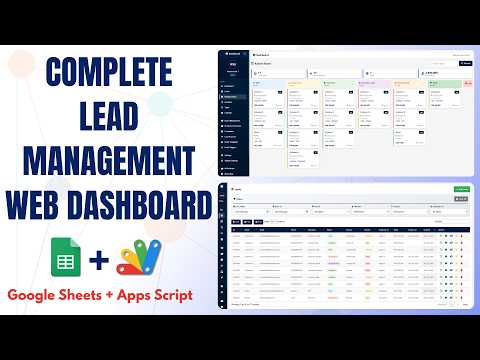
Lead Management Web App with Follow Ups Using #googlesheet & #appsscript | B52
You get
  • Google Sheet link
  • Source code file
  • Resale rights
  • Edit rights
  • Setup guide
  • AI setup help
Built and supported by

Mohammad Rameez Imdad

Founder of Rameez Scripts. I build these systems myself and help you set them up.

  • 33K+YouTube subscribers
  • 348+free tutorials
  • 4+ yrsbuilding since 2022

Key Features

Up to five dated follow-ups per lead Follow-up date and comment recorded together Follow-ups editable after being added Follow-up limit extendable in the code Add lead with name email phone company and status Lead photo uploaded to Google Drive Images displayed from Drive in the list Start date and end date per lead Additional notes per lead Status filter across new contacted demo negotiating converted and lost Status options editable in the HTML Date range filter on the start date Separate date range filter on the end date Clear filters control Delete a lead with confirmation Google Sheets as the database

Description

The lead manager with the part that actually closes deals: follow-ups. Each lead holds up to five of them, every one with its own date and note, so the promise a client made in October is still on the record in November.

Follow-ups are the upgrade

A client says they will pay on the 31st. You add a follow-up with that date and a comment. They call again and push it to the 6th — you edit the follow-up rather than losing the history or writing over the original. Five follow-ups fit on a lead as standard, which covers almost every real negotiation, and the limit is set in the code if you need more. Without this, a lead carries one status and no memory of what was said; with it, you can open a client and read the conversation back.

Everything a lead record needs

Name, email, phone, company, status, start and end dates, free-text notes, and a photo uploaded to Google Drive and shown in the list. Deleting a lead asks first.

Finding the right leads

The status filter cuts to new, contacted, demo sent, negotiating, converted or lost — and those options are a list in the HTML, so your own pipeline names go in without touching any logic. Two separate date range filters work on the start date and the end date, with a clear-filters control to get back to the full list.

Which lead build to take

The first one is single-user with the same record and filters. The second adds admin, manager and team logins with per-user visibility. This one adds the follow-up history — take it if your leads need chasing over weeks rather than being opened and closed.

Requirements

  • A Google account (Gmail or Google Workspace)
  • Google Sheets, Google Drive and Google Apps Script — no hosting needed
  • A Drive folder for lead images, and its folder ID
  • Follow-up date and note columns in the leads sheet
  • Your own pipeline status names to set in the HTML

What's Included

  • Complete Google Apps Script source code
  • Lead management with add, edit, view and delete
  • Up to five dated follow-ups per lead, editable
  • Lead image upload to Google Drive
  • Status filter with editable options
  • Independent date range filters on start and end dates
  • Clear filters control
  • Google Sheets structure for leads and follow-ups
  • Deployment walkthrough including the Drive folder ID
  • Step-by-step video walkthrough of the full build
  • Free support from the developer

Item Details

Versionv1.0
PublishedAug 22, 2025
PlatformGoogle Apps Script
DatabaseGoogle Sheets
CategoryCRM & Sales
VideoWatch walkthrough
LicenseRegular License
Regular License B52
4.923 ratings on this siteSee reviews
White label Resale allowed Free bug fixes Lifetime updates
Get Source Code File on WhatsApp
  1. 1Message us
  2. 2Pay
  3. 3Get the file
Instant download Full source code Lifetime free updates Free bug fixes License & support detailsHide details
  • Regular license, full rights

    Full ownership, white label: your own brand, no Rameez Scripts credit needed. Modify it, use it on unlimited projects and resell it. Only condition: no video content about the product.

  • Setup support, 14 days

    Help with setup, install errors and questions on WhatsApp, plus the step-by-step video guide.

  • Bug fixes in 24–48 hours

    Found a bug in the code? It is fixed free. Bug fixes only, not new features.

  • Safe checkout

    SSL secure page, receipt by email, download in your account right after payment.

Get a custom version for your business

Your features, branding and reports, built on this system. Free quote before any work starts.

Chat on WhatsApp
Custom development

Need this customized for your business?

Extra modules, your branding, integrations or reports built on top of this file. You get a clear quote and timeline before any work starts, and support after delivery.

400+Projects delivered
91+Countries served

20–30% advance to start · Clear quote before work begins · Support after delivery

What we customize

  • Features & functionsNew features, changes to existing scripts, custom formulas and automations
  • API & integrationsWhatsApp, payment gateways, CRM and more
  • Design & UI changesYour branding, layout redesign, dark mode, mobile layout
  • Full custom projectsDashboards, billing, inventory, CRM, built from scratch

People choose these

What buyers of this file added to the same order

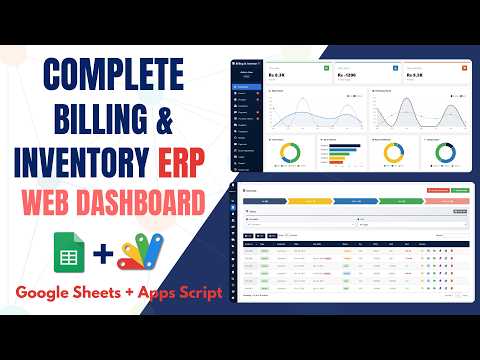
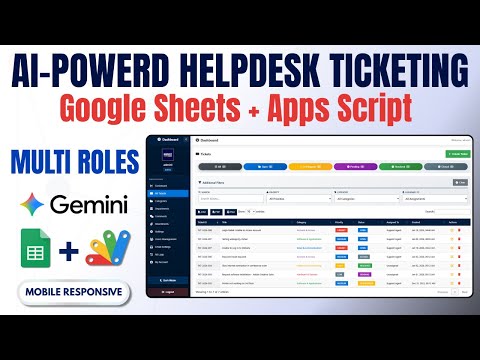
How to Build a Complete Billing & Inventory System in Google Sheets - E47 How to Build a Complete Billing & Inventory System in Google Sheets - E47 Bought with this one Apps Script $4.99 USD Free AI CRM in Google Sheets — Full Lead Management System with Apps Script | E39 Free AI CRM in Google Sheets — Full Lead Management System with Apps Script | E39 Bought with this one Apps Script $4.99 USD How to Build a AI Helpdesk Ticketing System with Google Sheets & Apps Script | E33 How to Build a AI Helpdesk Ticketing System with Google Sheets & Apps Script | E33 Bought with this one Apps Script $4.99 USD

Reviews & Feedback

What buyers and YouTube viewers say about this project.

Sort
@rafikulislam6512 via YouTube
It is very helpful, all your projects are very important. Wish you success.
@Mr7sushil via YouTube
link not working
@rahoolchvn via YouTube
link not working
@truerevises via YouTube
App script me payment gateway kaise lagaye secure ke sath
@truerevises via YouTube
Sir Certificate and Marksheet geneator ka Video layo