

Need a customized project? We build it to your exact requirements.Contact us on WhatsApp

Free Lead Management App with Drive Photos – Google Sheets

B50 CRM & Sales Premium Plan Weekly Plan VIP Premium Plan
❤️
Need a Custom Business Solution?
Connect with us on WhatsApp to discuss your requirements. Our team will design and develop a tailored software solution aligned with your business workflow, operational needs, and growth objectives.
Lead Management Web Application with Google drive Images #appsscript #googlesheets | B50
You get
  • Google Sheet link
  • Source code file
  • Resale rights
  • Edit rights
  • Setup guide
  • AI setup help

Key Features

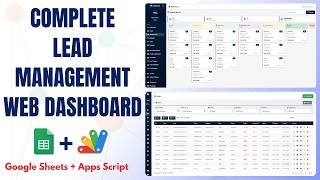
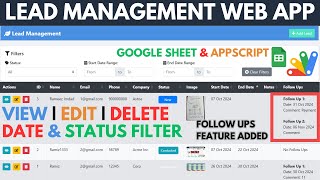
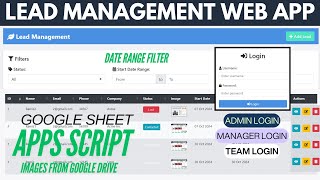
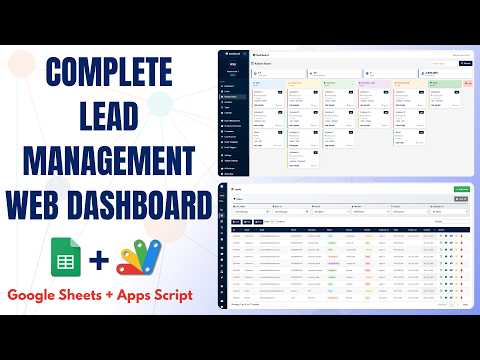
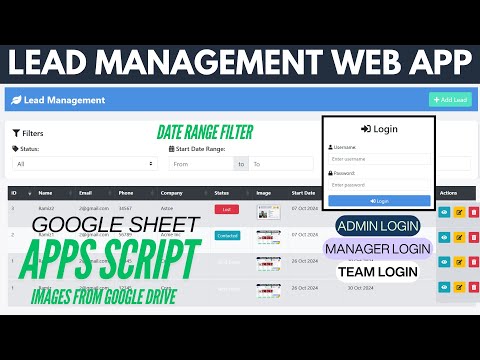
Add lead with name email phone and company Lead photo uploaded to Google Drive Photo displayed in the lead table Status tracking from new to converted or lost Start date and end date per lead Additional notes per lead Newest lead shown at the top Status filter across the whole list Date range filter on lead dates View a lead in detail and print it Edit a lead including replacing its image Delete a lead with confirmation Copy Excel PDF and print export Status options editable in the HTML Google Sheets as the database

Description

Lead tracking with a face attached. Every lead carries a photo stored in Google Drive and shown in the list, alongside the contact details, the company and where the deal has reached.

The lead record

Adding a lead captures name, email, phone, company, status, a start and end date, free-text notes, and an image uploaded straight to Drive. The newest lead sits at the top of the list, so the most recent work is what you see first. Editing a lead includes replacing its image — a detail most builds skip, leaving you with a record you can update except for the one field that needs a re-upload.

Filtering down to what matters

Two filters do the work. Status cuts the list to new, contacted, demo sent, negotiating, converted or lost — so "who is waiting on a demo" is one click. The date range filter cuts by when leads started, which is how you review a month or a campaign. Both work on the same table.

Your own pipeline stages

The status options are a list in the HTML, for both the form and the filter, and there is no limit on how many you add. If your pipeline has seven stages with your own names, it takes a minute — no code logic changes.

Getting data out

Any lead can be viewed in detail and printed. The whole table copies, exports to Excel or PDF, or prints — which covers the weekly report without anyone rebuilding it by hand.

Requirements

  • A Google account (Gmail or Google Workspace)
  • Google Sheets, Google Drive and Google Apps Script — no hosting needed
  • A Drive folder for the lead images, and its folder ID
  • Your own pipeline stage names to set in the HTML

What's Included

  • Complete Google Apps Script source code
  • Add, edit, view and delete leads
  • Lead image upload to Google Drive with replacement on edit
  • Status and date-range filters
  • Printable lead detail view
  • Copy, Excel, PDF and print export of the list
  • Editable status options for form and filters
  • Google Sheets structure for leads
  • Deployment walkthrough including the Drive folder ID
  • Step-by-step video walkthrough of the full build
  • Free support from the developer

Item Details

Versionv1.0
PublishedAug 22, 2025
PlatformGoogle Apps Script
DatabaseGoogle Sheets
CategoryCRM & Sales
Tagslead management google sheet templatelead management system freelead management system google sheetslead management system crmlead tracking systemcrm google sheets template freelead photo upload google drivelead status pipeline
VideoWatch walkthrough
LicenseRegular License
Subscription Verification Required
This is a free file. Subscribe to our YouTube channel to unlock the source code + Google Sheet. One click — no payment. Google only confirms you are subscribed.
Verify Now
Free download

Subscribe & Unlock Source Code

Subscribe on YouTube, then verify with one click. No payment, no card. Google is used only to confirm your subscription.

What you get

  • Code.gs + HTML filesThe complete Apps Script project
  • Google SheetYour own copy with the data
  • Setup guideInstall steps from start to finish

Not subscribed yet? Subscribe to our channel
Browse More Free Files
Custom development

Need this customized for your business?

Extra modules, your branding, integrations or reports built on top of this file. You get a clear quote and timeline before any work starts, and support after delivery.

400+Projects delivered
91+Countries served

20–30% advance to start · Clear quote before work begins · Support after delivery

What we customize

  • Features & functionsNew features, changes to existing scripts, custom formulas and automations
  • API & integrationsWhatsApp, payment gateways, CRM and more
  • Design & UI changesYour branding, layout redesign, dark mode, mobile layout
  • Full custom projectsDashboards, billing, inventory, CRM, built from scratch
Free
Source Code File

People choose these

Paid picks from the same category

Full Source Code: Google Sheets CRM with Kanban Board, Deals, Contacts & RBAC Admin Full Source Code: Google Sheets CRM with Kanban Board, Deals, Contacts & RBAC Admin 152 views this month Apps Script Free AI CRM in Google Sheets — Full Lead Management System with Apps Script | E39 Free AI CRM in Google Sheets — Full Lead Management System with Apps Script | E39 216 views this month Apps Script Lead Management Web App With Admin , Manager & Team Login Using Google Spreadsheet data | B51 Lead Management Web App With Admin , Manager & Team Login Using Google Spreadsheet data | B51 42 views this month Apps Script
Reviews & Feedback

What buyers and YouTube viewers say about this project.

@trifonaspapadopoulos5161 via YouTube
Hi, Your video is interesting. But where is the link if I want to make a copy of your app? Is it there or not provided for some reason?