Need a customized project? We build it to your exact requirements.Contact us on WhatsApp

Lead Management with Team Logins – Google Sheets Apps Script

B51 CRM & Sales Premium Plan Weekly Plan VIP Premium Plan
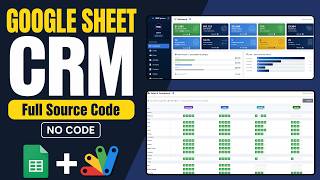
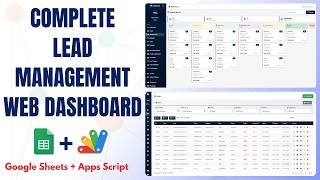
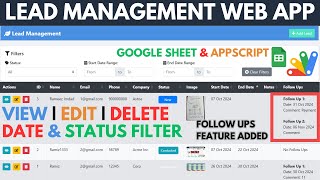
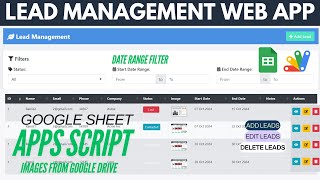
Lead Management Web App With Admin , Manager & Team Login Using Google Spreadsheet data | B51
You get
  • Google Sheet link
  • Source code file
  • Resale rights
  • Edit rights
  • Setup guide
  • AI setup help

Key Features

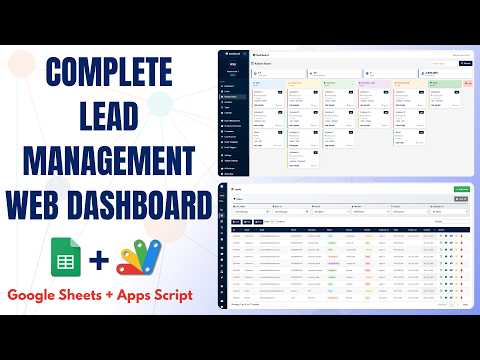
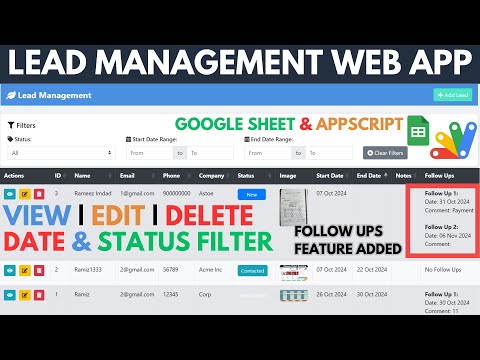
Three roles admin manager and team Team members see only their own leads Ownership matched by username on the lead row Admin and manager see every lead Delete available to admin and manager only No delete control shown to team members Add and edit leads available to all roles Lead photo uploaded to Google Drive Images displayed from Drive in the list Name email phone company and status per lead Start date and end date per lead Date range filter on the start date Separate date range filter on the end date Newest lead shown first View a lead in detail and print it Copy Excel PDF and print export Logout with confirmation Google Sheets as the database

Description

Lead management once you have a team rather than a desk. Three roles, and the rule that makes it work: a team member sees their own leads and nobody else's.

Everyone in their own lane

Each lead carries the username of whoever created it. When a team member signs in, the list is filtered to their rows — so a new rep with no leads yet sees an empty board, not the whole company's pipeline. Reps cannot browse each other's prospects, which is both a privacy matter and the thing that stops leads quietly being poached inside your own sales floor.

Delete is not for everyone

Admins and managers have full rights: add, edit, delete, and visibility across every team member's leads. Team members can add and update — and the delete control simply is not shown to them. Removing a lead is the one action that cannot be undone, and keeping it with the people accountable for the pipeline is deliberate.

The lead record

Name, email, phone, company, status, a start and end date, notes, and a photo uploaded to Google Drive and shown in the list. The newest lead sits at the top. Any lead can be opened in detail and printed.

Filtering and exporting

Two independent date range filters — one on the start date, one on the end date — so you can ask both "which leads opened this month" and "which are due to close this month". The list copies, exports to Excel or PDF, and prints.

Which version to take

The single-user lead management build has the same record, filters and exports without logins or roles. Take this one the moment more than one person is entering leads.

Requirements

  • A Google account (Gmail or Google Workspace)
  • Google Sheets, Google Drive and Google Apps Script — no hosting needed
  • A Drive folder for lead images, and its folder ID
  • A login sheet with usernames, passwords and roles
  • Lead rows carrying the owning username

What's Included

  • Complete Google Apps Script source code
  • Login with admin, manager and team roles
  • Per-user lead visibility for team members
  • Delete restricted to admin and manager
  • Lead add, edit, view and print
  • Image upload to Google Drive shown in the list
  • Independent date range filters on start and end dates
  • Copy, Excel, PDF and print export
  • Logout with confirmation
  • Google Sheets structure for leads and logins
  • Step-by-step video walkthrough of the full build
  • Free support from the developer

Item Details

Versionv1.0
PublishedAug 22, 2025
PlatformGoogle Apps Script
DatabaseGoogle Sheets
CategoryCRM & Sales
Tagslead management google sheet templatelead management system google sheetslead management system crmlead tracking with team loginrole based crm google sheetssales team lead trackingcrm software for small businesseslead management system dashboard
VideoWatch walkthrough
LicenseRegular License
Regular License B51
Subtotal $0.38 USD
Total $0.38 USD
Other payment methods
Wise / Bank Transfer · via WhatsApp +92 343 534 7417 $0.76$0.38
Redotpay
Lead Management Web App With Admin , Manager & Team Login Using Google Spreadsheet data | B51
Secure checkout
Amount due
$0.38$0.76
Total due
Redotpay Account
1002896884
How to pay
  1. Copy the Redotpay account
  2. Pay $0.38 via Redotpay
  3. Enter the transaction reference below
  4. Submit the details below to complete your order
Order details$0.38
Order summary
ItemLead Management Web App With Admin , Manager & Team Login Using Google Spreadsheet data | B51
ReferenceB51
Payment MethodRedotpay
Total$0.38
Your payment proofReference + screenshot — takes a minute
Your receipt and download link will be sent to this address.
Country code is set from your location. Change it if needed and enter the number without the code.
Upload a screenshot of the paymentDrop it here or click to browse · JPG or PNG, up to 2 MB
Confirmed typically within 2 hours (24/7)
Encrypted connection
Confirmation in 2 hours
Emailed receipt
Binance Pay
Lead Management Web App With Admin , Manager & Team Login Using Google Spreadsheet data | B51
Secure checkout
Amount due
$0.38
Total due · no additional fees
Binance Pay ID
766412546
Account holder: Muahmmad Ramiz Imdad
How to pay
  1. Open the Binance app and choose Pay
  2. Enter the Pay ID
  3. Send $0.38 in any supported asset
  4. Copy the Order ID from your Binance receipt
  5. Enter it below with a screenshot and submit
Order details$0.38
Order summary
ItemLead Management Web App With Admin , Manager & Team Login Using Google Spreadsheet data | B51
ReferenceB51
Payment MethodBinance Pay
Total$0.38
Your payment proofReference + screenshot — takes a minute
Your receipt and download link will be sent to this address.
Country code is set from your location. Change it if needed and enter the number without the code.
Upload a screenshot of the paymentDrop it here or click to browse · JPG or PNG, up to 2 MB
Confirmed typically within 2 hours (24/7)
Encrypted connection
Confirmation in 2 hours
Emailed receipt
Cryptocurrency
Lead Management Web App With Admin , Manager & Team Login Using Google Spreadsheet data | B51
Secure checkout
Amount due
$0.38
Send the equivalent amount in the selected asset
Select an asset
Wallet address
15jjKnm6NgxN1Wgbfh7xdBWgbCFztHeNhE
Send only the selected asset on the selected network. Transfers made on a different network cannot be recovered.
How to pay
  1. Select an asset above
  2. Copy the wallet address and send the equivalent of $0.38
  3. Enter the transaction hash below
  4. Submit the details below to complete your order
Order details$0.38
Order summary
ItemLead Management Web App With Admin , Manager & Team Login Using Google Spreadsheet data | B51
ReferenceB51
Payment MethodCryptocurrency
Total$0.38
Your payment proofReference + screenshot — takes a minute
Your receipt and download link will be sent to this address.
Country code is set from your location. Change it if needed and enter the number without the code.
Upload a screenshot of the paymentDrop it here or click to browse · JPG or PNG, up to 2 MB
Confirmed typically within 2 hours (24/7)
Encrypted connection
Confirmation in 2 hours
Emailed receipt
PayPal
Lead Management Web App With Admin , Manager & Team Login Using Google Spreadsheet data | B51
Secure checkout
Amount due
$0.38
Total due
Pay $0.38 with PayPal
Opens PayPal in a new tab. Return here with your Transaction ID to complete the submission.
How to pay
  1. Select Pay $0.38 with PayPal; PayPal opens in a new tab
  2. Copy the Transaction ID from your PayPal receipt
  3. Enter it below with a screenshot of the payment, then submit
  4. Your payment is verified and access is enabled; the download link is also emailed to you
Order details$0.38
Order summary
ItemLead Management Web App With Admin , Manager & Team Login Using Google Spreadsheet data | B51
ReferenceB51
Payment MethodPayPal
Total$0.38
Your payment proofReference + screenshot — takes a minute
Your receipt and download link will be sent to this address.
Country code is set from your location. Change it if needed and enter the number without the code.
Upload a screenshot of the paymentDrop it here or click to browse · JPG or PNG, up to 2 MB
Confirmed typically within 2 hours (24/7)
Encrypted connection
Confirmation in 2 hours
Emailed receipt

Need This Customized For Your Business?

Extra modules, your branding, integrations or reports built on top of this file. You get a clear quote and timeline before any work starts, and support after delivery.

400+
Projects Delivered
91+
Countries Served

What We Customize

Features & Functions
Add new features, modify existing scripts, custom formulas & automations
API & Integrations
Connect with WhatsApp, Payment Gateways, CRM & more
Design & UI Changes
Custom branding, layout redesign, dark mode, mobile optimization
Full Custom Projects
Dashboards, billing systems, inventory, CRM — built from scratch
Get Free Quote on WhatsApp

20-30% advance to start • Clear quote before work begins • Support included after delivery

$0.38
USD · card / manual pay

People choose these

Paid picks from the same category

Full Source Code: Google Sheets CRM with Kanban Board, Deals, Contacts & RBAC Admin Full Source Code: Google Sheets CRM with Kanban Board, Deals, Contacts & RBAC Admin 154 views this month Apps Script $1.29 USD Free AI CRM in Google Sheets — Full Lead Management System with Apps Script | E39 Free AI CRM in Google Sheets — Full Lead Management System with Apps Script | E39 220 views this month Apps Script $6.52 USD Lead Management Web App with Follow Ups Using #googlesheet & #appsscript | B52 Lead Management Web App with Follow Ups Using #googlesheet & #appsscript | B52 35 views this month Apps Script $0.64 USD

Reviews & Feedback

What buyers and viewers say about Lead Management Web App With Admin , Manager & Team Login Using Google Spreadsheet data | B51.

No star ratings yet Tap a star to be the first to rate it.
4 comments from
YouTube viewers
Sort
@karkibkas via YouTube
Amazing work on the B51 project! The multi-level login (Admin/Manager/Team) works flawlessly with the Spreadsheet data. Thank you so much for providing the source code —this is a huge help for me🔥
1 like on YouTube
@rafikulislam6512 via YouTube
It is very helpful, Go ahead to your goals, we are with you.
1 like on YouTube
@daoodali6922 via YouTube
How to download and use
1 like on YouTube
@abrahamperezpalma5654 via YouTube
Excelente video amigo cada vez mejor
1 like on YouTube