

Need a customized project? We build it to your exact requirements.Contact us on WhatsApp

Free POS with Salesperson Invoice Numbers – Google Sheets

R34 POS & Retail Premium Plan Weekly Plan VIP Premium Plan
❤️
Need a Custom Business Solution?
Connect with us on WhatsApp to discuss your requirements. Our team will design and develop a tailored software solution aligned with your business workflow, operational needs, and growth objectives.
Point of Sale with SalesPerson (POS) Web App using Google Sheets and apps script | R34
You get
  • Google Sheet link
  • Source code file
  • Resale rights
  • Edit rights
  • Setup guide
  • AI setup help

Key Features

Product grid with images Tap a product to add it and again to increase quantity Plus and minus controls on each line Live order total Salesperson must be selected before posting Error shown if no salesperson is chosen Own invoice prefix per salesperson Invoice numbers auto-increment per salesperson Numbering handled in code not by a sheet formula Customer name ID and contact captured Sale written with item quantity and price per line Currency symbol set in one place Item ID description price and image in the items sheet Google Sheets as the database Deploys as a Google Apps Script web app

Description

A till with a product grid you tap, and one thing most POS builds on Sheets do not have: each salesperson gets their own invoice series.

Selling

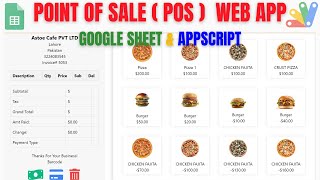
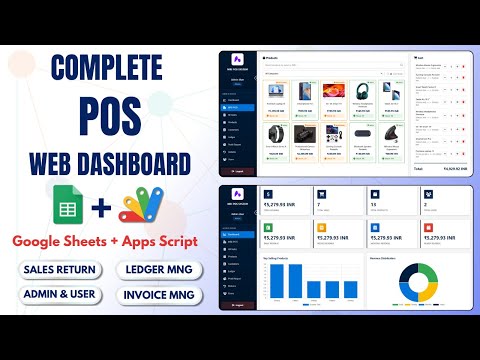
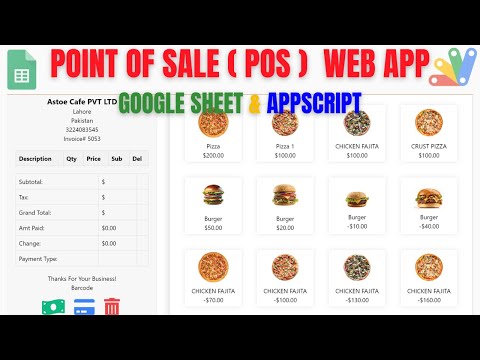
Products show as a grid of images with prices. Tap one to put it on the bill, tap again to add another, or use the plus and minus controls to adjust. The total moves as you go. It is built for a touchscreen or a phone at a counter rather than for typing item codes.

Invoice numbers per salesperson

This is the part worth understanding. Each salesperson is set up with their own prefix — AD, AH, whatever you choose — and their invoices run on their own sequence: AD-001, AD-002, while another person is on AH-001. The next number is worked out in code by reading that person's last invoice and adding one, not by a spreadsheet formula, so it holds up when several people are selling at once. For a shop paying commission or a business with more than one counter, invoices that identify who raised them are the difference between reconciling sales and guessing at them.

The guardrail

Posting without choosing a salesperson is refused with a clear message. An unattributed sale is the one you cannot fix afterwards, so the system will not record one.

Setting it up

Items carry an ID, description, price and an image URL in the items sheet. The currency symbol is set in one place in the script — change PKR to USD or anything else and the whole app follows. Sales land in the sheet with the invoice number, salesperson, customer name, ID and contact, and each item with its quantity and price, ready to total however you like.

Requirements

  • A Google account (Gmail or Google Workspace)
  • Google Sheets and Google Apps Script — no hosting or server needed
  • An items sheet with ID, description, price and image URL
  • A salespeople sheet with each person's name and invoice prefix
  • Your currency symbol set in the script

What's Included

  • Complete Google Apps Script source code
  • Image product grid with tap-to-add quantities
  • Per-salesperson invoice prefixes and auto-incrementing numbers
  • Salesperson selection enforced before posting
  • Customer name, ID and contact capture
  • Configurable currency symbol
  • Google Sheets structure for items, salespeople and sales
  • Deployment walkthrough for publishing as a web app
  • Step-by-step video walkthrough of the full build
  • Free support from the developer

Item Details

Versionv1.0
PublishedAug 22, 2025
PlatformGoogle Apps Script
DatabaseGoogle Sheets
CategoryPOS & Retail
Tagspos system using google sheetspos system for small business freepos system google sheets templatesalesperson wise invoice numberinginvoice numbering per usertouch pos product gridretail pos softwarepos web app apps script
VideoWatch walkthrough
LicenseRegular License
Subscription Verification Required
This is a free file. Subscribe to our YouTube channel to unlock the source code + Google Sheet. One click — no payment. Google only confirms you are subscribed.
Verify Now
Free download

Subscribe & Unlock Source Code

Subscribe on YouTube, then verify with one click. No payment, no card. Google is used only to confirm your subscription.

What you get

  • Code.gs + HTML filesThe complete Apps Script project
  • Google SheetYour own copy with the data
  • Setup guideInstall steps from start to finish

Not subscribed yet? Subscribe to our channel

Browse More Free Files
Custom development

Need this customized for your business?

Extra modules, your branding, integrations or reports built on top of this file. You get a clear quote and timeline before any work starts, and support after delivery.

400+Projects delivered
91+Countries served

20–30% advance to start · Clear quote before work begins · Support after delivery

What we customize

  • Features & functionsNew features, changes to existing scripts, custom formulas and automations
  • API & integrationsWhatsApp, payment gateways, CRM and more
  • Design & UI changesYour branding, layout redesign, dark mode, mobile layout
  • Full custom projectsDashboards, billing, inventory, CRM, built from scratch
Free
Source Code File

People choose these

Paid picks from the same category

Build Complete POS System with Google Sheets + React | E19 Build Complete POS System with Google Sheets + React | E19 129 views this month Apps Script Point of Sale Web App using Google Sheets and Apps Script | P2V1 Point of Sale Web App using Google Sheets and Apps Script | P2V1 60 views this month Apps Script Create POS ( Point of Sale ) Web App Using Google sheet & Appscript | B37 Create POS ( Point of Sale ) Web App Using Google sheet & Appscript | B37 98 views this month Apps Script

Reviews & Feedback

What buyers and YouTube viewers say about this project.

Sort
@Adulting404-r1n via YouTube
Can I get a copy of this sheet?
@ShahadatAli-p3i via YouTube
Sir kindly allow me to copy this sheet
@scholasticsurveillance via YouTube
Informatic Video ❤️
@daoodali6922 via YouTube
Brother that's great video.🫀🤝 Brother koi E-Commerce store 🏬 generate karo with Google sheet
@slimedio via YouTube
In a restaurant, besides food, there are also beverages, desserts, and many other items. Integrating all of them into a single display screen can make it difficult for staff to choose their items. Can you create a menu to categorize them, so when customers choose between food or drinks, the staff can easily filter them
@krishnanmanoj1 via YouTube
No words to great❤🎉 Amazing
@UploadFile-jf7qg via YouTube
Can I request permission to copy the file?