

Need a customized project? We build it to your exact requirements.Contact us on WhatsApp

Membership Portal with Plans & Points – Google Apps Script

C42 Membership & Subscription Premium Plan VIP Premium Plan
VIP Membership Dashboard Portal with Google Sheets & Apps Script | OTP Login, Usage Limits | C42
You get
  • Google Sheet link
  • Source code file
  • Resale rights
  • Edit rights
  • Setup guide
  • AI setup help

Key Features

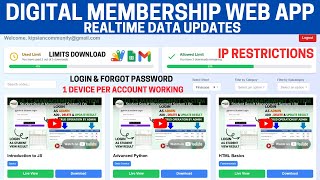
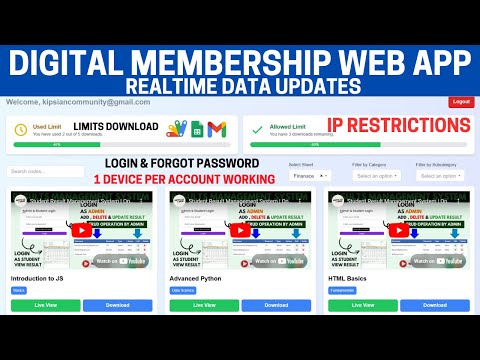
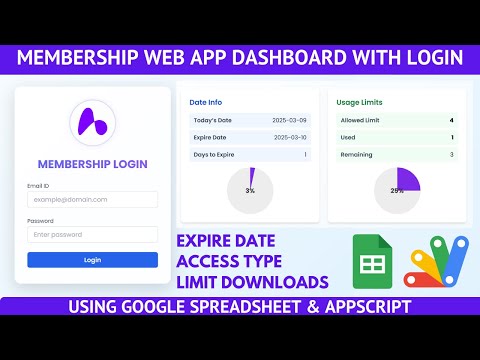
Email OTP required on every login Membership plans defined in the sheet A file can be restricted to specific plans Upgrade prompt naming the plans a file needs Points balance held per member A file can be unlocked with points instead of a plan Points deducted automatically on download Watch-to-earn giving a point per minute watched Buy Points request form with your own point packages Point requests approved or rejected by the admin Daily download limit per member Allowed used and remaining downloads shown live Expiry date with allowed blocked and expired states Change password from the dashboard Forgot password reset by OTP Login history and download history per member Category subcategory filters and search over the library Project request sent to the admin on WhatsApp Terms and privacy page inside the portal

Description

The full membership platform: OTP-secured logins, subscription plans that actually gate content, and a points economy members can top up or earn — the difference between a file library with passwords and something you can run a business on.

Plans that gate, points that unlock

Plans are defined in your sheet — weekly, monthly, monthly pro, lifetime, whatever you sell. Each file can name the plans allowed to download it. A member on a lower plan does not get a dead link; they get an upgrade prompt naming the plans that file needs and their own current plan. And then the second route: a file can also carry a points price, so a weekly member who wants one premium file pays points for it rather than upgrading. That is a sale you would otherwise lose.

Two ways to get points

Members buy them through a request form carrying your own packages, submit the request, and it lands in the admin's Point Requests screen to approve or reject. Or they earn them: watching a demo video credits a point per minute actually watched, so twenty minutes of attention becomes an extra download. Points are deducted automatically when a file is taken.

The account controls

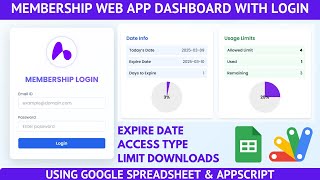
Login needs an emailed one-time code, not just a password. Every member carries a daily download allowance shown as allowed, used and remaining, an expiry date, and a state of allowed, blocked or expired — each refused at login with a message saying which. Members change their own password from the dashboard or reset a forgotten one by OTP.

Running the library

Files sit across multiple sheets with a category and subcategory each, filtered and searchable. Login history and download history record who signed in from where and who took what. A Project Request form lets members ask for a file to be added, sent straight to your WhatsApp, and a Terms page carries your policy.

Requirements

  • A Google account (Gmail or Google Workspace)
  • Google Sheets and Google Apps Script — no hosting or server needed
  • Member email addresses for OTP delivery
  • A Login sheet with plans, points, limits and expiry dates
  • File sheets carrying required plan and required points per row

What's Included

  • Complete Google Apps Script source code
  • Member dashboard with plans, points, history and terms
  • OTP login, password change and reset screens
  • Admin point request approval screen
  • Google Sheets structure for members, plans, files and logs
  • Step-by-step video walkthrough of the full build
  • Free support from the developer

Item Details

Versionv1.0
PublishedAug 22, 2025
PlatformGoogle Apps Script
DatabaseGoogle Sheets
CategoryMembership & Subscription
Tagsmembership system for websitemembership website with subscription plansmembership portal google apps scriptpoints system for membersotp login system google apps scriptsell digital products membership sitemembership website templateunlock files with points
VideoWatch walkthrough
LicenseRegular License
Regular License C42
Subtotal $2.60 USD
Total $2.60 USD
Other payment methods
Wise / Bank Transfer · via WhatsApp +92 343 534 7417 $5.20$2.60
Redotpay
VIP Membership Dashboard Portal with Google Sheets & Apps Script | OTP Login, Usage Limits | C42
Secure checkout
Amount due
$2.60$5.20
Total due
Redotpay Account
1002896884
How to pay
  1. Copy the Redotpay account
  2. Pay $2.60 via Redotpay
  3. Enter the transaction reference below
  4. Submit the details below to complete your order
Order details$2.60
Order summary
ItemVIP Membership Dashboard Portal with Google Sheets & Apps Script | OTP Login, Usage Limits | C42
ReferenceC42
Payment MethodRedotpay
Total$2.60
Your payment proofReference + screenshot — takes a minute
Your receipt and download link will be sent to this address.
Country code is set from your location. Change it if needed and enter the number without the code.
Upload a screenshot of the paymentDrop it here or click to browse · JPG or PNG, up to 2 MB
Confirmed typically within 2 hours (24/7)
Encrypted connection
Confirmation in 2 hours
Emailed receipt
Binance Pay
VIP Membership Dashboard Portal with Google Sheets & Apps Script | OTP Login, Usage Limits | C42
Secure checkout
Amount due
$2.60
Total due · no additional fees
Binance Pay ID
766412546
Account holder: Muahmmad Ramiz Imdad
How to pay
  1. Open the Binance app and choose Pay
  2. Enter the Pay ID
  3. Send $2.60 in any supported asset
  4. Copy the Order ID from your Binance receipt
  5. Enter it below with a screenshot and submit
Order details$2.60
Order summary
ItemVIP Membership Dashboard Portal with Google Sheets & Apps Script | OTP Login, Usage Limits | C42
ReferenceC42
Payment MethodBinance Pay
Total$2.60
Your payment proofReference + screenshot — takes a minute
Your receipt and download link will be sent to this address.
Country code is set from your location. Change it if needed and enter the number without the code.
Upload a screenshot of the paymentDrop it here or click to browse · JPG or PNG, up to 2 MB
Confirmed typically within 2 hours (24/7)
Encrypted connection
Confirmation in 2 hours
Emailed receipt
Cryptocurrency
VIP Membership Dashboard Portal with Google Sheets & Apps Script | OTP Login, Usage Limits | C42
Secure checkout
Amount due
$2.60
Send the equivalent amount in the selected asset
Select an asset
Wallet address
15jjKnm6NgxN1Wgbfh7xdBWgbCFztHeNhE
Send only the selected asset on the selected network. Transfers made on a different network cannot be recovered.
How to pay
  1. Select an asset above
  2. Copy the wallet address and send the equivalent of $2.60
  3. Enter the transaction hash below
  4. Submit the details below to complete your order
Order details$2.60
Order summary
ItemVIP Membership Dashboard Portal with Google Sheets & Apps Script | OTP Login, Usage Limits | C42
ReferenceC42
Payment MethodCryptocurrency
Total$2.60
Your payment proofReference + screenshot — takes a minute
Your receipt and download link will be sent to this address.
Country code is set from your location. Change it if needed and enter the number without the code.
Upload a screenshot of the paymentDrop it here or click to browse · JPG or PNG, up to 2 MB
Confirmed typically within 2 hours (24/7)
Encrypted connection
Confirmation in 2 hours
Emailed receipt
PayPal
VIP Membership Dashboard Portal with Google Sheets & Apps Script | OTP Login, Usage Limits | C42
Secure checkout
Amount due
$2.60
Total due
Pay $2.60 with PayPal
Opens PayPal in a new tab. Return here with your Transaction ID to complete the submission.
How to pay
  1. Select Pay $2.60 with PayPal; PayPal opens in a new tab
  2. Copy the Transaction ID from your PayPal receipt
  3. Enter it below with a screenshot of the payment, then submit
  4. Your payment is verified and access is enabled; the download link is also emailed to you
Order details$2.60
Order summary
ItemVIP Membership Dashboard Portal with Google Sheets & Apps Script | OTP Login, Usage Limits | C42
ReferenceC42
Payment MethodPayPal
Total$2.60
Your payment proofReference + screenshot — takes a minute
Your receipt and download link will be sent to this address.
Country code is set from your location. Change it if needed and enter the number without the code.
Upload a screenshot of the paymentDrop it here or click to browse · JPG or PNG, up to 2 MB
Confirmed typically within 2 hours (24/7)
Encrypted connection
Confirmation in 2 hours
Emailed receipt

Need This Customized For Your Business?

Extra modules, your branding, integrations or reports built on top of this file. You get a clear quote and timeline before any work starts, and support after delivery.

400+
Projects Delivered
91+
Countries Served

What We Customize

Features & Functions
Add new features, modify existing scripts, custom formulas & automations
API & Integrations
Connect with WhatsApp, Payment Gateways, CRM & more
Design & UI Changes
Custom branding, layout redesign, dark mode, mobile optimization
Full Custom Projects
Dashboards, billing systems, inventory, CRM — built from scratch
Get Free Quote on WhatsApp

20-30% advance to start • Clear quote before work begins • Support included after delivery

$2.60
USD · card / manual pay

People choose these

Paid picks from the same category

Login System with Google Spreadsheet Integration | Membership Web Portal Using Apps Script | C19 Login System with Google Spreadsheet Integration | Membership Web Portal Using Apps Script | C19 37 views this month Apps Script $2.60 USD Build a VIP Membership Web Dashboard Using Google Apps Script V1 | C41 Build a VIP Membership Web Dashboard Using Google Apps Script V1 | C41 45 views this month Apps Script $1.29 USD Grocery Store POS System with Barcode Scanner | Google Sheet POS + Apps Script + AI Grocery Store POS System with Barcode Scanner | Google Sheet POS + Apps Script + AI 245 views this month Apps Script $2.60 USD

Reviews & Feedback

What buyers and viewers say about VIP Membership Dashboard Portal with Google Sheets & Apps Script | OTP Login, Usage Limits | C42.

No star ratings yet Tap a star to be the first to rate it.
2 comments from
YouTube viewers
Sort
@rtnychemtabad via YouTube
https://youtu.be/Ws_rJl7GgdQ?si=h8NBV57uN2MF9RXc plz make this type of google sheet..
@DurvishJawaleOfficial via YouTube
You and your web apps are best, All the best for next App