


Important Notice: Your success matters to us. If anything goes wrong after purchase, contact us on WhatsApp and we'll personally get it fixed.

How to Build Inventory Management System in Google Sheets (Free) - E44

E44 Inventory & Warehouse Premium Plan Weekly Plan VIP Premium Plan
❤️
Need a Custom Business Solution?
Connect with us on WhatsApp to discuss your requirements. Our team will design and develop a tailored software solution aligned with your business workflow, operational needs, and growth objectives.
How to Build Inventory Management System in Google Sheets (Free) - E44

Key Features

Secure login with three roles: Admin Store Person and Requester Stock request workflow where staff raise and managers approve or reject Automatic low-stock email alerts sent twice daily Three PDF report types you can download or print Dashboard with charts for stock at a glance Consumable and store item inventory tracking Google Sheets as the live database React 18 front-end served from Apps Script Deployed as a Google Apps Script web app with no hosting

Description

A working inventory system for consumable and store items that runs entirely on Google Sheets and Apps Script. If office supplies or stock are tracked in a paper register or a spreadsheet that three people edit at once, this replaces it with a real web app your whole team can open from any device.

What it does

Staff log in against one of three roles. A Requester raises a stock request, a Store Person or Admin approves or rejects it, and the stock position updates from there — so issuing items has an approval trail instead of a verbal handover. When an item drops below its threshold, a low-stock email goes out automatically twice a day, and three report types can be generated as PDF for download or print.

Highlights

  • Role-based login: Admin, Store Person and Requester
  • Stock request approval workflow with approve and reject
  • Automatic low-stock email alerts, twice daily
  • Three PDF reports, ready to download or print
  • Dashboard charts showing the current stock picture
  • Google Sheets as the database — every movement is a row you can audit
  • React 18 front-end deployed as an Apps Script web app

Who it is for

Small businesses and shops tracking stock, offices managing supplies and consumables, Google Workspace admins automating internal requests, and developers who want a complete inventory project with source code rather than a half-finished demo.

Requirements

  • A Google account (Gmail or Google Workspace)
  • Google Sheets and Google Apps Script access — no server or hosting needed
  • Permission to authorise the script for sending email (low-stock alerts)
  • A time-driven trigger enabled for the twice-daily alert run
  • A modern browser (Chrome, Edge, Firefox or Safari)

What's Included

  • Complete Google Apps Script backend source code
  • React 18 front-end for the web app
  • Google Sheets database structure for items, requests and users
  • Step-by-step video walkthrough of the full build
  • Free support from the developer

Item Details

Versionv1.0
PublishedMar 5, 2026
PlatformGoogle Apps Script
DatabaseGoogle Sheets
CategoryInventory & Warehouse
Tagsinventory management systeminventory management system google sheetsfree inventory management softwarestock management system google sheetsgoogle sheets inventory templatewarehouse management systeminventory tracking spreadsheetgoogle apps script web app
VideoWatch walkthrough
LicenseRegular License
Subscription Verification Required
This is a free file. Subscribe to our YouTube channel to unlock the source code + Google Sheet. One click — no payment. Google only confirms you are subscribed.
Verify Now
Free download

Subscribe & Unlock Source Code

Subscribe on YouTube, then verify with one click. No payment, no card. Google is used only to confirm your subscription.

What you get

  • Code.gs + HTML filesThe complete Apps Script project
  • Google SheetYour own copy with the data
  • Setup guideInstall steps from start to finish

Not subscribed yet? Subscribe to our channel

Browse More Free Files

Need This Customized For Your Business?

Extra modules, your branding, integrations or reports built on top of this file. You get a clear quote and timeline before any work starts, and support after delivery.

400+
Projects Delivered
89+
Countries Served

What We Customize

Features & Functions
Add new features, modify existing scripts, custom formulas & automations
API & Integrations
Connect with WhatsApp, Payment Gateways, CRM & more
Design & UI Changes
Custom branding, layout redesign, dark mode, mobile optimization
Full Custom Projects
Dashboards, billing systems, inventory, CRM — built from scratch
Get Free Quote on WhatsApp

20-30% advance to start • Clear quote before work begins • Support included after delivery

Free
Source Code File

People choose these

Paid picks from the same category

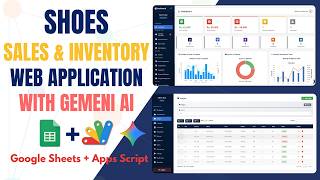
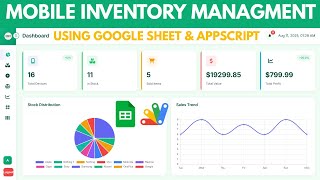
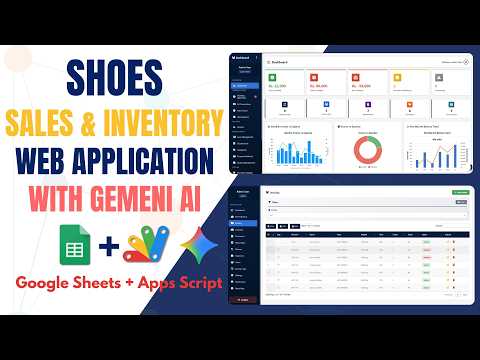
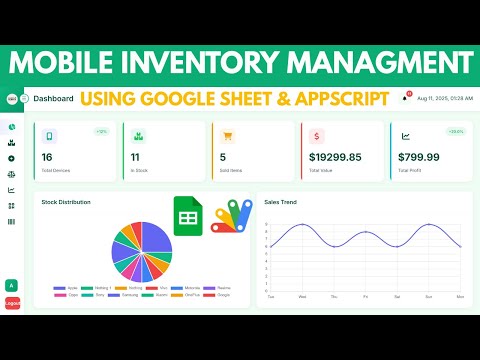
Full-Stack Shoe Inventory System Using Google Sheets and Apps Script | E48 Full-Stack Shoe Inventory System Using Google Sheets and Apps Script | E48 60 views this month Apps Script How to Build a Mobile Inventory Dashboard with Google Apps Script | D36 How to Build a Mobile Inventory Dashboard with Google Apps Script | D36 62 views this month Apps Script I Built an NFC Attendance System with AI (PHP & MySQL) I Built an NFC Attendance System with AI (PHP & MySQL) 72 views this month PHP

Reviews & Feedback

What buyers and viewers say about How to Build Inventory Management System in Google Sheets (Free) - E44.

No star ratings yet Tap a star to be the first to rate it.
21 comments from
YouTube viewers
Sort
@DurvishJawaleOfficial via YouTube
Great video! This Google Sheets inventory system is very useful, especially the automatic refreshing (2:00). Thanks for the free tool!"
1 like on YouTube
@smart_digital_saathi via YouTube
Business records को व्यवस्थित रखने में अच्छा support मिलता है 😄
@globalbusiness-s7k via YouTube
Bharatrath ERP is a smart solution for shop management 💼
@NORTH-s8o via YouTube
What is the email & password to enter Demo ?
@NORTH-s8o via YouTube
You are best 🎉🎉🎉...semoga kamu sehat2 saja
@NayoKoami via YouTube
Good job but add purchase orders to store person
@masifqadri12 via YouTube
good . I think script are coded manually by you and your team. Good work I learn a lot. Thank you for sharing
@Marcus-g7u via YouTube
Is it possible in a future video to get a breakdown of how to add and/or remove columns of information about items in the Item Master and also add these to the dropdown menu for requests fx. if you were to want an item category? Thank you for a great app
@whacenter via YouTube
Wow...very nice and complete Inventory Management System, i like it 🤩
@umersir0510 via YouTube
I learn many things from ur videos. Thanks
@irfanchauhan495 via YouTube
Audio of your voice is little bit feels heavy...
@CesarAndreotti via YouTube
Great!! Good Job!
@umersir0510 via YouTube
Very Clear and Attractive look
@khanasadullah5125 via YouTube
Always guru ji on top❤❤❤
@artwellhachunde6417 via YouTube
This is very nice and useful. Great lesson and resource honestly. I love the technology in use, instant loading of data👌👏👏👏👏
@Ariel1433 via YouTube
Beautifull 🎉 awesome app... Thanks😊
@Topeolu-t3i via YouTube
Best of it's kind, thank you so much
@rizkihidayatulfadli via YouTube
Let's go, top notch app
@irfanchauhan495 via YouTube
Really Awesome.... Simply Superb...
@hrvisualsid via YouTube
Always awesome
@Missonuautomations via YouTube
🎉🎉🎉🎉🎉🎉 1st