




Important Notice: Your success matters to us. If anything goes wrong after purchase, contact us on WhatsApp and we'll personally get it fixed.

Record Inventory to Google Sheets with QR Code | Scan Barcode to Google Sheets | R46

R46 Inventory & Warehouse Premium Plan Weekly Plan VIP Premium Plan
❤️
Need a Custom Business Solution?
Connect with us on WhatsApp to discuss your requirements. Our team will design and develop a tailored software solution aligned with your business workflow, operational needs, and growth objectives.
Record Inventory to Google Sheets with QR Code | Scan Barcode to Google Sheets | R46

Key Features

QR and barcode scanning through the device camera Image upload as an alternative to live scanning Decoded code fills the entry form automatically Product category dropdown loaded from the sheet Quantity and price captured with each scan Each submission appends a row to the Data sheet Sheet name configurable in one constant Camera permission handled with a stop-scanning control X-Frame-Options set to allow embedding Embeds in Blogger WordPress or any website by iframe Separate CSS and JavaScript include files Deploys as a Google Apps Script web app

Description

Point a phone at a barcode and the item is in your spreadsheet. No scanner hardware, no inventory software licence — a web app that reads the code with the camera and appends the row.

Scan or upload

The scanner runs in the browser using the device camera, with a proper permission prompt and a stop-scanning control rather than a camera that stays on. When scanning is awkward — a laptop without a webcam, a code on a screen, a photograph taken earlier — you can select an image of the code instead and it decodes the same way. Either route fills the form with the decoded value.

The entry form

Around the scanned code sits the rest of the record: a product category dropdown built from your sheet, quantity, price and whatever else you add. Submit and the row is appended to the Data sheet. The sheet name is a single constant at the top of the script, so pointing it at a different tab is a one-line change.

Embed it in your own site

The web app is served with its frame options opened, so the scanner drops into Blogger, WordPress or any page you can edit using an iframe. Staff reach it from your own site rather than a Google URL, and it works on a phone browser with nothing installed.

Where it fits

Goods-in at a warehouse, stocktaking, asset registration, event check-in, sample tracking — anywhere a code exists and someone is currently typing its number into a spreadsheet by hand. The source code is yours to extend into a larger inventory build.

Requirements

  • A Google account (Gmail or Google Workspace)
  • Google Sheets and Google Apps Script — no hosting or server needed
  • A phone, tablet or webcam for live scanning
  • Camera permission granted in the browser
  • Your product categories listed in the sheet for the dropdown

What's Included

  • Complete Google Apps Script source code
  • In-browser QR and barcode scanner with camera permission handling
  • Image-upload decoding as an alternative to live scanning
  • Entry form with category dropdown, quantity and price
  • Google Sheet structure for the scanned records
  • iframe embed approach for any website
  • Deployment and authorisation walkthrough
  • Step-by-step video walkthrough of the full build
  • Free support from the developer

Item Details

Versionv1.0
PublishedAug 22, 2025
PlatformGoogle Apps Script
DatabaseGoogle Sheets
CategoryInventory & Warehouse
Tagsscan barcode to google sheetsqr code scanner google sheetsbarcode scanner web apprecord inventory with qr codeqr code inventory systemscan qr code save to spreadsheetcamera barcode scanner htmlstock entry by scanning
VideoWatch walkthrough
LicenseRegular License
Subscription Verification Required
This is a free file. Subscribe to our YouTube channel to unlock the source code + Google Sheet. One click — no payment. Google only confirms you are subscribed.
Verify Now
Free download

Subscribe & Unlock Source Code

Subscribe on YouTube, then verify with one click. No payment, no card. Google is used only to confirm your subscription.

What you get

  • Code.gs + HTML filesThe complete Apps Script project
  • Google SheetYour own copy with the data
  • Setup guideInstall steps from start to finish

Not subscribed yet? Subscribe to our channel

Browse More Free Files

Need This Customized For Your Business?

Extra modules, your branding, integrations or reports built on top of this file. You get a clear quote and timeline before any work starts, and support after delivery.

400+
Projects Delivered
89+
Countries Served

What We Customize

Features & Functions
Add new features, modify existing scripts, custom formulas & automations
API & Integrations
Connect with WhatsApp, Payment Gateways, CRM & more
Design & UI Changes
Custom branding, layout redesign, dark mode, mobile optimization
Full Custom Projects
Dashboards, billing systems, inventory, CRM — built from scratch
Get Free Quote on WhatsApp

20-30% advance to start • Clear quote before work begins • Support included after delivery

Free
Source Code File

People choose these

Paid picks from the same category

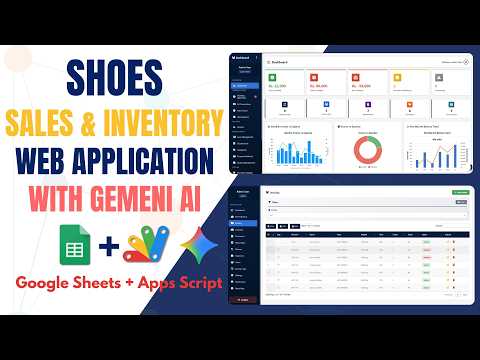
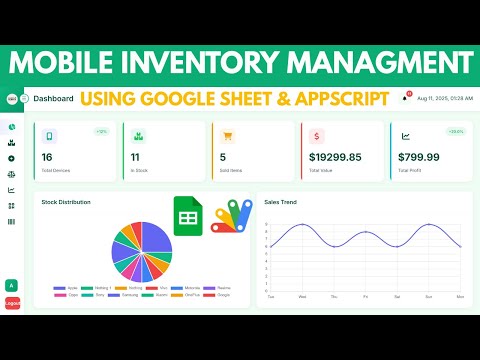
Full-Stack Shoe Inventory System Using Google Sheets and Apps Script | E48 Full-Stack Shoe Inventory System Using Google Sheets and Apps Script | E48 60 views this month Apps Script How to Build a Mobile Inventory Dashboard with Google Apps Script | D36 How to Build a Mobile Inventory Dashboard with Google Apps Script | D36 62 views this month Apps Script I Built an NFC Attendance System with AI (PHP & MySQL) I Built an NFC Attendance System with AI (PHP & MySQL) 75 views this month PHP

Reviews & Feedback

What buyers and viewers say about Record Inventory to Google Sheets with QR Code | Scan Barcode to Google Sheets | R46.

No star ratings yet Tap a star to be the first to rate it.
5 comments from
YouTube viewers
Sort
@HeyHrithik via YouTube
This link does not work on any other system
1 like on YouTube
@jismaelcr via YouTube
Y el código?
@অচেনাঅন্ধকার via YouTube
important project, I love it
@scholasticsurveillance via YouTube
Great Project 🌟
@krishnanmanoj1 via YouTube
Super but try barcode❤

