


 @krishnanmanoj1
via YouTube
@krishnanmanoj1
via YouTube
interesting❤

L3 is the third file in the learning series, and it answers a question that comes up as soon as anyone builds a dashboard in Apps Script: how do I draw a chart from the sheet, and how do I keep it drawing itself when the data changes? The answer here is a pie chart built with Chart.js that takes everything — the labels, the values and even the colour of each slice — from rows in a Google Sheet.
Each row is one slice: a name, a number and a colour. Add a row with Blue, 456 and the colour blue, refresh the web app, and the slice is there. Nothing in the code needs touching, because the script reads down to the last filled row rather than a fixed range, so the chart grows with the data instead of quietly cutting it off.
One detail worth understanding, and the walkthrough spends time on it: the script names the sheet it reads rather than grabbing whichever tab happens to be first. That is what lets the same workbook hold a dozen other tabs without any of them ending up in the chart by accident.
The chart lives in a canvas whose width and height sit in one place in the HTML. Change 400 to 800 and the chart is twice the size on the next refresh. The heading above it is plain text in the same file, so putting your own title there takes a second.
The code is short and commented for the reason the series exists — doGet returning the page, a function fetching the range, the labels, data and colours pushed into Chart.js. It is the piece you lift into a bigger dashboard once you can see how the three arrays get filled.
| Version | v1.0 |
| Published | Aug 22, 2025 |
| Platform | Google Apps Script |
| Database | Google Sheets |
| Category | Tools & Utilities, CRUD & Dashboards |
| Tags | |
| Video | Watch walkthrough |
| License | Regular License |
Subscribe on YouTube, then verify with one click. No payment, no card. Google is used only to confirm your subscription.
What you get
Not subscribed yet? Subscribe to our channel



Extra modules, your branding, integrations or reports built on top of this file. You get a clear quote and timeline before any work starts, and support after delivery.
What We Customize
20-30% advance to start • Clear quote before work begins • Support included after delivery
Paid picks from the same category
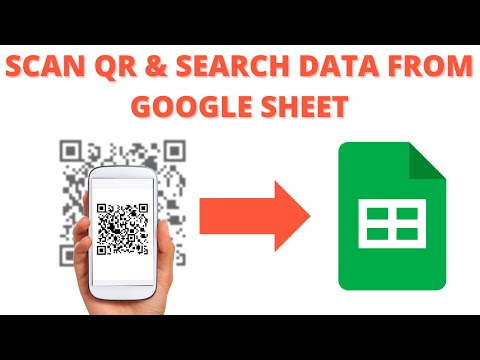 R14 | Scan QR Code and search data from Google sheet | Search Data Using Scan QR CODE
25 views this month
R14 | Scan QR Code and search data from Google sheet | Search Data Using Scan QR CODE
25 views this month
 Grocery Store POS System with Barcode Scanner | Google Sheet POS + Apps Script + AI
233 views this month
Grocery Store POS System with Barcode Scanner | Google Sheet POS + Apps Script + AI
233 views this month
 How to Build an App with Claude AI: Complete Church Management System in Google Sheets
161 views this month
How to Build an App with Claude AI: Complete Church Management System in Google Sheets
161 views this month
What buyers and viewers say about How to Create a Pie Chart Web App from Google Sheet Database | L3.
@krishnanmanoj1
via YouTube
 @dimitrisvoudouris
via YouTube
@dimitrisvoudouris
via YouTube