Important Notice: Your success matters to us. If anything goes wrong after purchase, contact us on WhatsApp and we'll personally get it fixed.

How to Upload a Web App Form Data to Google Sheet and Drive | File Management System | C15

C15 Forms & Data Entry Premium Plan Weekly Plan VIP Premium Plan
❤️
Need a Custom Business Solution?
Connect with us on WhatsApp to discuss your requirements. Our team will design and develop a tailored software solution aligned with your business workflow, operational needs, and growth objectives.
How to Upload a Web App Form Data to Google Sheet and Drive | File Management System | C15

Key Features

File uploaded to Google Drive and logged in Google Sheets Live title availability check against existing records Duplicate titles refused before the form will submit Dependent category and subcategory dropdowns Add a category and subcategory from inside the app Warning when a subcategory already exists under a category Drive folder created automatically per category path Choose which sheet each record is saved into View link and image URL fields per record Uploaded file link written back to the sheet Progress feedback while the upload runs Share the web app link so clients upload for you

Description

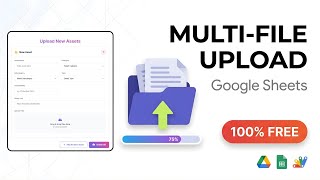
An upload form that does two jobs at once: it puts the file in Google Drive, in the right folder, and writes the record into Google Sheets. Send the link to a client or a team member and files arrive already organised instead of dumped in one folder for you to sort out later.

No duplicate titles

As soon as a title is typed the form checks it against what you already hold, the way a domain checker does, and tells you straight away if it is taken. The rest of the form does not open until the title is free, so the same asset cannot be filed twice under the same name.

Categories that build their own folders

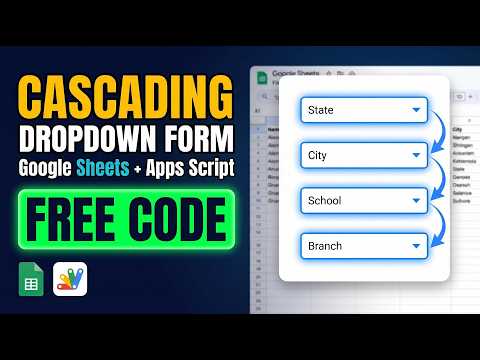
Category and subcategory are dependent dropdowns — pick E-commerce and only its subcategories appear. Choose a pair that has no folder yet and one is created in Drive automatically, and the file lands inside it. New categories and subcategories are added from inside the app, with a check that stops the same subcategory being added twice under one category.

Where the record goes

You also choose which sheet the record is written to, with the list built from your own spreadsheet tabs, so uploads for different parts of the business stay in separate sheets. Each row carries the title, view link, image URL and the Drive link of the uploaded file itself.

Requirements

  • A Google account (Gmail or Google Workspace)
  • Google Sheets, Google Drive and Google Apps Script
  • A Drive folder ID pasted into the script
  • A Dropdown sheet holding categories and subcategories
  • Deployment access set to Anyone with the link

What's Included

  • Complete Google Apps Script source code
  • Upload form front-end with availability check and progress feedback
  • Google Sheets structure for records and category dropdowns
  • Step-by-step video walkthrough of the setup
  • Free support from the developer

Item Details

Versionv1.0
PublishedAug 22, 2025
PlatformGoogle Apps Script
DatabaseGoogle Sheets
CategoryForms & Data Entry
Tagsfile upload formupload file to google drivedocument management systemdependent dropdowngoogle form to google sheetsgoogle sheets automationgoogle apps script web appapps script google sheets
VideoWatch walkthrough
LicenseRegular License
Subscription Verification Required
This is a free file. Subscribe to our YouTube channel to unlock the source code + Google Sheet. One click — no payment. Google only confirms you are subscribed.
Verify Now
Free download

Subscribe & Unlock Source Code

Subscribe on YouTube, then verify with one click. No payment, no card. Google is used only to confirm your subscription.

What you get

  • Code.gs + HTML filesThe complete Apps Script project
  • Google SheetYour own copy with the data
  • Setup guideInstall steps from start to finish

Not subscribed yet? Subscribe to our channel

Browse More Free Files

Need This Customized For Your Business?

Extra modules, your branding, integrations or reports built on top of this file. You get a clear quote and timeline before any work starts, and support after delivery.

400+
Projects Delivered
89+
Countries Served

What We Customize

Features & Functions
Add new features, modify existing scripts, custom formulas & automations
API & Integrations
Connect with WhatsApp, Payment Gateways, CRM & more
Design & UI Changes
Custom branding, layout redesign, dark mode, mobile optimization
Full Custom Projects
Dashboards, billing systems, inventory, CRM — built from scratch
Get Free Quote on WhatsApp

20-30% advance to start • Clear quote before work begins • Support included after delivery

Free
Source Code File

People choose these

Paid picks from the same category

Multi-Level Dependent Dropdown Form | Google Apps Script Tutorial | B22 Multi-Level Dependent Dropdown Form | Google Apps Script Tutorial | B22 59 views this month Apps Script I Built an NFC Attendance System with AI (PHP & MySQL) I Built an NFC Attendance System with AI (PHP & MySQL) 70 views this month PHP Build a Complete Billing & Invoicing SaaS System With Claude AI Build a Complete Billing & Invoicing SaaS System With Claude AI 315 views this month PHP

Reviews & Feedback

What buyers and viewers say about How to Upload a Web App Form Data to Google Sheet and Drive | File Management System | C15.

No star ratings yet Tap a star to be the first to rate it.
5 comments from
YouTube viewers
Sort
@DurvishJawaleOfficial via YouTube
keep it up
@nasarmkm3484 via YouTube
School app that can be used on mobile, student details, attendance, fees, result , add edit search all in one app
@akibknowsit8030 via YouTube
Accessibility permission kaise denge???
@onenonlymovies via YouTube
pls share google sheettttt plsssssssssss
@likhanlpc3807 via YouTube
very nice sir😍