
 @IshfaqAhmadBhat-qv9oi
via YouTube
@IshfaqAhmadBhat-qv9oi
via YouTube
This is fantastic ❤
1 like on YouTube

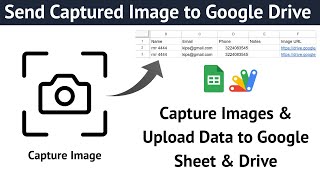
A data entry form that takes the photo itself. Instead of asking someone to find a file, it opens the device camera — front or back — captures the image, shows a preview, and files it in Google Drive against the row it belongs to.
The distinction matters more than it sounds. A front camera is what you want for a person photographing themselves at check-in; a back camera is what you want for photographing a document, an ID or a piece of equipment. This form supports both, so one build covers both jobs rather than needing two.
Collection is rarely one record. Multi data entry lets you capture several records in a single session without reloading between them — the difference between registering forty people comfortably and fighting the page forty times. A live preview shows the captured image before submitting, so a blurred shot gets retaken rather than filed.
Images upload automatically to Google Drive and form data writes to Google Sheets, with each row linking to its own image. No manual matching of photos to records afterwards, which is where this kind of collection usually goes wrong.
HR teams collecting employee photos, event registration desks, student and member management, visitor check-in, and any verification process that needs a picture attached to a record.
Copy the sheet, deploy the script, open the link on the device that will do the capturing. Because browsers only allow camera access over HTTPS, use the Apps Script web app URL rather than a local file. The video covers the build, and support is free if you get stuck.
| Version | v1.0 |
| Published | Aug 22, 2025 |
| Platform | Google Apps Script |
| Database | Google Sheets |
| Category | Forms & Data Entry |
| Tags | |
| Video | Watch walkthrough |
| License | Regular License |
Subscribe on YouTube, then verify with one click. No payment, no card. Google is used only to confirm your subscription.
What you get
Not subscribed yet? Subscribe to our channel
Extra modules, your branding, integrations or reports built on top of this file. You get a clear quote and timeline before any work starts, and support after delivery.
20–30% advance to start · Clear quote before work begins · Support after delivery
What we customize
Paid picks from the same category
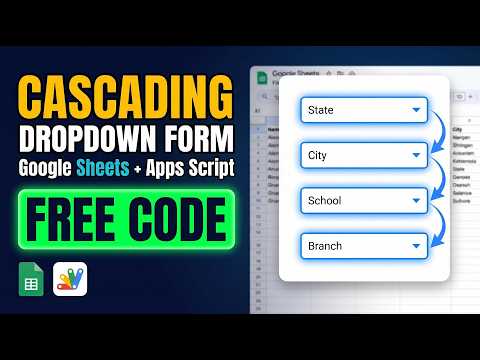 Multi-Level Dependent Dropdown Form | Google Apps Script Tutorial | B22
51 views this month
Multi-Level Dependent Dropdown Form | Google Apps Script Tutorial | B22
51 views this month
 Grocery Store POS System with Barcode Scanner | Google Sheet POS + Apps Script + AI
418 views this month
Grocery Store POS System with Barcode Scanner | Google Sheet POS + Apps Script + AI
418 views this month
 How to Build an App with Claude AI: Complete Church Management System in Google Sheets
199 views this month
How to Build an App with Claude AI: Complete Church Management System in Google Sheets
199 views this month
What buyers and YouTube viewers say about this project.
@IshfaqAhmadBhat-qv9oi
via YouTube
 @jannyerreyter3914
via YouTube
@jannyerreyter3914
via YouTube
 @MDMohiuddin-d7d
via YouTube
@MDMohiuddin-d7d
via YouTube
 @arjunshakya1396
via YouTube
@arjunshakya1396
via YouTube
 @rafikulislam6512
via YouTube
@rafikulislam6512
via YouTube
@rafikulislam6512
via YouTube
@rafikulislam6512
via YouTube
 @CrisRomero-x7g
via YouTube
@CrisRomero-x7g
via YouTube