
H
hari
Verified review
niceeeeeeeeeeeeeeeeeeeee

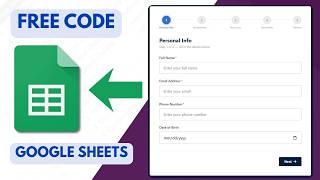
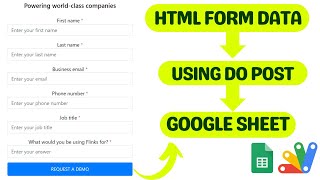
The building block behind half the projects on this site: take a form you designed yourself — your HTML, your CSS, your validation — and have it write straight into a Google Sheet. No PHP, no database, no form service charging per submission.
An Apps Script web app is deployed as the receiving endpoint. Your form posts to that URL, the script reads the fields and appends a row to the sheet. That is the whole mechanism, and because it is just a URL, the form can live anywhere — a static site, Netlify, WordPress, a landing page, an email template's link target.
A Google Form looks like a Google Form. Once it is a client-facing page, the design is the point: your fonts, your layout, your fields in your order, your own validation and your own thank-you screen. This gives you all of that while keeping the part Google Forms is genuinely good at — responses landing tidily in a sheet you already know how to use.
Contact forms, enquiry forms, registrations, order requests, feedback, job applications, lead capture. Every submission becomes a row, ready to filter, chart, or drive with a script — send an email on each new row, push it to WhatsApp, or feed a dashboard.
The walkthrough covers the deployment settings step by step, which is where most people get stuck: who the script runs as, who has access, and why a redeploy is needed after a code change.
| Version | v1.0 |
| Published | Nov 16, 2025 |
| Platform | Google Apps Script |
| Database | Google Sheets |
| Category | Forms & Data Entry |
| Tags | |
| Video | Watch walkthrough |
| License | Regular License |
Subscribe on YouTube, then verify with one click. No payment, no card. Google is used only to confirm your subscription.
What you get
Not subscribed yet? Subscribe to our channel
Extra modules, your branding, integrations or reports built on top of this file. You get a clear quote and timeline before any work starts, and support after delivery.
What We Customize
20-30% advance to start • Clear quote before work begins • Support included after delivery
Paid picks from the same category
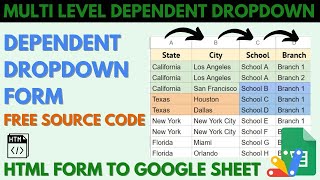
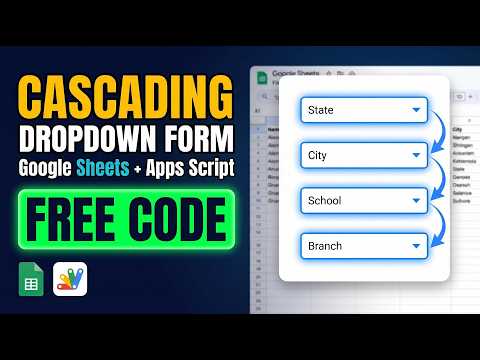 Multi-Level Dependent Dropdown Form | Google Apps Script Tutorial | B22
49 views this month
Multi-Level Dependent Dropdown Form | Google Apps Script Tutorial | B22
49 views this month
 Grocery Store POS System with Barcode Scanner | Google Sheet POS + Apps Script + AI
233 views this month
Grocery Store POS System with Barcode Scanner | Google Sheet POS + Apps Script + AI
233 views this month
 How to Build an App with Claude AI: Complete Church Management System in Google Sheets
161 views this month
How to Build an App with Claude AI: Complete Church Management System in Google Sheets
161 views this month
What buyers and viewers say about How to Submit Custom HTML Form Data to Google Sheets | HTML Form Data To Google Sheets.
 @shrikantsingh5679
via YouTube
@shrikantsingh5679
via YouTube
 @shaswatsingh1683
via YouTube
@shaswatsingh1683
via YouTube
 @nadiamarzuki4922
via YouTube
@nadiamarzuki4922
via YouTube
 @AQWTAutomate
via YouTube
@AQWTAutomate
via YouTube
 @DharmendraKumar-lv6qw
via YouTube
@DharmendraKumar-lv6qw
via YouTube
 @mailerbakery
via YouTube
@mailerbakery
via YouTube
 @aadvikharsh6327
via YouTube
@aadvikharsh6327
via YouTube
 @esdsmarketing
via YouTube
@esdsmarketing
via YouTube
 @Saluja2407
via YouTube
@Saluja2407
via YouTube
 @Mis-o6l
via YouTube
@Mis-o6l
via YouTube
 @nayanah.r2170
via YouTube
@nayanah.r2170
via YouTube
 @Satvukalahgurucham
via YouTube
@Satvukalahgurucham
via YouTube
 @gopaldebnath8661
via YouTube
@gopaldebnath8661
via YouTube
 @muhammadasifyarikhel
via YouTube
@muhammadasifyarikhel
via YouTube
 @A.SPVLOG
via YouTube
@A.SPVLOG
via YouTube
 @SanatniRana
via YouTube
@SanatniRana
via YouTube
 @obolaji
via YouTube
@obolaji
via YouTube
 @rahuldasgupta8445
via YouTube
@rahuldasgupta8445
via YouTube