

 @PwCouponWallah
via YouTube
@PwCouponWallah
via YouTube
Amazing Sir 💯💫
1 like on YouTube

An upload form built for volume. Most Apps Script forms take one record and one file, then make you start again; this one takes five records with five files and sends them in a single pass, with a progress figure climbing as each one lands.
Add as many record rows as you need and drop the rows you do not. Each carries its own title, category, subcategory, type, compatibility notes, demo link and file. Press Submit All and the batch uploads together, showing the percentage completed so a long upload is not a blank screen.
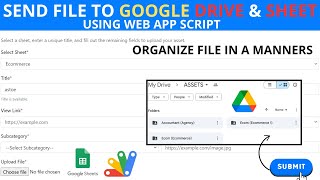
Drag a file onto the form, click to browse for it, or drag an image straight in from another window. Whichever you use, the file is queued against that record and uploaded with the rest.
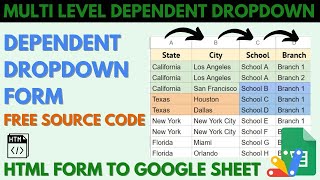
Category, subcategory and type are dependent dropdowns reading from a dropdown sheet, and new values can be added from inside the form itself. When a batch is submitted, a Drive folder is created for each category and subcategory pair, and each file is saved into the folder that matches its own record — so a mixed batch sorts itself as it uploads rather than landing in one pile.
Paste your sheet ID and your Drive folder ID into the script, and name the sheet that stores records and the sheet that holds the dropdown values. Everything else is done from the form.
| Version | v1.0 |
| Published | Aug 22, 2025 |
| Platform | Google Apps Script |
| Database | Google Sheets |
| Category | Forms & Data Entry |
| Tags | |
| Video | Watch walkthrough |
| License | Regular License |
Subscribe on YouTube, then verify with one click. No payment, no card. Google is used only to confirm your subscription.
What you get
Not subscribed yet? Subscribe to our channel
Extra modules, your branding, integrations or reports built on top of this file. You get a clear quote and timeline before any work starts, and support after delivery.
What We Customize
20-30% advance to start • Clear quote before work begins • Support included after delivery
Paid picks from the same category
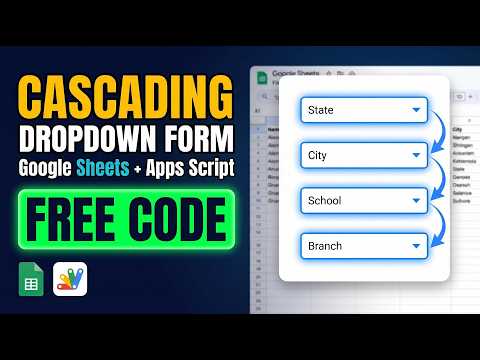 Multi-Level Dependent Dropdown Form | Google Apps Script Tutorial | B22
50 views this month
Multi-Level Dependent Dropdown Form | Google Apps Script Tutorial | B22
50 views this month
 Grocery Store POS System with Barcode Scanner | Google Sheet POS + Apps Script + AI
241 views this month
Grocery Store POS System with Barcode Scanner | Google Sheet POS + Apps Script + AI
241 views this month
 How to Build an App with Claude AI: Complete Church Management System in Google Sheets
161 views this month
How to Build an App with Claude AI: Complete Church Management System in Google Sheets
161 views this month
What buyers and viewers say about Complete Multi-File Upload Form: Google Sheets + Apps Script Tutorial Free.
@PwCouponWallah
via YouTube
 @MDMohiuddin-d7d
via YouTube
@MDMohiuddin-d7d
via YouTube
 @sonukarhana
via YouTube
@sonukarhana
via YouTube
 @ShisirKhan-j5f
via YouTube
@ShisirKhan-j5f
via YouTube
 @mohdafzal7962
via YouTube
@mohdafzal7962
via YouTube
 @Educationtechwithafzal
via YouTube
@Educationtechwithafzal
via YouTube
 @ambujgarg723
via YouTube
@ambujgarg723
via YouTube
@ambujgarg723
via YouTube
@ambujgarg723
via YouTube
 @jordanfelipe31
via YouTube
@jordanfelipe31
via YouTube
 @irfanchauhan495
via YouTube
@irfanchauhan495
via YouTube
 @learningmore2454
via YouTube
@learningmore2454
via YouTube
 @gravity_blooms_feast
via YouTube
@gravity_blooms_feast
via YouTube
 @sylvesterjacob21
via YouTube
@sylvesterjacob21
via YouTube
 @ДимаЛи-ю7ъ
via YouTube
@ДимаЛи-ю7ъ
via YouTube
 @AsariSAli
via YouTube
@AsariSAli
via YouTube
 @askmehowto1654
via YouTube
@askmehowto1654
via YouTube
 @moussaouinassim4943
via YouTube
@moussaouinassim4943
via YouTube
 @rafikulislam6512
via YouTube
@rafikulislam6512
via YouTube