
 @ZaidiWorld
via YouTube
@ZaidiWorld
via YouTube
Can upload Bulk data in the form of csv or Ajax file. ??

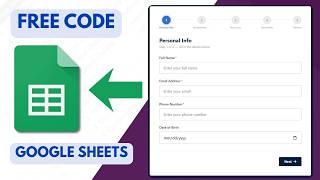
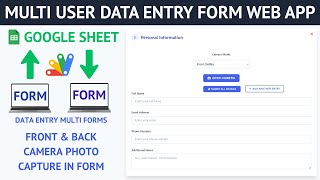
R42 is a student data entry form that does two things an ordinary sheet-linked form does not: it checks the entry before it sends, and it lets you add several students in a single submission instead of reloading the form for each one.
Entering a class one student at a time is the part that makes form-based data entry tedious. Here the form takes multiple student entries together and writes them all through to the sheet in the same submission, so a batch of admissions or a whole section goes in as one action rather than twenty.
The fields are validated on the form itself. A blank required box or an entry in the wrong shape is caught and pointed out while the person is still looking at the form — not discovered later as a half-empty row in the sheet that nobody can trace back. Sheets will accept almost anything you send it, so the checking has to happen on the way in.
The interface is a plain HTML page you control: your field order, your labels, your layout. Google Apps Script carries the submission through to the spreadsheet, and the whole thing runs as a deployed web app on a link you can share.
It is written around student entries, but nothing in it is specific to schools. The fields and the columns they write to are set in the code, so the same form handles staff, members, patients or stock lines by changing the field list and the matching headers.
If what you need is the submitter's identity recorded automatically, look at FREE034. If you need registrations plus corrections kept separately, FREE032 is the closer fit. R42 is the one to take when the job is getting many rows in quickly and cleanly.
| Version | v1.0 |
| Published | Aug 22, 2025 |
| Platform | Google Apps Script |
| Database | Google Sheets |
| Category | Forms & Data Entry |
| Tags | |
| Video | Watch walkthrough |
| License | Regular License |
Subscribe on YouTube, then verify with one click. No payment, no card. Google is used only to confirm your subscription.
What you get
Not subscribed yet? Subscribe to our channel
Extra modules, your branding, integrations or reports built on top of this file. You get a clear quote and timeline before any work starts, and support after delivery.
20–30% advance to start · Clear quote before work begins · Support after delivery
What we customize
Paid picks from the same category
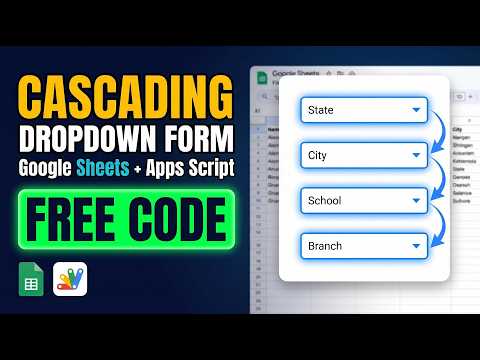 Multi-Level Dependent Dropdown Form | Google Apps Script Tutorial | B22
51 views this month
Multi-Level Dependent Dropdown Form | Google Apps Script Tutorial | B22
51 views this month
 Grocery Store POS System with Barcode Scanner | Google Sheet POS + Apps Script + AI
380 views this month
Grocery Store POS System with Barcode Scanner | Google Sheet POS + Apps Script + AI
380 views this month
 How to Build an App with Claude AI: Complete Church Management System in Google Sheets
187 views this month
How to Build an App with Claude AI: Complete Church Management System in Google Sheets
187 views this month
What buyers and YouTube viewers say about this project.
@ZaidiWorld
via YouTube
 @LEGENDfreefire122
via YouTube
@LEGENDfreefire122
via YouTube
 @andikamaulana9314
via YouTube
@andikamaulana9314
via YouTube
 @GMPMUSIC-d6r
via YouTube
@GMPMUSIC-d6r
via YouTube
@GMPMUSIC-d6r
via YouTube
@GMPMUSIC-d6r
via YouTube
 @iqbalmohammad786
via YouTube
@iqbalmohammad786
via YouTube
 @jordanfelipe4804
via YouTube
@jordanfelipe4804
via YouTube
 @jordanfelipe31
via YouTube
@jordanfelipe31
via YouTube
 @mehidul
via YouTube
@mehidul
via YouTube