







 @gulamrasool3942
via YouTube
@gulamrasool3942
via YouTube
Bahot Khoob Masha Allah🎉🎉

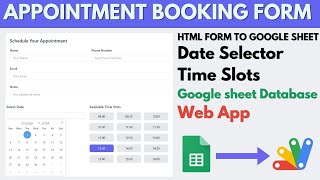
A booking form that cannot double-book. The visitor picks a date, sees that day's slots laid out in green and red, and can only take one that is genuinely free — and the moment they take it, it turns red for everyone else.
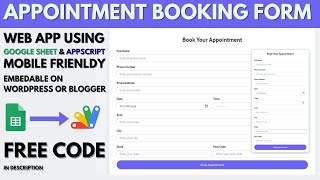
Name, phone and email stay locked until a slot is selected. That is deliberate: people want to know whether the time they need is even available before they hand over their details, and asking for the details first is how booking forms get abandoned. Choose the slot, the fields unlock, add a note if there is one, and book.
A confirmed booking emails the customer their confirmation and emails the admin that a booking has come in, so nobody has to sit refreshing a spreadsheet to find out.
Sign in and every appointment is in one table with counts across the top — total, completed, cancelled and pending. A walk-in in front of you can be added on the spot, and the slot dropdown offers only the times still free on the date you chose, so the manual entry cannot collide with an online booking either. Statuses are set from the same screen.
Copy the table, download it as CSV or PDF, or narrow it with a date range filter that refuses a start date after the end date rather than silently returning nothing. Clear the filter and the full list comes back.
| Version | v1.0 |
| Published | Aug 22, 2025 |
| Platform | Google Apps Script |
| Database | Google Sheets |
| Category | Booking & Appointments |
| Tags | |
| Video | Watch walkthrough |
| License | Regular License |
Your features, branding and reports, built on this system. Free quote before any work starts.
Chat on WhatsApp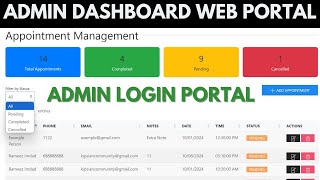


Extra modules, your branding, integrations or reports built on top of this file. You get a clear quote and timeline before any work starts, and support after delivery.
20–30% advance to start · Clear quote before work begins · Support after delivery
What we customize
Paid picks from the same category
What buyers and YouTube viewers say about this project.
@gulamrasool3942
via YouTube