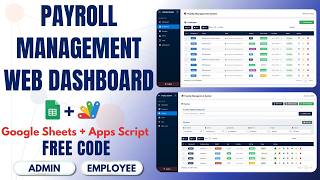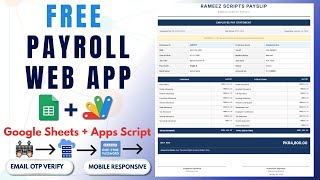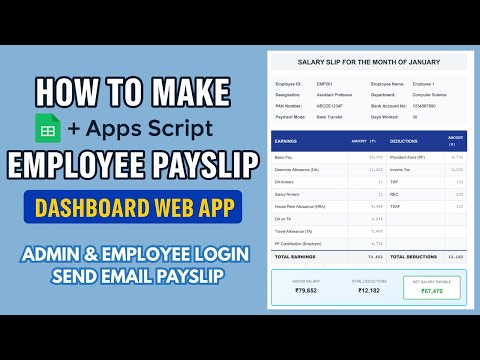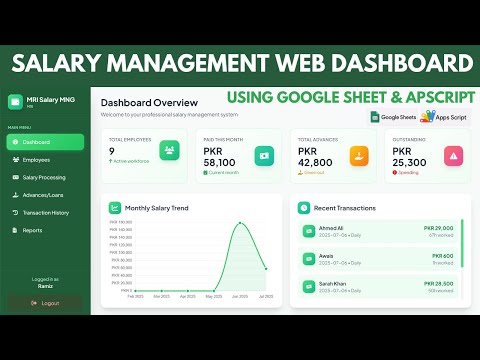
Important Notice: Your success matters to us. If anything goes wrong after purchase, contact us on WhatsApp and we'll personally get it fixed.

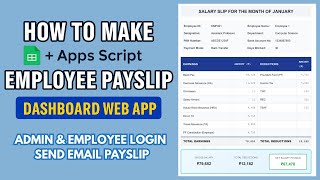
How to Automatically Create And Print Salary Slips Using Google Spreadsheet & Appscript | S1

FREE017 HR & Payroll Premium Plan Weekly Plan VIP Premium Plan
❤️
Need a Custom Business Solution?
Connect with us on WhatsApp to discuss your requirements. Our team will design and develop a tailored software solution aligned with your business workflow, operational needs, and growth objectives.
How to Automatically Create And Print Salary Slips Using Google Spreadsheet & Appscript | S1

Key Features

Salary slip retrieved by employee ID Month selected before generating One sheet per month of the year Printable salary slip Employee name designation and joining date on the slip PAN Aadhaar and bank account fields Salary components through to CTC Institution name address and phone on the slip Slip title editable in the code Field labels editable Data-not-found message customisable Sheet ID set in the script Google Sheets as the database

Description

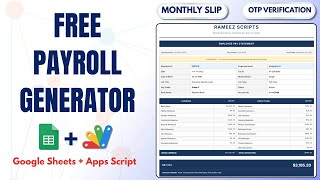
An employee types their ID, picks a month, and their salary slip for that month appears ready to print. No payroll software, no monthly email round, no HR reprinting slips on request.

A month is a sheet

This is the structural decision that makes it work. Each month of the year is its own sheet — January, February, March and so on — and the month selector maps straight to them. Payroll is genuinely different every month, so keeping the months apart matches how the data actually arrives. Setting up a new month is duplicating the sheet structure and pasting that month's figures in; the slip then generates from it with nothing else to change.

A slip with the fields payroll actually needs

Beyond the name and the amount: designation, joining date, PAN, Aadhaar, bank account number and the salary components through to CTC. Those are the fields an employee's slip has to carry for a loan application or a visa, which is when a payslip stops being a formality and starts mattering.

Yours to brand

The institution name, address and phone on the slip are yours, the page title is set in the code, and the field labels can be renamed to whatever your payroll calls them. Even the message shown when a record is not found is editable, so an employee who mistypes an ID gets wording you chose.

Who uses it

Schools, academies and small companies that run payroll in a spreadsheet already and simply need a way for staff to collect their own slips — without a payroll system or a monthly admin task.

Requirements

  • A Google account (Gmail or Google Workspace)
  • Google Sheets and Google Apps Script — no hosting or server needed
  • One sheet per month holding that month's payroll
  • Employee IDs and salary components in each month's sheet
  • Your Sheet ID set in the script
  • A printer if staff need paper copies

What's Included

  • Complete Google Apps Script source code
  • Salary slip lookup by employee ID and month
  • Month-per-sheet structure
  • Printable slip with employee, statutory and salary fields
  • Editable institution details, title and field labels
  • Customisable not-found message
  • Google Sheets structure for monthly payroll
  • Deployment walkthrough for publishing as a web app
  • Step-by-step video walkthrough of the full build
  • Free support from the developer

Item Details

Versionv1.0
PublishedAug 22, 2025
PlatformGoogle Apps Script
DatabaseGoogle Sheets
CategoryHR & Payroll
Tagssalary slip generatorpayslip generator google sheetssalary slip formatpayroll slip softwareemployee salary slip apps scriptmonthly payslip systemsalary slip with pan and aadhaarhr payroll google sheets
VideoWatch walkthrough
LicenseRegular License
Subscription Verification Required
This is a free file. Subscribe to our YouTube channel to unlock the source code + Google Sheet. One click — no payment. Google only confirms you are subscribed.
Verify Now
Free download

Subscribe & Unlock Source Code

Subscribe on YouTube, then verify with one click. No payment, no card. Google is used only to confirm your subscription.

What you get

  • Code.gs + HTML filesThe complete Apps Script project
  • Google SheetYour own copy with the data
  • Setup guideInstall steps from start to finish

Not subscribed yet? Subscribe to our channel

Browse More Free Files

Need This Customized For Your Business?

Extra modules, your branding, integrations or reports built on top of this file. You get a clear quote and timeline before any work starts, and support after delivery.

400+
Projects Delivered
89+
Countries Served

What We Customize

Features & Functions
Add new features, modify existing scripts, custom formulas & automations
API & Integrations
Connect with WhatsApp, Payment Gateways, CRM & more
Design & UI Changes
Custom branding, layout redesign, dark mode, mobile optimization
Full Custom Projects
Dashboards, billing systems, inventory, CRM — built from scratch
Get Free Quote on WhatsApp

20-30% advance to start • Clear quote before work begins • Support included after delivery

Free
Source Code File

People choose these

Paid picks from the same category

How to Make Employee Payslip Management System in Google Apps Script | D34 How to Make Employee Payslip Management System in Google Apps Script | D34 473 views this month Apps Script How to Make HR Leave Tracker Web App Dashboard with Google Sheets + Apps Script | D25 How to Make HR Leave Tracker Web App Dashboard with Google Sheets + Apps Script | D25 40 views this month Apps Script Employee Salary Management System | HR Payroll Dashboard with Google Sheets DB | D27 Employee Salary Management System | HR Payroll Dashboard with Google Sheets DB | D27 481 views this month Apps Script

Reviews & Feedback

What buyers and viewers say about How to Automatically Create And Print Salary Slips Using Google Spreadsheet & Appscript | S1.

No star ratings yet Tap a star to be the first to rate it.
2 comments from
YouTube viewers
Sort
@zohairdilawar116 via YouTube
Good job Bro
@curiositeinformatique via YouTube
Thank you, good job