





 @onenonlymovies
via YouTube
@onenonlymovies
via YouTube
Cannot download

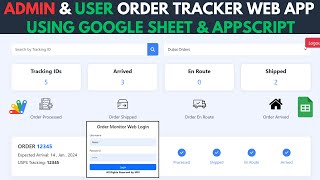
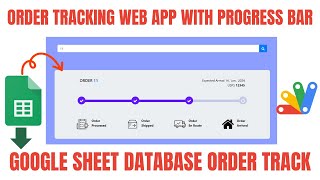
The page customers open when they want to know where their order is — and the reason they stop emailing you to ask. Enter an email or a tracking ID and every order under it appears with its current status.
Most tracking pages take one tracking number and return one order. This one can search the email address the customer ordered with, so a returning customer sees all their orders in one view — the one in transit and the three before it. That is usually what they actually wanted, and it saves them digging through old confirmation emails for a number they have lost.
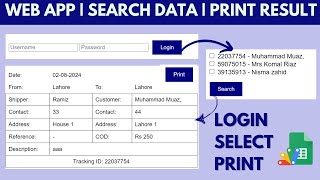
Per order: the submission ID, who sent it, who is receiving it, the date and time, and the current status — pending, delivered, or whatever states your business uses. Nothing more. Internal notes, costs and other customers' records stay out of it. A lookup that finds nothing says so clearly rather than returning a blank page.
Which column is searched is set in the code, so you can key on email, tracking ID or your own reference. The heading and branding on the page are editable, and the layout uses Bootstrap so it looks presentable beside your own site without design work.
The orders themselves come from wherever you already collect them — an order form, a booking system, or rows typed into the sheet. This is the customer-facing lookup on top of that data, and updating a status is editing a cell.
| Version | v1.0 |
| Published | Aug 22, 2025 |
| Platform | Google Apps Script |
| Database | Google Sheets |
| Category | Logistics & Delivery |
| Tags | |
| Video | Watch walkthrough |
| License | Regular License |
Subscribe on YouTube, then verify with one click. No payment, no card. Google is used only to confirm your subscription.
What you get
Not subscribed yet? Subscribe to our channel


Extra modules, your branding, integrations or reports built on top of this file. You get a clear quote and timeline before any work starts, and support after delivery.
What We Customize
20-30% advance to start • Clear quote before work begins • Support included after delivery
Paid picks from the same category
What buyers and viewers say about How to Create the Order Tracker System Using Appscript or Google Sheet.
@onenonlymovies
via YouTube
 @zohairdilawar116
via YouTube
@zohairdilawar116
via YouTube
 @mrx3296
via YouTube
@mrx3296
via YouTube