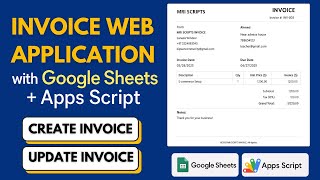
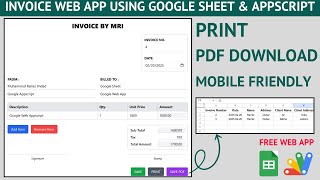
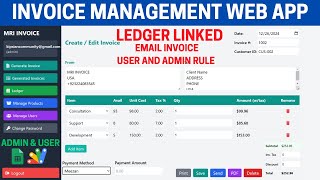
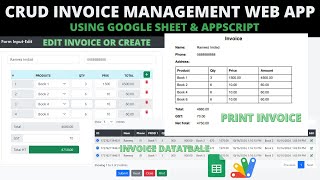
Important Notice: Your success matters to us. If anything goes wrong after purchase, contact us on WhatsApp and we'll personally get it fixed.

How to Create an Invoice Web App Using Google Sheets and Apps Script | B34

B34 Billing & Invoicing Premium Plan Weekly Plan VIP Premium Plan
❤️
Need a Custom Business Solution?
Connect with us on WhatsApp to discuss your requirements. Our team will design and develop a tailored software solution aligned with your business workflow, operational needs, and growth objectives.
How to Create an Invoice Web App Using Google Sheets and Apps Script | B34

Key Features

Product dropdown fed from the stock sheet Out-of-stock products hidden from the dropdown Quantity capped at the available stock Toast warning when the quantity exceeds stock Multiple items per invoice Tax percentage entered per invoice Percentage discount applied to the subtotal Subtotal tax discount and total shown live Printable invoice slip with shop and customer details Invoice emailed to the customer automatically Additional information line on the emailed invoice Sale written to a sales sheet with date and time Item prices recorded as sold for historical lookup Cancel clears the form Google Sheets as the database

Description

Billing that knows what is on the shelf. The product list is built from your stock sheet, and it will not let you sell what you do not have — then the invoice prints and emails itself to the customer.

Stock decides what you can sell

Two things happen automatically. A product with zero stock disappears from the dropdown, because offering it is how a sale gets promised and then apologised for. And entering a quantity above what is available raises a toast and pulls the figure back to the stock on hand — type 34 when 32 exist and it becomes 32. Overselling is not a mistake you have to notice; it is one you cannot make.

Tax and discount, your way

Tax is a percentage entered per invoice rather than a fixed rate in the code, so the same build works wherever you are. Discounts are entered as a percentage too. The subtotal, the tax amount, the discount and the total are all shown as they change, so nothing is worked out on a calculator beside the screen.

The customer gets it twice

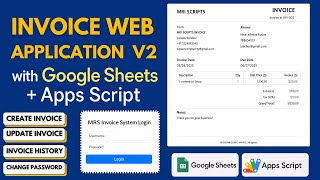
Submit and two things happen: a printable slip is available with your shop name, the customer's details, every line and the total — and the invoice is emailed to the customer's address with the same breakdown plus an additional information line for your return policy or terms.

The sales record

Every sale lands in the sales sheet with its date and time, the customer's details, and each item with the quantity and the price it sold at. Because the price is recorded as sold rather than looked up later, you can open a customer's history and see exactly what they paid at the time — even if the product's price has changed since.

Requirements

  • A Google account (Gmail or Google Workspace)
  • Google Sheets and Google Apps Script — no hosting or server needed
  • A stock sheet with product, price and available quantity
  • Gmail for sending invoices to customers
  • Your own tax rate and return policy wording

What's Included

  • Complete Google Apps Script source code
  • Invoice entry with stock-aware product dropdown
  • Quantity validation against available stock
  • Per-invoice tax and percentage discount
  • Printable invoice slip
  • Automatic invoice email to the customer
  • Sales sheet recording items, quantities and prices as sold
  • Google Sheets structure for stock and sales
  • Step-by-step video walkthrough of the full build
  • Free support from the developer

Item Details

Versionv1.0
PublishedAug 22, 2025
PlatformGoogle Apps Script
DatabaseGoogle Sheets
CategoryBilling & Invoicing
Tagsinvoice softwareinvoice management systembilling softwareinvoice generator google sheetsgst billing softwaresend invoice by email apps scriptstock aware billing systemsales and stock tracking google sheets
VideoWatch walkthrough
LicenseRegular License

How to Create an Invoice Web App Using Google Sheets and Apps Script | B34

Billing & Invoicing

What You Get

Code.gs FilesComplete Apps Script source code files
HTML FilesAll HTML template files included
Google SheetYour own copy with all data and scripts
Setup GuideStep-by-step video tutorials included
6 Months SupportBug fixes, tweaks, and guidance — all free
Free UpdatesAll future updates included at no extra cost
Regular License B34
Subtotal $1.47 USD
Total $1.47 USD
Other payment methods
Wise / Bank Transfer · via WhatsApp +92 343 534 7417 $1.47
RE
Redotpay
How to Create an Invoice Web App Using Google Sheets and Apps Script | B34
Secure checkout
Amount due
$1.47
Total due
Redotpay Account
1002896884
Order summary
ItemHow to Create an Invoice Web App Using Google Sheets and Apps Script | B34
ReferenceB34
Payment MethodRedotpay
Total$1.47
How to pay
  1. Copy the Redotpay account
  2. Pay $1.47 via Redotpay
  3. Enter the transaction reference below
  4. Submit the details below to complete your order
Payments are confirmed typically within 2 business hours (Monday to Saturday). You will receive an email once access is enabled.
Your receipt and download link will be sent to this address.
Country code is set from your location. Change it if needed and enter the number without the code.
Upload a screenshot of the paymentDrop it here or click to browse · JPG or PNG, up to 2 MB
Confirmed typically within 2 business hours (Monday to Saturday)
Encrypted connection
Confirmation in 2 business hours
Emailed receipt
BP
Binance Pay
How to Create an Invoice Web App Using Google Sheets and Apps Script | B34
Secure checkout
Amount due
$1.47
Total due · no additional fees
Binance Pay ID
766412546
Account holder: Muahmmad Ramiz Imdad
Order summary
ItemHow to Create an Invoice Web App Using Google Sheets and Apps Script | B34
ReferenceB34
Payment MethodBinance Pay
Total$1.47
How to pay
  1. Open the Binance app and choose Pay
  2. Enter the Pay ID
  3. Send $1.47 in any supported asset
  4. Copy the Order ID from your Binance receipt
  5. Enter it below with a screenshot and submit
Payments are confirmed typically within 2 business hours (Monday to Saturday). You will receive an email once access is enabled.
Your receipt and download link will be sent to this address.
Country code is set from your location. Change it if needed and enter the number without the code.
Upload a screenshot of the paymentDrop it here or click to browse · JPG or PNG, up to 2 MB
Confirmed typically within 2 business hours (Monday to Saturday)
Encrypted connection
Confirmation in 2 business hours
Emailed receipt
CR
Cryptocurrency
How to Create an Invoice Web App Using Google Sheets and Apps Script | B34
Secure checkout
Amount due
$1.47
Send the equivalent amount in the selected asset
Select an asset
Wallet address
15jjKnm6NgxN1Wgbfh7xdBWgbCFztHeNhE
Send only the selected asset on the selected network. Transfers made on a different network cannot be recovered.
Order summary
ItemHow to Create an Invoice Web App Using Google Sheets and Apps Script | B34
ReferenceB34
Payment MethodCryptocurrency
Total$1.47
How to pay
  1. Select an asset above
  2. Copy the wallet address and send the equivalent of $1.47
  3. Enter the transaction hash below
  4. Submit the details below to complete your order
Payments are confirmed typically within 2 business hours (Monday to Saturday). You will receive an email once access is enabled.
Your receipt and download link will be sent to this address.
Country code is set from your location. Change it if needed and enter the number without the code.
Upload a screenshot of the paymentDrop it here or click to browse · JPG or PNG, up to 2 MB
Confirmed typically within 2 business hours (Monday to Saturday)
Encrypted connection
Confirmation in 2 business hours
Emailed receipt
PA
PayPal
How to Create an Invoice Web App Using Google Sheets and Apps Script | B34
Secure checkout
Amount due
$1.47
Total due
Pay $1.47 with PayPal
Opens PayPal in a new tab. Return here with your Transaction ID to complete the submission.
Order summary
ItemHow to Create an Invoice Web App Using Google Sheets and Apps Script | B34
ReferenceB34
Payment MethodPayPal
Total$1.47
How to pay
  1. Select Pay $1.47 with PayPal; PayPal opens in a new tab
  2. Copy the Transaction ID from your PayPal receipt
  3. Enter it below with a screenshot of the payment, then submit
  4. Your payment is verified and access is enabled; the download link is also emailed to you
Payments are confirmed typically within 2 business hours (Monday to Saturday). You will receive an email once access is enabled.
Your receipt and download link will be sent to this address.
Country code is set from your location. Change it if needed and enter the number without the code.
Upload a screenshot of the paymentDrop it here or click to browse · JPG or PNG, up to 2 MB
Confirmed typically within 2 business hours (Monday to Saturday)
Encrypted connection
Confirmation in 2 business hours
Emailed receipt

Need This Customized For Your Business?

Extra modules, your branding, integrations or reports built on top of this file. You get a clear quote and timeline before any work starts, and support after delivery.

400+
Projects Delivered
89+
Countries Served

What We Customize

Features & Functions
Add new features, modify existing scripts, custom formulas & automations
API & Integrations
Connect with WhatsApp, Payment Gateways, CRM & more
Design & UI Changes
Custom branding, layout redesign, dark mode, mobile optimization
Full Custom Projects
Dashboards, billing systems, inventory, CRM — built from scratch
Get Free Quote on WhatsApp

20-30% advance to start • Clear quote before work begins • Support included after delivery

$1.47
USD · card / manual pay

People choose these

Paid picks from the same category

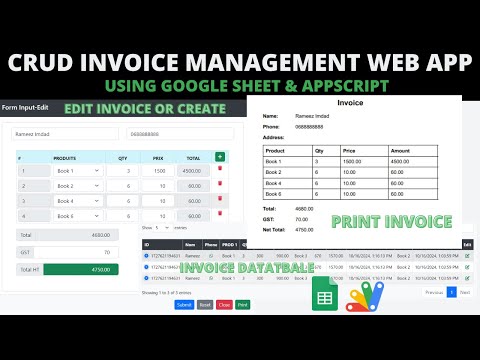
How to Create ISP Billing Software in PHP MySQL with Claude Code Fable 5.1 How to Create ISP Billing Software in PHP MySQL with Claude Code Fable 5.1 713 views this month PHP $6.00 USD How to Build an ISP Billing System: Automated WhatsApp & Call Features How to Build an ISP Billing System: Automated WhatsApp & Call Features 203 views this month Apps Script $2.99 USD CRUD INVOICE WEBAPP | CRUD WEB APP USING GOOGLE SPREADSHEET DATA | B46 CRUD INVOICE WEBAPP | CRUD WEB APP USING GOOGLE SPREADSHEET DATA | B46 485 views this month Apps Script $0.87 USD

Reviews & Feedback

What buyers and viewers say about How to Create an Invoice Web App Using Google Sheets and Apps Script | B34.

No star ratings yet Tap a star to be the first to rate it.
1 comment from
YouTube viewers
@andikamaulana9314 via YouTube
how to add customer whatsApp number brother