Need a customized project? We build it to your exact requirements.Contact us on WhatsApp

Employee Attendance System with Device Lock – Google Sheets

E9 Attendance Systems Premium Plan VIP Premium Plan
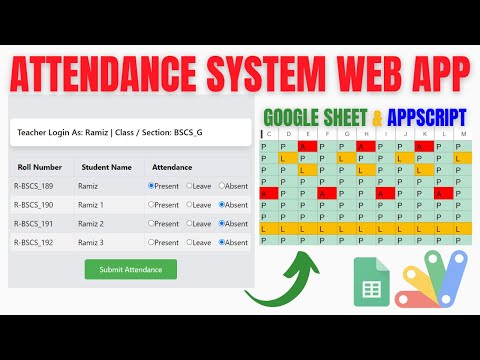
Attendance System with Device-Based Security Using Google Sheets & Apps Script | E9
You get
  • Google Sheet link
  • Source code file
  • Resale rights
  • Edit rights
  • Setup guide
  • AI setup help

Key Features

One device can mark only one employee per day Device check blocks a colleague marking for a friend Single check-in and single check-out per day State detected automatically on login Check-out requires the day's activity report Multiple activities added per day from a list GPS latitude and longitude recorded on every mark IP address logged with each attendance History filtered by today 7 days this month or all time Admin user management with add edit and update Search and filter by role province city and designation Dependent province and city dropdowns Admin and employee roles Google Sheets as the database Deploys as a Google Apps Script web app

Description

Every attendance system has the same hole: one employee marks their friend in. This closes it with a rule that is simple and hard to work around — one device can mark one employee per day, and the second attempt is refused with the reason.

The device is the control

When an employee checks in, the device is recorded against that day's attendance. If a colleague then logs into their own account on the same phone, the system refuses: this device has already been used by another employee today. To mark attendance, you need your own device — which, for practical purposes, means being there.

Check-in, then account for the day

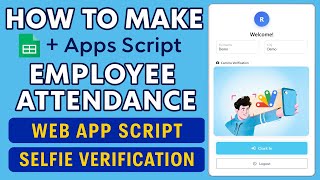
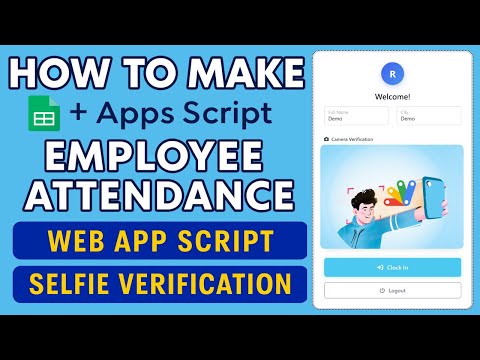
Check-in happens once, check-out once, and the system knows which one is due when you log in — you cannot mark twice or check out before checking in. Check-out is not a single tap either: the employee records what they did, adding activities — a meeting attended, training delivered, whatever the list holds — so the day ends with a record of work, not only a timestamp.

What every mark carries

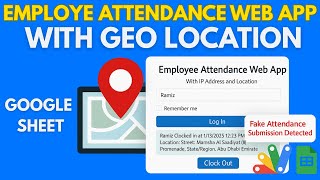
Alongside the times: latitude and longitude from the device, and the IP address the mark came from. Between the device rule, the coordinates and the IP, an attendance record has three independent things to check it against. History is filtered by today, the last seven days, this month or all time.

Managing the staff list

The admin panel adds, edits and updates employees, with searching and filters by role, province, city and designation — province and city being dependent dropdowns, so choosing a province narrows the cities. Employees see their own attendance and history; only the admin sees everyone and manages the accounts.

Requirements

  • A Google account (Gmail or Google Workspace)
  • Google Sheets and Google Apps Script — no hosting or server needed
  • Each employee on their own phone with location permission granted
  • Your employee list with roles, cities and designations
  • Your own activity list for the check-out report

What's Included

  • Complete Google Apps Script source code
  • Device-based rule allowing one employee per device per day
  • Check-in and check-out with automatic state detection
  • Check-out activity report with multiple activities
  • GPS coordinates and IP address on every attendance
  • History with today, 7-day, monthly and all-time filters
  • Admin panel for employee management with dependent dropdowns
  • Admin and employee roles
  • Google Sheets structure for users and attendance
  • Step-by-step video walkthrough of the full build
  • Free support from the developer

Item Details

Versionv1.0
PublishedNov 1, 2025
PlatformGoogle Apps Script
DatabaseGoogle Sheets
CategoryAttendance Systems
Tagsemployee attendance tracker google sheetsattendance system for employeesemployee attendance google sheetsbuddy punching preventiondevice based attendance systemattendance system google apps scriptemployee check in check out systemgps attendance tracking system
VideoWatch walkthrough
LicenseRegular License
Regular License E9
Subtotal $1.95 USD
Total $1.95 USD
Other payment methods
Wise / Bank Transfer · via WhatsApp +92 343 534 7417 $3.90$1.95
Redotpay
Attendance System with Device-Based Security Using Google Sheets & Apps Script | E9
Secure checkout
Amount due
$1.95$3.90
Total due
Redotpay Account
1002896884
How to pay
  1. Copy the Redotpay account
  2. Pay $1.95 via Redotpay
  3. Enter the transaction reference below
  4. Submit the details below to complete your order
Order details$1.95
Order summary
ItemAttendance System with Device-Based Security Using Google Sheets & Apps Script | E9
ReferenceE9
Payment MethodRedotpay
Total$1.95
Your payment proofReference + screenshot — takes a minute
Your receipt and download link will be sent to this address.
Country code is set from your location. Change it if needed and enter the number without the code.
Upload a screenshot of the paymentDrop it here or click to browse · JPG or PNG, up to 2 MB
Confirmed typically within 2 hours (24/7)
Encrypted connection
Confirmation in 2 hours
Emailed receipt
Binance Pay
Attendance System with Device-Based Security Using Google Sheets & Apps Script | E9
Secure checkout
Amount due
$1.95
Total due · no additional fees
Binance Pay ID
766412546
Account holder: Muahmmad Ramiz Imdad
How to pay
  1. Open the Binance app and choose Pay
  2. Enter the Pay ID
  3. Send $1.95 in any supported asset
  4. Copy the Order ID from your Binance receipt
  5. Enter it below with a screenshot and submit
Order details$1.95
Order summary
ItemAttendance System with Device-Based Security Using Google Sheets & Apps Script | E9
ReferenceE9
Payment MethodBinance Pay
Total$1.95
Your payment proofReference + screenshot — takes a minute
Your receipt and download link will be sent to this address.
Country code is set from your location. Change it if needed and enter the number without the code.
Upload a screenshot of the paymentDrop it here or click to browse · JPG or PNG, up to 2 MB
Confirmed typically within 2 hours (24/7)
Encrypted connection
Confirmation in 2 hours
Emailed receipt
Cryptocurrency
Attendance System with Device-Based Security Using Google Sheets & Apps Script | E9
Secure checkout
Amount due
$1.95
Send the equivalent amount in the selected asset
Select an asset
Wallet address
15jjKnm6NgxN1Wgbfh7xdBWgbCFztHeNhE
Send only the selected asset on the selected network. Transfers made on a different network cannot be recovered.
How to pay
  1. Select an asset above
  2. Copy the wallet address and send the equivalent of $1.95
  3. Enter the transaction hash below
  4. Submit the details below to complete your order
Order details$1.95
Order summary
ItemAttendance System with Device-Based Security Using Google Sheets & Apps Script | E9
ReferenceE9
Payment MethodCryptocurrency
Total$1.95
Your payment proofReference + screenshot — takes a minute
Your receipt and download link will be sent to this address.
Country code is set from your location. Change it if needed and enter the number without the code.
Upload a screenshot of the paymentDrop it here or click to browse · JPG or PNG, up to 2 MB
Confirmed typically within 2 hours (24/7)
Encrypted connection
Confirmation in 2 hours
Emailed receipt
PayPal
Attendance System with Device-Based Security Using Google Sheets & Apps Script | E9
Secure checkout
Amount due
$1.95
Total due
Pay $1.95 with PayPal
Opens PayPal in a new tab. Return here with your Transaction ID to complete the submission.
How to pay
  1. Select Pay $1.95 with PayPal; PayPal opens in a new tab
  2. Copy the Transaction ID from your PayPal receipt
  3. Enter it below with a screenshot of the payment, then submit
  4. Your payment is verified and access is enabled; the download link is also emailed to you
Order details$1.95
Order summary
ItemAttendance System with Device-Based Security Using Google Sheets & Apps Script | E9
ReferenceE9
Payment MethodPayPal
Total$1.95
Your payment proofReference + screenshot — takes a minute
Your receipt and download link will be sent to this address.
Country code is set from your location. Change it if needed and enter the number without the code.
Upload a screenshot of the paymentDrop it here or click to browse · JPG or PNG, up to 2 MB
Confirmed typically within 2 hours (24/7)
Encrypted connection
Confirmation in 2 hours
Emailed receipt

Need This Customized For Your Business?

Extra modules, your branding, integrations or reports built on top of this file. You get a clear quote and timeline before any work starts, and support after delivery.

400+
Projects Delivered
91+
Countries Served

What We Customize

Features & Functions
Add new features, modify existing scripts, custom formulas & automations
API & Integrations
Connect with WhatsApp, Payment Gateways, CRM & more
Design & UI Changes
Custom branding, layout redesign, dark mode, mobile optimization
Full Custom Projects
Dashboards, billing systems, inventory, CRM — built from scratch
Get Free Quote on WhatsApp

20-30% advance to start • Clear quote before work begins • Support included after delivery

$1.95
USD · card / manual pay

People choose these

Paid picks from the same category

I Built a GPS Attendance Management System in PHP MySQL I Built a GPS Attendance Management System in PHP MySQL 172 views this month PHP $6.52 USD How to Make Google Apps Script Attendance System Clock In/Out with IP & Selfie | D39 How to Make Google Apps Script Attendance System Clock In/Out with IP & Selfie | D39 74 views this month Apps Script $1.16 USD Attendance System using Google Sheets and Appscript with Login | R32 Attendance System using Google Sheets and Appscript with Login | R32 65 views this month Apps Script $2.60 USD

Reviews & Feedback

What buyers and viewers say about Attendance System with Device-Based Security Using Google Sheets & Apps Script | E9.

No star ratings yet Tap a star to be the first to rate it.
22 comments from
YouTube viewers
Sort
@DurvishJawaleOfficial via YouTube
Nice but you can also add the otp feature to scure the attendance with no fake attendance. What do you think? Actually it's nice web app
1 like on YouTube
@sonukarhana via YouTube
Bhai excellent working
1 like on YouTube
@aboadam-nb5if via YouTube
very good keep going
@AgroCompany-g2s via YouTube
Very nice ❤❤
@Subeesh.A-z via YouTube
Super Bro 🚀🚀 🥳
@MrDigiPM via YouTube
Add location fencing with auto selfie photo capture option
@ejazchiniot via YouTube
Good video. Thanks
@lifemotion6 via YouTube
Jaka Naka Video
@AsaKhatun-mr7pu via YouTube
Bro really amazing ❤ project 🎉
@LearnKidsZone via YouTube
Amazing project ❤
@irfanchauhan495 via YouTube
Superb Project 🎉
@RafikulIslam-uc9rr via YouTube
Really wonderful 🎉 project. Love u bro❤❤❤
@Ariel1433 via YouTube
🎉 powerfull tool!🎉 Thanks
@rasc-c5e via YouTube
This project is very good, attendance system is very good, feature of device is very good, e-attendance
@pinkygamit9139 via YouTube
Yes Good Project Ideas,... Useful For School and college...🎉🎉🎉
@SHARANSTEAM via YouTube
Amazing bhaiyya
@khanasadullah5125 via YouTube
Guru ji ❤❤❤❤
@HossainAhmed-n7h via YouTube
Awesome script. Love this
@நசீம்786 via YouTube
Still we have proxy attendance, can you make it only i particular device can access for the particular id, id reduces the proxy. And also if my friend carry another phone he can also make attendance for me using his phone so there is proxy on it , please change it
@IshfaqAhmadBhat-p8m via YouTube
One of the best project. Keep it up❤
@jordanfelipe31 via YouTube
Very Nice code
@M.K.Kalaiyarasan via YouTube
It’s very useful bro TQSM bro…. 🎉🎉