

 @foodmastiIndia
via YouTube
@foodmastiIndia
via YouTube
a decent and elaborative system for Attendance .
1 like on YouTube

Attendance taken by scanning instead of calling names. Each student carries a QR code, the scanner is built into the web app, and the register fills itself — with the absences, the late marks and the leave requests handled by the system rather than by a teacher's memory.
The QR scanner lives inside the app, so any phone or tablet camera reads a student's code and marks them present. A class that takes ten minutes to call through takes the length of a queue at the door, and there is no transcription step afterwards where errors get introduced.
Anyone not scanned by the cut-off is marked absent automatically — absence is the default the system infers, not a second job for the teacher. Late arrivals are caught by the time of the scan and carry their own penalty rule, so a pattern of late arrivals shows up as data rather than as a complaint.
Admin, teacher and student each get their own view: the admin over the whole institution, teachers over their classes, students over their own record and their leave requests. Leave is applied for in the app and decided there, and email notifications keep parents or staff informed without anyone sending messages by hand.
A React dashboard with live attendance figures, Google Sheets as the database so the register stays exportable, and a mobile-optimised layout because the scanning happens on a phone at a classroom door.
| Version | v1.0 |
| Published | Jan 18, 2026 |
| Platform | Google Apps Script |
| Database | Google Sheets |
| Category | Attendance Systems |
| Tags | |
| Video | Watch walkthrough |
| License | Regular License |
Subscribe on YouTube, then verify with one click. No payment, no card. Google is used only to confirm your subscription.
What you get
Not subscribed yet? Subscribe to our channel
Extra modules, your branding, integrations or reports built on top of this file. You get a clear quote and timeline before any work starts, and support after delivery.
What We Customize
20-30% advance to start • Clear quote before work begins • Support included after delivery
What buyers of this file added to the same order
 I Built a Salon Management System with ERP + CRM Dashboard & Web App - Google Sheets + Apps Script
Bought with this one
I Built a Salon Management System with ERP + CRM Dashboard & Web App - Google Sheets + Apps Script
Bought with this one
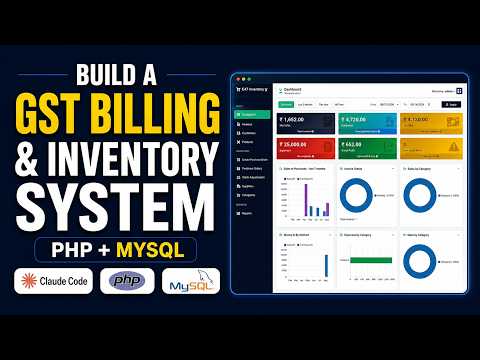 I Built a GST Billing Software with Claude Code That Actually Works (PHP MySQL + Source Code)
Bought with this one
I Built a GST Billing Software with Claude Code That Actually Works (PHP MySQL + Source Code)
Bought with this one
 Build a Gym Management System with Claude Code & Google Sheets
Bought with this one
Build a Gym Management System with Claude Code & Google Sheets
Bought with this one
What buyers and viewers say about How to Create QR Code Attendance System in Google Sheets with Apps Script | E31.
@foodmastiIndia
via YouTube
 @DurvishJawaleOfficial
via YouTube
@DurvishJawaleOfficial
via YouTube
 @Mr_Roblox_Story
via YouTube
@Mr_Roblox_Story
via YouTube
 @RMRITCONNECT
via YouTube
@RMRITCONNECT
via YouTube
 @NORTH-s8o
via YouTube
@NORTH-s8o
via YouTube
 @O_hcomp
via YouTube
@O_hcomp
via YouTube
 @BNCHSSSLG26-27
via YouTube
@BNCHSSSLG26-27
via YouTube
 @hnourkonsult5329
via YouTube
@hnourkonsult5329
via YouTube
 @mfaizan5075
via YouTube
@mfaizan5075
via YouTube
 @ZaheerAbro-p2c
via YouTube
@ZaheerAbro-p2c
via YouTube
 @pinkygamit9139
via YouTube
@pinkygamit9139
via YouTube
 @vipulchaudhari4437
via YouTube
@vipulchaudhari4437
via YouTube
 @khanasadullah5125
via YouTube
@hnourkonsult5329
via YouTube
@khanasadullah5125
via YouTube
@hnourkonsult5329
via YouTube
 @Skyxxa
via YouTube
@Skyxxa
via YouTube
 @keshabmaity9436
via YouTube
@keshabmaity9436
via YouTube
 @rasc-c5e
via YouTube
@rasc-c5e
via YouTube
 @MdMohiuddin-r1b
via YouTube
@MdMohiuddin-r1b
via YouTube
 @csptechinspiration
via YouTube
@csptechinspiration
via YouTube
 @eduhindi
via YouTube
@eduhindi
via YouTube
 @irfanchauhan495
via YouTube
@irfanchauhan495
via YouTube
 @M.K.Kalaiyarasan
via YouTube
@M.K.Kalaiyarasan
via YouTube