Need a customized project? We build it to your exact requirements.Contact us on WhatsApp

Clock In/Out App with Fake Attendance Alerts – Apps Script

B24V2 Attendance Systems Weekly Plan Premium Plan VIP Premium Plan
Attendance System with Google Sheets and Apps Script Fake Attendace Alerts | B24V2
You get
  • Google Sheet link
  • Source code file
  • Resale rights
  • Edit rights
  • Setup guide
  • AI setup help

Key Features

Fake attendance submission detection One IP address can mark only one employee Clock in and clock out from the same button Button state follows whether the employee is already clocked in Clock-in and clock-out IP recorded separately Total worked time calculated per day Login log with IP time and status Failed login attempts recorded with the reason Employee credentials held in the Employees sheet Google Sheets as the database Deploys as a Google Apps Script web app

Description

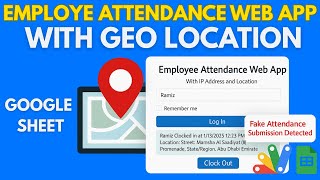
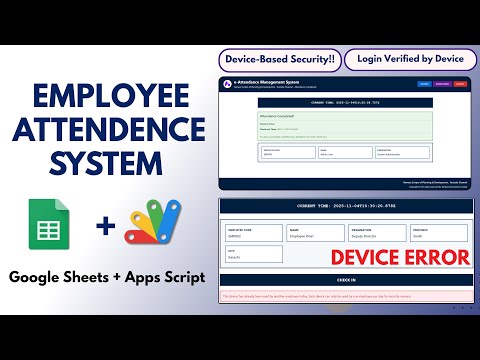
An attendance app that answers back. An employee clocks in for themselves normally — but try to log in as a colleague from the same connection and the system refuses with fake attendance submission detected.

How the check works

Each attendance is stamped with the IP address it came from. Once an employee has clocked in from a connection, a different employee cannot be marked from that same IP — the request is rejected rather than recorded. From a genuinely different connection, the second employee clocks in without trouble. It is a simple rule that removes the most common way attendance is falsified: one person with two logins.

Clock in, clock out

A single button that knows its state. An employee who has not clocked in sees Clock In; one already clocked in sees Clock Out. There is no way to clock in twice or clock out of a day never started. The record holds both times, the total worked, and the IP for each end of the day separately — useful when someone starts at the office and finishes at home.

The login trail

Every login attempt is written to its own log: which user, at what time, from what IP, and whether it succeeded or failed on a wrong password. A pattern of failed attempts against one account is visible without anyone being told about it.

Where it fits

It is built for staff who mark attendance on their own devices and connections — field teams, remote workers, drivers, site staff. Employee accounts are rows in the Employees sheet, so adding or removing someone is editing the sheet.

Requirements

  • A Google account (Gmail or Google Workspace)
  • Google Sheets and Google Apps Script — no hosting or server needed
  • Employees marking attendance from their own device and connection
  • An Employees sheet with usernames and passwords

What's Included

  • Complete Google Apps Script source code
  • Employee login with credentials held in the sheet
  • Clock in and clock out with state-aware button
  • Fake attendance detection by IP address
  • Clock-in and clock-out IP recorded per day
  • Total worked time calculation
  • Login log with user, time, IP and success or failure
  • Google Sheets structure for employees and attendance
  • Step-by-step video walkthrough of the full build
  • Free support from the developer

Item Details

Versionv1.0
PublishedAug 22, 2025
PlatformGoogle Apps Script
DatabaseGoogle Sheets
CategoryAttendance Systems
Tagsclock in clock out google sheetsfake attendance detectionemployee attendance google sheetsattendance system for employeesattendance system google apps scriptclock in clock out systembuddy punching preventionip based attendance system
VideoWatch walkthrough
LicenseRegular License
Regular License B24V2
Subtotal $2.60 USD
Total $2.60 USD
Other payment methods
Wise / Bank Transfer · via WhatsApp +92 343 534 7417 $5.20$2.60
Redotpay
Attendance System with Google Sheets and Apps Script Fake Attendace Alerts | B24V2
Secure checkout
Amount due
$2.60$5.20
Total due
Redotpay Account
1002896884
How to pay
  1. Copy the Redotpay account
  2. Pay $2.60 via Redotpay
  3. Enter the transaction reference below
  4. Submit the details below to complete your order
Order details$2.60
Order summary
ItemAttendance System with Google Sheets and Apps Script Fake Attendace Alerts | B24V2
ReferenceB24V2
Payment MethodRedotpay
Total$2.60
Your payment proofReference + screenshot — takes a minute
Your receipt and download link will be sent to this address.
Country code is set from your location. Change it if needed and enter the number without the code.
Upload a screenshot of the paymentDrop it here or click to browse · JPG or PNG, up to 2 MB
Confirmed typically within 2 hours (24/7)
Encrypted connection
Confirmation in 2 hours
Emailed receipt
Binance Pay
Attendance System with Google Sheets and Apps Script Fake Attendace Alerts | B24V2
Secure checkout
Amount due
$2.60
Total due · no additional fees
Binance Pay ID
766412546
Account holder: Muahmmad Ramiz Imdad
How to pay
  1. Open the Binance app and choose Pay
  2. Enter the Pay ID
  3. Send $2.60 in any supported asset
  4. Copy the Order ID from your Binance receipt
  5. Enter it below with a screenshot and submit
Order details$2.60
Order summary
ItemAttendance System with Google Sheets and Apps Script Fake Attendace Alerts | B24V2
ReferenceB24V2
Payment MethodBinance Pay
Total$2.60
Your payment proofReference + screenshot — takes a minute
Your receipt and download link will be sent to this address.
Country code is set from your location. Change it if needed and enter the number without the code.
Upload a screenshot of the paymentDrop it here or click to browse · JPG or PNG, up to 2 MB
Confirmed typically within 2 hours (24/7)
Encrypted connection
Confirmation in 2 hours
Emailed receipt
Cryptocurrency
Attendance System with Google Sheets and Apps Script Fake Attendace Alerts | B24V2
Secure checkout
Amount due
$2.60
Send the equivalent amount in the selected asset
Select an asset
Wallet address
15jjKnm6NgxN1Wgbfh7xdBWgbCFztHeNhE
Send only the selected asset on the selected network. Transfers made on a different network cannot be recovered.
How to pay
  1. Select an asset above
  2. Copy the wallet address and send the equivalent of $2.60
  3. Enter the transaction hash below
  4. Submit the details below to complete your order
Order details$2.60
Order summary
ItemAttendance System with Google Sheets and Apps Script Fake Attendace Alerts | B24V2
ReferenceB24V2
Payment MethodCryptocurrency
Total$2.60
Your payment proofReference + screenshot — takes a minute
Your receipt and download link will be sent to this address.
Country code is set from your location. Change it if needed and enter the number without the code.
Upload a screenshot of the paymentDrop it here or click to browse · JPG or PNG, up to 2 MB
Confirmed typically within 2 hours (24/7)
Encrypted connection
Confirmation in 2 hours
Emailed receipt
PayPal
Attendance System with Google Sheets and Apps Script Fake Attendace Alerts | B24V2
Secure checkout
Amount due
$2.60
Total due
Pay $2.60 with PayPal
Opens PayPal in a new tab. Return here with your Transaction ID to complete the submission.
How to pay
  1. Select Pay $2.60 with PayPal; PayPal opens in a new tab
  2. Copy the Transaction ID from your PayPal receipt
  3. Enter it below with a screenshot of the payment, then submit
  4. Your payment is verified and access is enabled; the download link is also emailed to you
Order details$2.60
Order summary
ItemAttendance System with Google Sheets and Apps Script Fake Attendace Alerts | B24V2
ReferenceB24V2
Payment MethodPayPal
Total$2.60
Your payment proofReference + screenshot — takes a minute
Your receipt and download link will be sent to this address.
Country code is set from your location. Change it if needed and enter the number without the code.
Upload a screenshot of the paymentDrop it here or click to browse · JPG or PNG, up to 2 MB
Confirmed typically within 2 hours (24/7)
Encrypted connection
Confirmation in 2 hours
Emailed receipt

Need This Customized For Your Business?

Extra modules, your branding, integrations or reports built on top of this file. You get a clear quote and timeline before any work starts, and support after delivery.

400+
Projects Delivered
91+
Countries Served

What We Customize

Features & Functions
Add new features, modify existing scripts, custom formulas & automations
API & Integrations
Connect with WhatsApp, Payment Gateways, CRM & more
Design & UI Changes
Custom branding, layout redesign, dark mode, mobile optimization
Full Custom Projects
Dashboards, billing systems, inventory, CRM — built from scratch
Get Free Quote on WhatsApp

20-30% advance to start • Clear quote before work begins • Support included after delivery

$2.60
USD · card / manual pay

People choose these

Paid picks from the same category

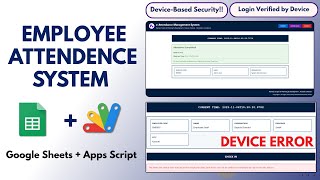
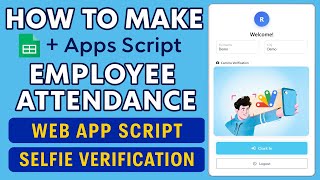
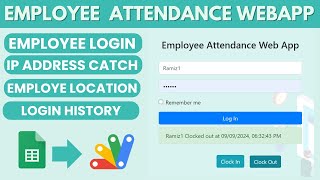
I Built a GPS Attendance Management System in PHP MySQL I Built a GPS Attendance Management System in PHP MySQL 170 views this month PHP $6.52 USD Attendance System with Device-Based Security Using Google Sheets & Apps Script | E9 Attendance System with Device-Based Security Using Google Sheets & Apps Script | E9 48 views this month Apps Script $1.95 USD How to Make Google Apps Script Attendance System Clock In/Out with IP & Selfie | D39 How to Make Google Apps Script Attendance System Clock In/Out with IP & Selfie | D39 73 views this month Apps Script $1.16 USD

Reviews & Feedback

What buyers and viewers say about Attendance System with Google Sheets and Apps Script Fake Attendace Alerts | B24V2.

No reviews yet — be the first to review Attendance System with Google Sheets and Apps Script Fake Attendace Alerts | B24V2.