Important Notice: Your success matters to us. If anything goes wrong after purchase, contact us on WhatsApp and we'll personally get it fixed.

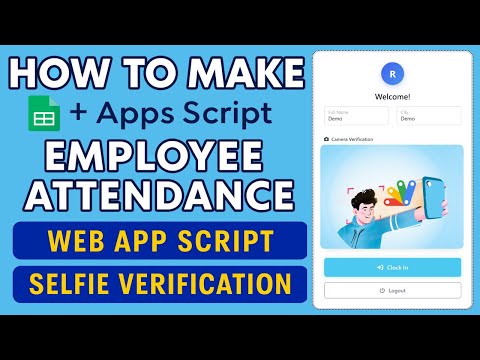
Attendence System with live location using #googlesheet and #appsscript

FREE037 Attendance Systems Premium Plan Weekly Plan VIP Premium Plan
❤️
Need a Custom Business Solution?
Connect with us on WhatsApp to discuss your requirements. Our team will design and develop a tailored software solution aligned with your business workflow, operational needs, and growth objectives.
Attendence System with live location using #googlesheet and  #appsscript

Key Features

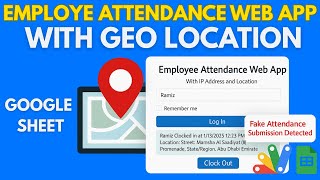
Attendance form with live GPS location capture Location saved to Google Sheets on every entry Records name timestamp and coordinates Works from any mobile browser with no app install Deploys as a Google Apps Script web app Google Sheet doubles as the attendance register Free to copy and customise Works for staff or student attendance

Description

Attendance that records where the person actually was. The employee opens a link on their phone, marks attendance, and the browser's GPS coordinates are written into the sheet next to their name and timestamp — nothing to install, nothing to buy.

The whole idea

A marked attendance without a location is a claim. With coordinates attached it is a record. For field staff, site workers, delivery teams, sales reps and anyone not sitting at a desk, that difference is the entire reason to run an attendance system at all.

What gets recorded

Every entry writes the name, the timestamp and the latitude and longitude the device reported, straight into a Google Sheet. The sheet is the attendance register — filter it by date, by person, paste the coordinates into Maps to see the point on a map, and export it however your payroll needs it.

Why it works on any phone

It runs in the mobile browser as an Apps Script web app, so there is no APK to sideload, no app store listing and nothing for staff to install. Send the link once and it works on Android and iPhone alike. Location permission is asked for by the browser, as it should be.

Staff or students

The same build covers employee attendance and student or class attendance — the only thing that changes is who is on the list. Take it as it stands or use it as the location-capture piece inside a bigger HR system.

Requirements

  • A Google account (Gmail or Google Workspace)
  • Google Sheets and Google Apps Script — no hosting or server needed
  • A phone with location services on and permission granted in the browser
  • Staff or student names to seed the register

What's Included

  • Complete Google Apps Script source code
  • Attendance form with live GPS capture
  • Google Sheet register recording name, timestamp and coordinates
  • Mobile browser deployment — no app install for staff
  • Step-by-step video walkthrough of the full build
  • Free support from the developer

Item Details

Versionv1.0
PublishedAug 22, 2025
PlatformGoogle Apps Script
DatabaseGoogle Sheets
CategoryAttendance Systems
Tagsattendance system with live locationattendance system google sheetsgoogle sheets attendance trackeremployee attendance tracking systemgps attendance app freestudent attendance management systemattendance form with locationgoogle apps script attendance
VideoWatch walkthrough
LicenseRegular License
Subscription Verification Required
This is a free file. Subscribe to our YouTube channel to unlock the source code + Google Sheet. One click — no payment. Google only confirms you are subscribed.
Verify Now
Free download

Subscribe & Unlock Source Code

Subscribe on YouTube, then verify with one click. No payment, no card. Google is used only to confirm your subscription.

What you get

  • Code.gs + HTML filesThe complete Apps Script project
  • Google SheetYour own copy with the data
  • Setup guideInstall steps from start to finish

Not subscribed yet? Subscribe to our channel

Browse More Free Files

Need This Customized For Your Business?

Extra modules, your branding, integrations or reports built on top of this file. You get a clear quote and timeline before any work starts, and support after delivery.

400+
Projects Delivered
89+
Countries Served

What We Customize

Features & Functions
Add new features, modify existing scripts, custom formulas & automations
API & Integrations
Connect with WhatsApp, Payment Gateways, CRM & more
Design & UI Changes
Custom branding, layout redesign, dark mode, mobile optimization
Full Custom Projects
Dashboards, billing systems, inventory, CRM — built from scratch
Get Free Quote on WhatsApp

20-30% advance to start • Clear quote before work begins • Support included after delivery

Free
Source Code File

People choose these

Paid picks from the same category

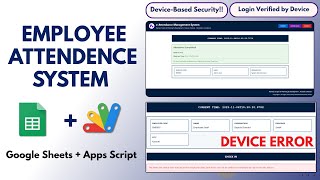
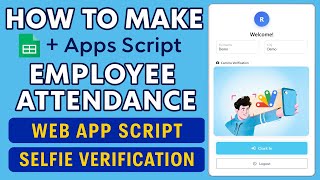
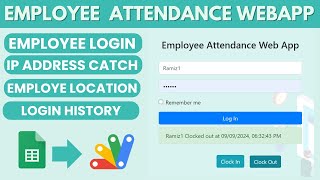
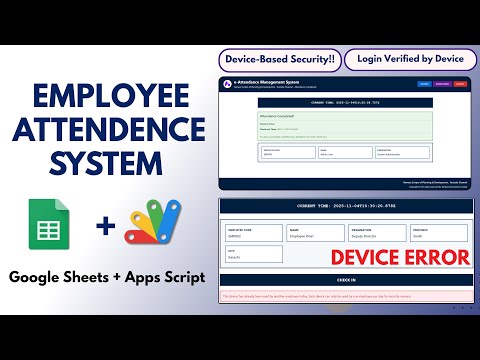
I Built a GPS Attendance Management System in PHP MySQL I Built a GPS Attendance Management System in PHP MySQL 1,065 views this month PHP Attendance System with Device-Based Security Using Google Sheets & Apps Script | E9 Attendance System with Device-Based Security Using Google Sheets & Apps Script | E9 487 views this month Apps Script How to Make Google Apps Script Attendance System Clock In/Out with IP & Selfie | D39 How to Make Google Apps Script Attendance System Clock In/Out with IP & Selfie | D39 498 views this month Apps Script

Reviews & Feedback

What buyers and viewers say about Attendence System with live location using #googlesheet and #appsscript.

No star ratings yet Tap a star to be the first to rate it.
19 comments from
YouTube viewers
Sort
@MisMis-d6f via YouTube
SOURCE CODE IS NOT AVAILABLE
1 like on YouTube
@alameenacademy.bergram2009 via YouTube
Drop down list doesn't shown
1 like on YouTube
@bablu5584 via YouTube
Will you make one customized software for my college, please reply
1 like on YouTube
@HDBijoyDJ via YouTube
good think
1 like on YouTube
@mamatamahat4130 via YouTube
I changed the region in code but still it is showing Indian time in excel. How to fix?
1 like on YouTube
@Hritesh007 via YouTube
Hi, Grt work.❤ Can you pls share the link again? I want to add image upload and remarks columns in Google sheet and map link column, also to show the location in map as well.
1 like on YouTube
@adminautomatsafety9302 via YouTube
SIR AAPNE MERE INSTA DM KA REPLY NAHI DIYA
1 like on YouTube
@E-farmingodisha via YouTube
Sir source code please it's not download
1 like on YouTube
@abidmajeed1158 via YouTube
Please share this coding link
@YashodaFoods via YouTube
Can you please provide me source code
@BSGUP-c7y via YouTube
i ant copy your code how can i
@Supriya100kar via YouTube
aapka blog to delete ho gaya he.. ☹
@ahujaishan98 via YouTube
only one loop hole - Person A can do attendance for Person B as well, right?
@MohammadIqbal-jw5te via YouTube
Sir Employee name select karne ke liye Drop-down menu nhi aa rha h, or aapke video me aa rha h.please help
@worldboard via YouTube
Hallo Grt Work bhai sahib how can i clockin only if the teacher is in school out of school clockin not posibel
@AR_Vlog770 via YouTube
Link please
@Naim4783RT via YouTube
I got an error. I dont know which part I wrong. Need ur help sir
@CASTProperty via YouTube
Hi thanks for the reply. it works perfectly from Incognito window of Chrome browser. But need your help on how to add a PIN or password for each user & how to add a break option here. thanks for your help.
@CASTProperty via YouTube
Nice work and thanks for sharing. Can you please tell me how to use it from Mobile (iphone) ?