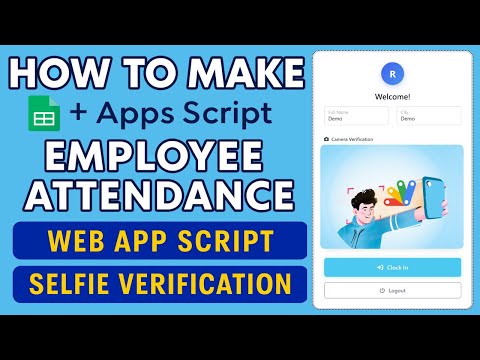
Important Notice: Your success matters to us. If anything goes wrong after purchase, contact us on WhatsApp and we'll personally get it fixed.

How to Automate Attendance System with Google Sheets and Apps Script

ATTEAUT Attendance Systems Premium Plan Weekly Plan VIP Premium Plan
❀️
Need a Custom Business Solution?
Connect with us on WhatsApp to discuss your requirements. Our team will design and develop a tailored software solution aligned with your business workflow, operational needs, and growth objectives.
How to Automate Attendance System  with Google Sheets and Apps Script

Key Features

Attendance submitted with a PIN not a typed name Employee name filled in automatically from the PIN Date and time shown but locked from editing Sign in and sign out recorded separately Manual mode for entering the real time of a late arrival Submitting account email recorded with the entry Employees added as a name and PIN row Attendance log with timestamp date and transaction type Unique formula listing each employee once No spreadsheet ID to replace during setup Bootstrap layout with editable CSS

Description

ATTEAUT is an attendance form built around one idea: the person marking attendance should not be able to type anything that matters. No name, no date, no time. They enter a PIN and press submit, and the record writes itself.

The PIN does the identifying

Each employee has a PIN held against their name in the sheet. Type it and the name appears on the form; nobody chooses a name from a list and nobody spells one. That closes the two usual holes at once β€” marking somebody else present, and creating a second version of a person through a typo. Adding staff is a name and a PIN in a row.

The clock is not theirs to set

The date and time show on the form but are read only, so an attendance stamped at 9:02 was genuinely submitted at 9:02. There is a deliberate exception: a manual mode where a real arrival time can be typed in, for the late entry that has to be recorded after the fact. It is a separate action, which is exactly how an exception should work β€” available, but visible.

What the sheet keeps

Every submission lands with a timestamp, the date, whether it was a sign in or a sign out, the log time and the name, plus the Google account of whoever submitted it. A separate sheet uses a UNIQUE formula to list each employee once no matter how many entries they have, which is the view you want when you are looking at people rather than punches.

Setting it up

Unusually for these files, there is no spreadsheet ID to replace. Copy the sheet, open Apps Script from Extensions, press Run, grant the permissions and deploy. The layout is Bootstrap, so restyling it for a school or an office is ordinary CSS.

Requirements

  • A Google account with Drive and Sheets
  • Your own copy of the provided spreadsheet
  • An employee list with a name and PIN per row
  • Run the script once and grant the permissions
  • Deploy as a web app and share the link with staff

What's Included

  • Complete Apps Script code already inside the sheet
  • Google Sheet with employee and attendance tabs
  • PIN entry form that fills in the name
  • Read only date and time on the form
  • Sign in and sign out options
  • Manual time mode for a late entry
  • Attendance log with timestamp and transaction type
  • Submitting account email recorded
  • Unique employee list formula
  • Bootstrap layout with editable CSS
  • Step-by-step video walkthrough of the full build
  • Free support from the developer

Item Details

Versionv1.0
PublishedAug 22, 2025
PlatformGoogle Apps Script
DatabaseGoogle Sheets
CategoryAttendance Systems
Tagsautomate attendance system google sheetspin based attendance apps scriptemployee sign in sign out web appstaff attendance google apps scriptattendance without typing namesmanual time entry attendanceschool attendance system sheetsoffice attendance portal apps script
VideoWatch walkthrough
LicenseRegular License
Subscription Verification Required
This is a free file. Subscribe to our YouTube channel to unlock the source code + Google Sheet. One click β€” no payment. Google only confirms you are subscribed.
Verify Now
Free download

Subscribe & Unlock Source Code

Subscribe on YouTube, then verify with one click. No payment, no card. Google is used only to confirm your subscription.

What you get

  • Code.gs + HTML filesThe complete Apps Script project
  • Google SheetYour own copy with the data
  • Setup guideInstall steps from start to finish

Not subscribed yet? Subscribe to our channel

Browse More Free Files

Need This Customized For Your Business?

Extra modules, your branding, integrations or reports built on top of this file. You get a clear quote and timeline before any work starts, and support after delivery.

400+
Projects Delivered
89+
Countries Served

What We Customize

Features & Functions
Add new features, modify existing scripts, custom formulas & automations
API & Integrations
Connect with WhatsApp, Payment Gateways, CRM & more
Design & UI Changes
Custom branding, layout redesign, dark mode, mobile optimization
Full Custom Projects
Dashboards, billing systems, inventory, CRM β€” built from scratch
Get Free Quote on WhatsApp

20-30% advance to start β€’ Clear quote before work begins β€’ Support included after delivery

Free
Source Code File

People choose these

Paid picks from the same category

I Built a GPS Attendance Management System in PHP MySQL I Built a GPS Attendance Management System in PHP MySQL 1,065 views this month PHP Attendance System with Device-Based Security Using Google Sheets & Apps Script | E9 Attendance System with Device-Based Security Using Google Sheets & Apps Script | E9 487 views this month Apps Script How to Make Google Apps Script Attendance System Clock In/Out with IP & Selfie | D39 How to Make Google Apps Script Attendance System Clock In/Out with IP & Selfie | D39 498 views this month Apps Script

Reviews & Feedback

What buyers and viewers say about How to Automate Attendance System with Google Sheets and Apps Script.

No star ratings yet Tap a star to be the first to rate it.
6 comments from
YouTube viewers
Sort
@AlokeDas-o3r via YouTube
Nice πŸ‘. Kindly add dependable option add in to a form
@AlokeDas-o3r via YouTube
Download code button is not working bro
@MaliturStudio via YouTube
Hey, good job brother! Never stop making videos. Also focus on topics that would get a lot of views. I had a question. Google Script projects do not work on Bing or Edge. Do you know how I can fix this, or a new tutorial? Thanks!
@klintraday5369 via YouTube
Sir login redirect specific page wala OTP system type ka VC Lao sir
@Anarize via YouTube
Sheet link is not working
@zohairdilawar116 via YouTube
Very nice , liked the option of automatic and manual . Please share code