




Important Notice: Your success matters to us. If anything goes wrong after purchase, contact us on WhatsApp and we'll personally get it fixed.

Contact form to google sheet to email Using Apps Script | HTML form to Gmail

FREE012 Forms & Data Entry Automation & Integration Premium Plan Weekly Plan VIP Premium Plan
❤️
Need a Custom Business Solution?
Connect with us on WhatsApp to discuss your requirements. Our team will design and develop a tailored software solution aligned with your business workflow, operational needs, and growth objectives.
Contact form to google sheet to email Using Apps Script | HTML form to Gmail

Key Features

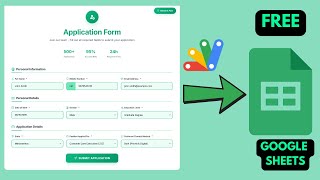
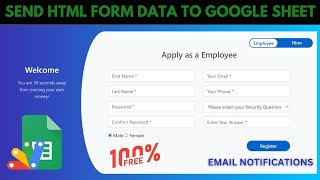
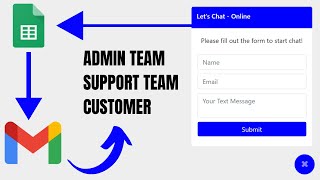
Contact form saving submissions to Google Sheets Automatic email to you on every new enquiry Recipient address set in one place in the script Email content customisable Confirmation shown after sending Form resets ready for the next message Hover animation on the send button Icons on the form fields Embeddable in Blogger WordPress or any website No backend server or form service needed Deploys as a Google Apps Script web app

Description

A contact form for your website that does the two things a contact form must: keep the enquiry somewhere you can find it, and tell you it arrived.

Saved and sent, both

Every submission is written into your Google Sheet and emailed to you at the same time. That combination is the point. A form that only emails leaves you with enquiries scattered through an inbox and nothing you can filter or count. A form that only saves to a sheet means nobody notices a message for three days. Doing both gives you a searchable record and an alert on the same submission.

One thing to configure

Your email address. That is genuinely the only change required in the code — paste it in, run the script once to grant permission, deploy. The message the alert sends is editable if you want it worded differently, but it works as it stands.

Built to sit on a real site

The form carries icons on its fields and an animation on the send button, so it looks like part of a designed page rather than a bare HTML form. After sending, the visitor gets a confirmation and the form clears itself, ready for another message. The deployed URL embeds into Blogger, WordPress or any page you can edit.

No form service in the middle

There is no third-party form provider taking a cut of your submissions or capping them per month. The enquiry goes from your page into your spreadsheet and your inbox, inside your own Google account.

Requirements

  • A Google account (Gmail or Google Workspace)
  • Google Sheets and Google Apps Script — no hosting or server needed
  • Your own email address set in the script
  • Gmail permission granted on the first run
  • A website to embed the form in (optional)

What's Included

  • Complete Google Apps Script source code
  • Styled contact form with field icons and button animation
  • Submissions saved to your Google Sheet
  • Automatic email notification on every enquiry
  • Editable notification message
  • Confirmation and form reset after sending
  • iframe embedding for any website
  • Google Sheet structure for the enquiries
  • Deployment and authorisation walkthrough
  • Step-by-step video walkthrough
  • Free support from the developer

Item Details

Versionv1.0
PublishedAug 22, 2025
PlatformGoogle Apps Script
DatabaseGoogle Sheets
CategoryForms & Data Entry, Automation & Integration
Tagscontact form to google sheetshtml contact form with emailcontact form without backendsend form data to gmailcontact form apps scriptwebsite contact form freeform submission email alertembed contact form
VideoWatch walkthrough
LicenseRegular License
Subscription Verification Required
This is a free file. Subscribe to our YouTube channel to unlock the source code + Google Sheet. One click — no payment. Google only confirms you are subscribed.
Verify Now
Free download

Subscribe & Unlock Source Code

Subscribe on YouTube, then verify with one click. No payment, no card. Google is used only to confirm your subscription.

What you get

  • Code.gs + HTML filesThe complete Apps Script project
  • Google SheetYour own copy with the data
  • Setup guideInstall steps from start to finish

Not subscribed yet? Subscribe to our channel

Browse More Free Files

Need This Customized For Your Business?

Extra modules, your branding, integrations or reports built on top of this file. You get a clear quote and timeline before any work starts, and support after delivery.

400+
Projects Delivered
89+
Countries Served

What We Customize

Features & Functions
Add new features, modify existing scripts, custom formulas & automations
API & Integrations
Connect with WhatsApp, Payment Gateways, CRM & more
Design & UI Changes
Custom branding, layout redesign, dark mode, mobile optimization
Full Custom Projects
Dashboards, billing systems, inventory, CRM — built from scratch
Get Free Quote on WhatsApp

20-30% advance to start • Clear quote before work begins • Support included after delivery

Free
Source Code File

People choose these

Paid picks from the same category

I Built an NFC Attendance System with AI (PHP & MySQL) I Built an NFC Attendance System with AI (PHP & MySQL) 72 views this month PHP Build a Complete Billing & Invoicing SaaS System With Claude AI Build a Complete Billing & Invoicing SaaS System With Claude AI 315 views this month PHP Best Trading Journal? I Built My Own With Google Sheets & AI Best Trading Journal? I Built My Own With Google Sheets & AI 228 views this month Apps Script

Reviews & Feedback

What buyers and viewers say about Contact form to google sheet to email Using Apps Script | HTML form to Gmail.

No star ratings yet Tap a star to be the first to rate it.
7 comments from
YouTube viewers
Sort
@edistray via YouTube
How to add the script on WordPress?
@klintraday5369 via YouTube
Bahot khub sir ❤
@sanjay_2004__ via YouTube
Sir es coding ko blogger me add kare kare
@sanjay_2004__ via YouTube
Sir ecommerce website ka checkout page create kar dijiye jis me checkout ka notification email ya WhatsApp me mil sake thank you sir
@Hazrat_edu via YouTube
I have a question, 7-8 dinse, view port problem dekha raha hain,that means jaab pc mai calatahu thik hai,lekin jaab mobile mai calatahu,tab css problem dekhta hai, Pehle thik tha, last 10 din se ey problem hai, Html, javascript,css,sab thik hai, Please help me
@arjungupta0811 via YouTube
Sir mujhe Google sheet task sheet ha toh uspe planned date toh phle se ha but mujhe webscript se ye banana ha ki pending task, delayed task aur done task aajaye report wise. But pending task webscript se hi done ka option ho sir Aur sir wise webscript page ho ya doer selection ka option ho sir jisee joh doer selection ho wohi doer se relavant data show ho na
@talkwithtech07 via YouTube
Nice Tutorial The UI of form is very awesome ❤