Important Notice: Your success matters to us. If anything goes wrong after purchase, contact us on WhatsApp and we'll personally get it fixed.

Floating Popup HTML Form to Google Sheets : Send Automated Email | R27

R27 Forms & Data Entry Automation & Integration Premium Plan Weekly Plan VIP Premium Plan
โค๏ธ
Need a Custom Business Solution?
Connect with us on WhatsApp to discuss your requirements. Our team will design and develop a tailored software solution aligned with your business workflow, operational needs, and growth objectives.
Floating Popup HTML Form to Google Sheets : Send Automated Email | R27

Key Features

Floating message icon that opens the form Contact form you embed into any website page Every submission written into a Google Sheet Six digit tracking ID generated per enquiry Confirmation popup after a successful send Email to your admin address Email to your support team address Copy of the enquiry emailed to the visitor Tracking ID carried inside the visitor email Look a caller up by their tracking ID in the sheet Tracking ID column position adjustable in the code All three recipient addresses set in one place

Description

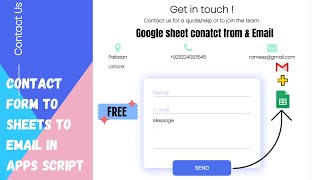
R27 is the little message bubble that sits in the corner of a website. A visitor clicks it, a form slides up, they type their question and send it. The message lands in your Google Sheet, three emails go out, and they get a tracking ID back โ€” all without a form plugin, a database or a hosting bill.

What happens on submit

The form confirms on screen that it went through, so nobody sends the same message four times wondering if it worked. Behind that, a six digit tracking ID is generated for the enquiry and written to the sheet alongside the message. That ID is the whole point of the design: when the person phones later they read it out, you search the sheet for it, and their original message is in front of you in a second.

Three emails, one submission

One email goes to your admin address, one to your support address, and one to the visitor's own address with a copy of what they sent and their tracking ID. All three addresses are set in one place in the code, so pointing support at a different inbox is a single edit. If you set all three to the same address, you receive three copies, which is exactly what the walkthrough demonstrates.

Fitting it to your sheet

The tracking ID column can sit at the front of the row or at the end depending on how you like to read the sheet, and moving it is a matter of shifting one value in the code. The walkthrough does it both ways so the change is obvious.

Putting it on your site

Copy the sheet, authorise the script and deploy it as a web app. The floating form then embeds into your website or blog page, and everything it collects stays in your own spreadsheet.

Requirements

  • A Google account with Drive and Sheets
  • Your own copy of the provided spreadsheet
  • The admin support and notification email addresses
  • Authorise the script so it can send mail
  • Deploy as a web app and embed it on your site

What's Included

  • Complete Apps Script code for the popup form
  • Google Sheet set up to receive the enquiries
  • Floating message icon and slide up contact form
  • Six digit tracking ID generator
  • Success popup shown after submission
  • Three automated emails on every submission
  • Visitor copy email carrying the tracking ID
  • Notes for moving the tracking ID column
  • Embed and deployment steps for your website
  • Step-by-step video walkthrough of the full build
  • Free support from the developer

Item Details

Versionv1.0
PublishedAug 22, 2025
PlatformGoogle Apps Script
DatabaseGoogle Sheets
CategoryForms & Data Entry, Automation & Integration
Tagsfloating popup contact form google sheetshtml form to google sheets emailapps script automated email formwebsite enquiry form google sheetstracking id for contact formembed contact form in websiteapps script send email on submitcustomer support enquiry form
VideoWatch walkthrough
LicenseRegular License
Subscription Verification Required
This is a free file. Subscribe to our YouTube channel to unlock the source code + Google Sheet. One click โ€” no payment. Google only confirms you are subscribed.
Verify Now
Free download

Subscribe & Unlock Source Code

Subscribe on YouTube, then verify with one click. No payment, no card. Google is used only to confirm your subscription.

What you get

  • Code.gs + HTML filesThe complete Apps Script project
  • Google SheetYour own copy with the data
  • Setup guideInstall steps from start to finish

Not subscribed yet? Subscribe to our channel

Browse More Free Files

Need This Customized For Your Business?

Extra modules, your branding, integrations or reports built on top of this file. You get a clear quote and timeline before any work starts, and support after delivery.

400+
Projects Delivered
89+
Countries Served

What We Customize

Features & Functions
Add new features, modify existing scripts, custom formulas & automations
API & Integrations
Connect with WhatsApp, Payment Gateways, CRM & more
Design & UI Changes
Custom branding, layout redesign, dark mode, mobile optimization
Full Custom Projects
Dashboards, billing systems, inventory, CRM โ€” built from scratch
Get Free Quote on WhatsApp

20-30% advance to start โ€ข Clear quote before work begins โ€ข Support included after delivery

Free
Source Code File

People choose these

Paid picks from the same category

I Built an NFC Attendance System with AI (PHP & MySQL) I Built an NFC Attendance System with AI (PHP & MySQL) 72 views this month PHP Build a Complete Billing & Invoicing SaaS System With Claude AI Build a Complete Billing & Invoicing SaaS System With Claude AI 315 views this month PHP Best Trading Journal? I Built My Own With Google Sheets & AI Best Trading Journal? I Built My Own With Google Sheets & AI 228 views this month Apps Script

Reviews & Feedback

What buyers and viewers say about Floating Popup HTML Form to Google Sheets : Send Automated Email | R27.

No star ratings yet Tap a star to be the first to rate it.
4 comments from
YouTube viewers
Sort
@technoh4cksoficial via YouTube
Hi bro, great videos. I would like to see you create an AI chat app with the Gemini API that uses the login feature and also if you can somehow add a Stripe payment feature so that users can buy credits to use the app. It would be great if you could include the email sending feature as well.
@HDBijoyDJ via YouTube
helpful videos
@RafiqSayed-v3h via YouTube
Error in downloading code
@krishnanmanoj1 via YouTube
Amazing workโค