




Need a customized project? We build it to your exact requirements.Contact us on WhatsApp

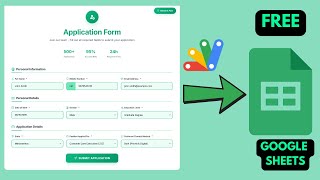
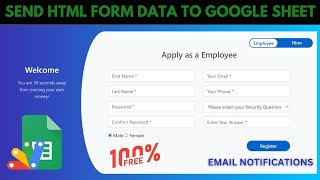
Free Dynamic HTML Form from Sheet Headers with Auto Email

R24 Forms & Data Entry Automation & Integration Premium Plan Weekly Plan VIP Premium Plan
❀️
Need a Custom Business Solution?
Connect with us on WhatsApp to discuss your requirements. Our team will design and develop a tailored software solution aligned with your business workflow, operational needs, and growth objectives.
Google Sheets | Dynamic HTML Form to Google Sheets & Send Automated Email | R24
You get
  • Google Sheet link
  • Source code file
  • Resale rights
  • Edit rights
  • Setup guide
  • AI setup help

Key Features

Form fields generated from the sheet header row Add a column header and the field appears Field type inferred from the header name Date headers render a date picker Name phone and email headers render text inputs Any other header becomes a dropdown Dropdown options read from a matching Dropdown sheet column Record ID generated automatically Every field validated before submit Field-by-field validation messages Submission appended as a row to the sheet Automated confirmation email to the address entered Deploys as a Google Apps Script web app

Description

A form that builds itself from your spreadsheet. Add a column header, refresh the page, and the field is there. Delete it and the field is gone. No HTML edited, no code touched, no redeployment.

The header row is the form

This is the whole idea, and it solves the most annoying thing about hand-built forms: you finish one, then realise you forgot a field, and the structure has to be rewritten. Here the sheet's header row defines the form. Whatever columns exist become the fields, in that order.

Field types decided by the name

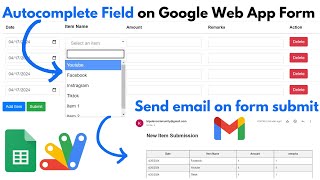
The header does not only name a field, it chooses the input. A header containing date renders a date picker. Name, phone and email render text inputs with the right handling. Anything else becomes a dropdown β€” and its options come from the matching column in a separate Dropdown sheet, so a header in column G takes its choices from column G there. Adding an option to a dropdown is typing a cell.

Nothing incomplete gets through

Every field is validated before submission. Press submit with something blank and it tells you which field, one at a time, until the record is complete. A record ID is generated automatically, so entries are identifiable without anyone maintaining a numbering column.

And it emails

On submission the row is appended to the sheet and a confirmation email goes to the address entered, so the person who filled it in has proof and you have the record. The Gmail permission requested during deployment is exactly that.

Requirements

  • A Google account (Gmail or Google Workspace)
  • Google Sheets and Google Apps Script β€” no hosting or server needed
  • A data sheet whose header row defines your fields
  • A Dropdown sheet holding the options for any dropdown columns
  • Gmail permission granted at deployment for the confirmation email

What's Included

  • Complete Google Apps Script source code
  • Form generated dynamically from the sheet header row
  • Automatic field types for date, text and dropdown headers
  • Dropdown options driven by a separate Dropdown sheet
  • Full field validation with per-field messages
  • Automatic record ID generation
  • Confirmation email on submission
  • Google Sheets structure for entries and dropdown options
  • Step-by-step video walkthrough including deployment
  • Free support from the developer

Item Details

Versionv1.0
PublishedAug 22, 2025
PlatformGoogle Apps Script
DatabaseGoogle Sheets
CategoryForms & Data Entry, Automation & Integration
Tagsdynamic html form google sheetssend html form data to google sheetshtml form to google sheetsform builder from sheet headersgoogle apps script form with emailsend automated email apps scriptdynamic dropdown from google sheetsform validation apps script
VideoWatch walkthrough
LicenseRegular License
Subscription Verification Required
This is a free file. Subscribe to our YouTube channel to unlock the source code + Google Sheet. One click β€” no payment. Google only confirms you are subscribed.
Verify Now
Free download

Subscribe & Unlock Source Code

Subscribe on YouTube, then verify with one click. No payment, no card. Google is used only to confirm your subscription.

What you get

  • Code.gs + HTML filesThe complete Apps Script project
  • Google SheetYour own copy with the data
  • Setup guideInstall steps from start to finish

Not subscribed yet? Subscribe to our channel

Browse More Free Files
Custom development

Need this customized for your business?

Extra modules, your branding, integrations or reports built on top of this file. You get a clear quote and timeline before any work starts, and support after delivery.

400+Projects delivered
91+Countries served

20–30% advance to start · Clear quote before work begins · Support after delivery

What we customize

  • Features & functionsNew features, changes to existing scripts, custom formulas and automations
  • API & integrationsWhatsApp, payment gateways, CRM and more
  • Design & UI changesYour branding, layout redesign, dark mode, mobile layout
  • Full custom projectsDashboards, billing, inventory, CRM, built from scratch
Free
Source Code File

People choose these

Paid picks from the same category

Grocery Store POS System with Barcode Scanner | Google Sheet POS + Apps Script + AI Grocery Store POS System with Barcode Scanner | Google Sheet POS + Apps Script + AI 382 views this month Apps Script How to Build an App with Claude AI: Complete Church Management System in Google Sheets How to Build an App with Claude AI: Complete Church Management System in Google Sheets 187 views this month Apps Script Manage Your Installments Like a Pro: Complete Web App Demo Manage Your Installments Like a Pro: Complete Web App Demo 216 views this month PHP

Reviews & Feedback

What buyers and YouTube viewers say about this project.

Sort
@scholasticsurveillance via YouTube
Thank you brother for posting educational videos
@waseemkhaskheli via YouTube
sir google picture ka link ka through phaly show hoty thy ab nahe keya mislah hay
@GSFINANC via YouTube
Faz para posto no Google sites
@TechnoSahid via YouTube
Same from with file upload