




 @etayojuanc
via YouTube
@etayojuanc
via YouTube
Excelent work !
3 likes on YouTube

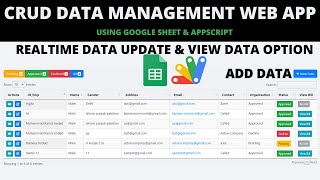
One CRUD app that becomes whatever you need it to be, configured from a spreadsheet rather than from code. Add a row to the form sheet and a new field appears in the entry form and as a column in the table — no editing the script, no redeploying to add a date of birth or a joining date.
Each row defines one field: its id, its label, its input type, whether it is required, and whether it should be filterable. Types cover text, number, date, dropdown and file upload, with dropdown values listed along the same row so adding Grade 6 to a class list is one cell. Mark a field filterable and the dashboard grows a filter for it — a dropdown filter for a list, a start and end date filter for a date — with a clear button to reset.
Every login is assigned a form sheet and a database sheet. Two people opening the identical link see completely different forms and completely different data, because their rows point at different sheets. That is what makes one deployment serve several unrelated jobs at once.
Edit and delete are granted separately per user. A user with no delete right does not get a disabled delete button — they get no delete button at all, so data-entry staff can add records they can never remove while a supervisor on the same app can do both.
File uploads accept one file or several and land in your own Drive folder. The table is mobile-friendly, with rows that expand on a phone so nothing is lost off the side of the screen.
| Version | v1.0 |
| Published | Aug 22, 2025 |
| Platform | Google Apps Script |
| Database | Google Sheets |
| Category | CRUD & Dashboards |
| Tags | |
| Video | Watch walkthrough |
| License | Regular License |
Subscribe on YouTube, then verify with one click. No payment, no card. Google is used only to confirm your subscription.
What you get
Not subscribed yet? Subscribe to our channel



Extra modules, your branding, integrations or reports built on top of this file. You get a clear quote and timeline before any work starts, and support after delivery.
20–30% advance to start · Clear quote before work begins · Support after delivery
What we customize
Paid picks from the same category
 Admin Dashboard with Google Apps Script & React | Complete CRUD System | E21
178 views this month
Admin Dashboard with Google Apps Script & React | Complete CRUD System | E21
178 views this month
 Build a Complete Dynamic CRUD Web Dashboard using Google Sheets + Apps Script + React | E14
374 views this month
Build a Complete Dynamic CRUD Web Dashboard using Google Sheets + Apps Script + React | E14
374 views this month
 How to Build DYNAMIC CRUD Admin Panel with Import/Export | Google Sheets Dashboard | D45
141 views this month
How to Build DYNAMIC CRUD Admin Panel with Import/Export | Google Sheets Dashboard | D45
141 views this month
What buyers and YouTube viewers say about this project.
@etayojuanc
via YouTube
 @JNC_Edukasi
via YouTube
@JNC_Edukasi
via YouTube
 @NCTLatur
via YouTube
@NCTLatur
via YouTube
 @IshfaqAhmadBhat-qv9oi
via YouTube
@IshfaqAhmadBhat-qv9oi
via YouTube
 @irfanchauhan495
via YouTube
@irfanchauhan495
via YouTube
 @rafikulislam6512
via YouTube
@rafikulislam6512
via YouTube
@rafikulislam6512
via YouTube
@rafikulislam6512
via YouTube
 @mehidul
via YouTube
@mehidul
via YouTube
 @CSE-VSKIT
via YouTube
@CSE-VSKIT
via YouTube
 @djamburere
via YouTube
@djamburere
via YouTube
 @HaiTran-cq7od
via YouTube
@HaiTran-cq7od
via YouTube
 @DurvishJawaleOfficial
via YouTube
@DurvishJawaleOfficial
via YouTube
 @KieranBroadley
via YouTube
@KieranBroadley
via YouTube
 @graphicshacker7333
via YouTube
@graphicshacker7333
via YouTube
 @IshfaqAhmadBhat-p8m
via YouTube
@IshfaqAhmadBhat-p8m
via YouTube
 @CubiloForest
via YouTube
@CubiloForest
via YouTube
 @AsaKhatun-mr7pu
via YouTube
@AsaKhatun-mr7pu
via YouTube
 @RafikulIslam-uc9rr
via YouTube
@RafikulIslam-uc9rr
via YouTube
 @Allworldvideo10
via YouTube
@Allworldvideo10
via YouTube
 @BrandonShields-d1e
via YouTube
@BrandonShields-d1e
via YouTube
 @syaduinotech3681
via YouTube
@syaduinotech3681
via YouTube
 @imdralok
via YouTube
@imdralok
via YouTube