Important Notice: Your success matters to us. If anything goes wrong after purchase, contact us on WhatsApp and we'll personally get it fixed.

How to Create a Customer Ledger Web App Using Google Sheets and Google Apps Script | B35

B35 Accounting & Finance Premium Plan Weekly Plan VIP Premium Plan
❤️
Need a Custom Business Solution?
Connect with us on WhatsApp to discuss your requirements. Our team will design and develop a tailored software solution aligned with your business workflow, operational needs, and growth objectives.
How to Create a Customer Ledger Web App Using Google Sheets and Google Apps Script | B35

Key Features

Customer dropdown with live search filtering Search by customer name or customer number Customer number auto-filled and read-only on selection Ledger shown per customer with running balance Clear message when a customer has no transactions Add transaction with date type amount and payment method Credit and debit transaction types Latest balance shown before adding an entry Balance updated immediately after each entry Printable customer ledger Separate customers and ledger sheets Sheet IDs set in the script Google Sheets as the database

Description

A running account per customer — what they paid, what they owe, and on which date — with a ledger you can print and hand over when someone queries a figure.

Finding the right customer

The customer picker searches as you type, and it matches on both the name and the customer number. That second part matters more than it sounds: two shops with similar names are a real source of misposted entries, and selecting a customer auto-fills their number as a read-only field, so the entry you are about to make is visibly against the right account before you commit it.

Credit, debit, balance

Each transaction carries a date, a type — credit to add, debit to deduct — an amount and the payment method used. Before you add one, the customer's latest balance is shown, so you are posting against a number you can see rather than one you assume. The balance updates the moment the entry is saved. A customer with no history says so plainly instead of showing an empty table you have to interpret.

Print it

The ledger prints per customer. When a regular disputes what they owe, the answer is a dated statement rather than a conversation — which is the entire reason shops keep a khata in the first place.

How it is arranged

Two sheets: one holding your customers with their names and numbers, one holding the transactions. Adding a customer is a row. Everything else runs off those two.

Requirements

  • A Google account (Gmail or Google Workspace)
  • Google Sheets and Google Apps Script — no hosting or server needed
  • A customers sheet with names and customer or shop numbers
  • A ledger sheet for the transactions
  • Your Sheet IDs set in the script
  • A printer for customer statements

What's Included

  • Complete Google Apps Script source code
  • Searchable customer picker matching name or number
  • Auto-filled read-only customer number
  • Credit and debit transaction entry with payment method
  • Running balance per customer
  • Latest balance shown before posting an entry
  • Printable customer ledger
  • Google Sheets structure for customers and transactions
  • Deployment walkthrough for publishing as a web app
  • Step-by-step video walkthrough of the full build
  • Free support from the developer

Item Details

Versionv1.0
PublishedAug 22, 2025
PlatformGoogle Apps Script
DatabaseGoogle Sheets
CategoryAccounting & Finance
Tagscustomer ledger softwarecustomer ledger web appkhata book appcredit and debit ledger google sheetscustomer account statementparty ledger systemreceivables tracking web appledger management system
VideoWatch walkthrough
LicenseRegular License
Subscription Verification Required
This is a free file. Subscribe to our YouTube channel to unlock the source code + Google Sheet. One click — no payment. Google only confirms you are subscribed.
Verify Now
Free download

Subscribe & Unlock Source Code

Subscribe on YouTube, then verify with one click. No payment, no card. Google is used only to confirm your subscription.

What you get

  • Code.gs + HTML filesThe complete Apps Script project
  • Google SheetYour own copy with the data
  • Setup guideInstall steps from start to finish

Not subscribed yet? Subscribe to our channel
Browse More Free Files

Need This Customized For Your Business?

Extra modules, your branding, integrations or reports built on top of this file. You get a clear quote and timeline before any work starts, and support after delivery.

400+
Projects Delivered
89+
Countries Served

What We Customize

Features & Functions
Add new features, modify existing scripts, custom formulas & automations
API & Integrations
Connect with WhatsApp, Payment Gateways, CRM & more
Design & UI Changes
Custom branding, layout redesign, dark mode, mobile optimization
Full Custom Projects
Dashboards, billing systems, inventory, CRM — built from scratch
Get Free Quote on WhatsApp

20-30% advance to start • Clear quote before work begins • Support included after delivery

Free
Source Code File

People choose these

Paid picks from the same category

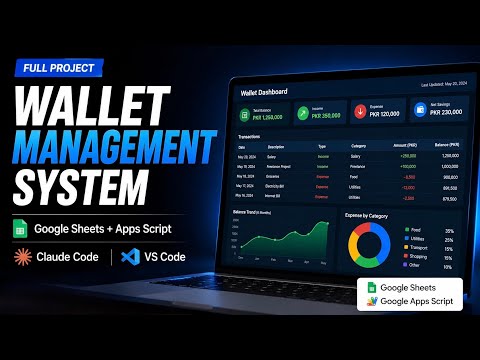
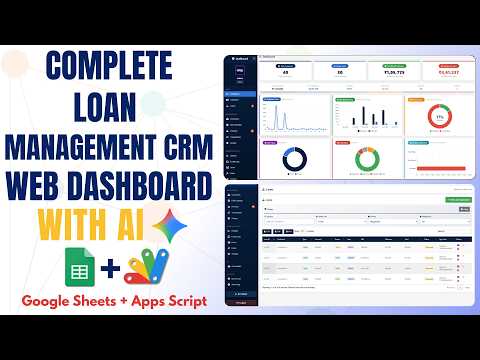
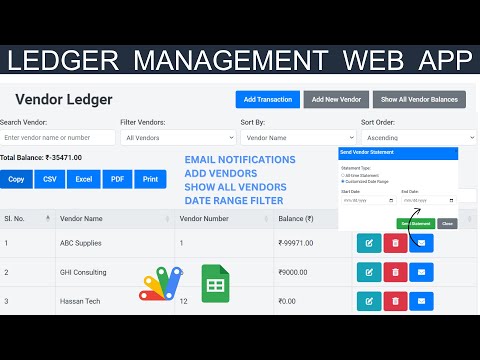
How to Build a Wallet Management System – Claude Code + Google Apps Script + Google Sheets How to Build a Wallet Management System – Claude Code + Google Apps Script + Google Sheets 82 views this month Apps Script How to Build a Loan Management System with Google Apps Script & Google Sheets | E43 How to Build a Loan Management System with Google Apps Script & Google Sheets | E43 164 views this month Apps Script Vendor Ledger Web App with Google Sheets & Apps Script| Ledger Web App  Dashboard | B48 Vendor Ledger Web App with Google Sheets & Apps Script| Ledger Web App Dashboard | B48 37 views this month Apps Script

Reviews & Feedback

What buyers and viewers say about How to Create a Customer Ledger Web App Using Google Sheets and Google Apps Script | B35.

No star ratings yet Tap a star to be the first to rate it.
1 comment from
YouTube viewers
@zohairdilawar116 via YouTube
Please add date filter , opening balance and closing balance to make a complete ledger. Also add print and excel export options