


Important Notice: Join our official WhatsApp Channel for verified announcements, exclusive offers, giveaways, and expert resources on building web applications with AI

How to Build Income Expense System in Google Sheets with AI (2026) - E46

E46 Accounting & Finance Automation & Integration Premium Plan Weekly Plan VIP Premium Plan
❀️
Whatsapp Community
Join πŸ”₯ Rameez Scripts WhatsApp Community β€” Get Free Templates, Tutorials & Giveaways Before Anyone Else!
How to Build Income Expense System in Google Sheets with AI (2026) - E46

Key Features

Income and expense entry with department and category tagging Approval workflow with approve reject and resubmit states Mandatory rejection remarks on every rejected entry Three roles - Super Admin Admin and User Department level access control Budget management that blocks overspending Gemini AI financial report generator AI chatbot for questions about your own data AI anomaly detection for duplicates and unusual amounts AI forecasting of next month income and expense WhatsApp receipt sending Email receipt sending Customizable receipt templates with 18 dynamic placeholders Department category and payment method management Contact management with transaction history Notifications and activity log for audit trail

Description

A complete income and expense management system built on Google Sheets and Apps Script, with a React web app on top. Every amount coming in or going out is entered against a department, a category and a payment method, then routed through an approval workflow β€” so the books stay controlled instead of turning into a shared sheet that everyone edits.

What it does

Users submit income or expense entries; admins approve them, reject them with a mandatory remark, or send them back for resubmission. Budgets are set per department and the system blocks entries that would push spending past the limit. Receipts go out over WhatsApp or email using templates you control, with 18 dynamic placeholders filled from the transaction. Gemini AI sits on the same data β€” it writes financial reports, answers questions through a chatbot, flags anomalies such as duplicate or unusually large transactions, and forecasts next month's income and expense.

Highlights

  • Approval workflow with approve, reject and resubmit states
  • Budget control that stops overspending before it is posted
  • Gemini AI reports, chatbot, anomaly detection and forecasting
  • WhatsApp and email receipts from customizable templates
  • Three roles with department-level access control
  • Department, category, payment method and contact masters
  • Notifications and a full activity log for the audit trail
  • Mobile-responsive React interface β€” no server or hosting needed

Who it is for

Trusts, NGOs, mosques, schools and small businesses that need a proper approval trail on money movement but want to stay inside Google Sheets. It is also a solid starting point for developers building any Apps Script finance dashboard, since the sheet is the database and the whole system is two files.

Requirements

  • Google account - Gmail or Google Workspace
  • Google Sheets used as the database
  • Apps Script web app deployment access
  • Google Gemini API key for the AI features (optional)
  • Modern browser - Chrome, Edge, Firefox or Safari
  • Basic knowledge of deploying an Apps Script web app

What's Included

  • Full Apps Script backend code (Code.gs)
  • React front-end (index.html) with all screens
  • Google Sheet database structure with the required tabs
  • Step-by-step setup and deployment instructions
  • Video walkthrough of the complete build
  • Free support for setup issues

Item Details

Versionv1.0
PublishedMar 16, 2026
PlatformGoogle Apps Script
DatabaseGoogle Sheets
CategoryAccounting & Finance, Automation & Integration
Tagsincome expense tracker google sheetsexpense management system google sheetsincome and expense tracker freebudget tracker google sheetspersonal finance tracker google sheetsexpense tracking softwareai expense trackergoogle apps script web app
VideoWatch walkthrough
LicenseRegular License

How to Build Income Expense System in Google Sheets with AI (2026) - E46

Accounting & Finance Automation & Integration

What You Get

Code.gs FilesComplete Apps Script source code files
HTML FilesAll HTML template files included
Google SheetYour own copy with all data and scripts
Setup GuideStep-by-step video tutorials included
6 Months SupportBug fixes, tweaks, and guidance β€” all free
Free UpdatesAll future updates included at no extra cost
Regular License E46
Subtotal $0.96 USD
Card fee (10%) $0.10 USD
Total $1.06 USD
70% OFF applied β€” was $3.20 now $0.96
Other payment methods
Wise / Bank Transfer Β· via WhatsApp +92 343 534 7417 $3.20$0.96
RE
Redotpay
How to Build Income Expense System in Google Sheets with AI (2026) - E46
Secure checkout
Amount due
$0.96$3.20
Amount to pay
Redotpay Account
1002896884
What happens after you pay
  1. Send us the proofEnter your transaction ID and upload the payment screenshot in the form on this page.
  2. We check it by handUsually cleared in 10–30 minutes during working hours — no bots, a person looks at it.
  3. Your file arrives by emailWe open your account and email the login together with the download link, so use an address you can actually open.
Encrypted & secure
Manual review 10–30 min
Receipt by email
How to pay
  1. Copy the Redotpay account
  2. Pay $0.96 via Redotpay
  3. Enter transaction ID below
  4. Submit below β€” admin verifies & grants access
Manual verification: Typically takes 10 to 30 minutes to verify and grant access during working hours.
We'll find or create your account by this email.
Your country is picked from your location — change it if it's wrong, then type your number without the country code.
Submitted for admin review Β· typically takes 10 to 30 minutes to verify
Payment invoice
File / CourseHow to Build Income Expense System in Google Sheets with AI (2026) - E46
Invoice CodeE46
Payment MethodRedotpay
Total$0.96
BP
Binance Pay
How to Build Income Expense System in Google Sheets with AI (2026) - E46
Secure checkout
Amount due
$0.96
Amount to pay · zero fee · instant
Scan to Pay with Binance
Scan to Pay
Binance Pay ID
766412546
Account holder: Muahmmad Ramiz Imdad
What happens after you pay
  1. Send us the proofEnter your transaction ID and upload the payment screenshot in the form on this page.
  2. We check it by handUsually cleared in 10–30 minutes during working hours — no bots, a person looks at it.
  3. Your file arrives by emailWe open your account and email the login together with the download link, so use an address you can actually open.
Encrypted & secure
Manual review 10–30 min
Receipt by email
How to pay
  1. Open Binance app → Pay
  2. Scan QR or enter Pay ID
  3. Send $0.96 (any supported crypto)
  4. Copy Order ID from Binance receipt
  5. Paste below & submit for verification
Manual verification: Typically takes 10 to 30 minutes to verify and grant access during working hours.
We'll find or create your account by this email.
Your country is picked from your location — change it if it's wrong, then type your number without the country code.
Submitted for admin review Β· typically takes 10 to 30 minutes to verify
Payment invoice
File / CourseHow to Build Income Expense System in Google Sheets with AI (2026) - E46
Invoice CodeE46
Payment MethodBinance Pay
Total$0.96
CR
Cryptocurrency
How to Build Income Expense System in Google Sheets with AI (2026) - E46
Secure checkout
Amount due
$0.96
Send exact amount in crypto equivalent
Pick one
Send to this address
15jjKnm6NgxN1Wgbfh7xdBWgbCFztHeNhE
Important: Send only the selected coin on its correct network. Sending on wrong network may result in permanent loss.
What happens after you pay
  1. Send us the proofEnter your transaction ID and upload the payment screenshot in the form on this page.
  2. We check it by handUsually cleared in 10–30 minutes during working hours — no bots, a person looks at it.
  3. Your file arrives by emailWe open your account and email the login together with the download link, so use an address you can actually open.
Encrypted & secure
Manual review 10–30 min
Receipt by email
How to pay
  1. Choose your preferred crypto above
  2. Copy wallet address & send $0.96 equivalent
  3. Enter transaction hash below
  4. Submit below β€” admin verifies & grants access
Manual verification: Typically takes 10 to 30 minutes to verify and grant access during working hours.
We'll find or create your account by this email.
Your country is picked from your location — change it if it's wrong, then type your number without the country code.
Submitted for admin review Β· typically takes 10 to 30 minutes to verify
Payment invoice
File / CourseHow to Build Income Expense System in Google Sheets with AI (2026) - E46
Invoice CodeE46
Payment MethodCryptocurrency
Total$0.96
PA
PayPal
How to Build Income Expense System in Google Sheets with AI (2026) - E46
Secure checkout
Amount due
$0.96
Amount to pay
Pay $0.96 with PayPal
Opens PayPal in a new tab. Come back here afterwards with your Transaction ID.
What happens after you pay
  1. Send us the proofEnter your transaction ID and upload the payment screenshot in the form on this page.
  2. We check it by handUsually cleared in 10–30 minutes during working hours — no bots, a person looks at it.
  3. Your file arrives by emailWe open your account and email the login together with the download link, so use an address you can actually open.
Encrypted & secure
Manual review 10–30 min
Receipt by email
How to pay
  1. Tap Pay $0.96 with PayPal — it opens PayPal in a new tab
  2. Copy the Transaction ID from your PayPal receipt
  3. Enter it below with a screenshot of the payment, then submit
  4. We verify it and unlock your file — the download link is emailed to you too
Manual verification: Typically takes 10 to 30 minutes to verify and grant access during working hours.
We'll find or create your account by this email.
Your country is picked from your location — change it if it's wrong, then type your number without the country code.
Submitted for admin review Β· typically takes 10 to 30 minutes to verify
Payment invoice
File / CourseHow to Build Income Expense System in Google Sheets with AI (2026) - E46
Invoice CodeE46
Payment MethodPayPal
Total$0.96
400+ PROJECTS DELIVERED Β· 5,000+ HAPPY CLIENTS WORLDWIDE

Need This Customized For Your Business?

We don't just deliver and disappear β€” every project comes with 6 months of free support. Bug fixes, small tweaks, and guidance included. Choose us without any worry.

5,000+
Happy Clients
24-72h
Fast Delivery
6 Months
Free Support
100%
Money Back
30 min
Avg. Reply

What We Customize

Features & Functions
Add new features, modify existing scripts, custom formulas & automations
API & Integrations
Connect with WhatsApp, Telegram, Payment Gateways, CRM & more
Design & UI Changes
Custom branding, layout redesign, dark mode, mobile optimization
Full Custom Projects
Dashboards, billing systems, inventory, CRM β€” built from scratch
Get Free Quote on WhatsApp

20-30% advance to start β€’ Clear pricing before we start β€’ 6 months free support after delivery

$1.06
USD Β· incl. card fee

People choose these

What buyers of this file added to the same order
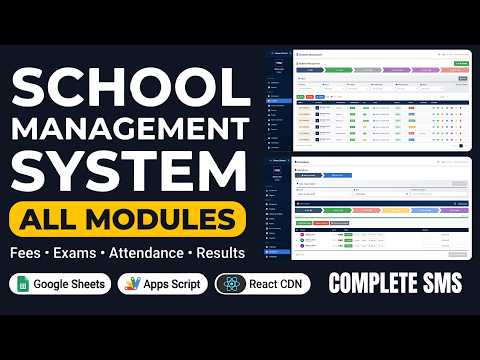
Most bought together School Management System with All Modules | Fees, Exams, Timetable, Attendance & Hall Tickets School Management System with All Modules | Fees, Exams, Timetable, Attendance & Hall Tickets 4 buyers took both Apps Script $4.81 USD I Built a GPS Attendance Management System in PHP MySQL I Built a GPS Attendance Management System in PHP MySQL Bought with this one PHP $2.88 USD How to Build a Multi School Result Management System (SaaS) Using PHP MYSQL How to Build a Multi School Result Management System (SaaS) Using PHP MYSQL Bought with this one PHP $4.81 USD

Reviews & Feedback

What buyers and viewers say about How to Build Income Expense System in Google Sheets with AI (2026) - E46.

No star ratings yet Β· 17 YouTube comments
Sort
@sonukarhana via YouTube
πŸŽ‰ excellent logic buildπŸ˜…
1 like on YouTube
@elixiruniverse7701 via YouTube
Very useful content! Many people don’t realize how powerful Google Apps Script can be for financial management. This video will definitely help many viewers. πŸŽ‰
1 like on YouTube
@artwellhachunde6417 via YouTube
This is beyond expectation❀
@ambujgarg723 via YouTube
This is the type of content that actually deserves to go viral. Brilliant work!
@ambujgarg723 via YouTube
Watched till the end and it was totally worth it. Amazing content and great editing. Keep going! πŸš€
@rasc-c5e via YouTube
Your project is very nice, we like this type of information very much and thank you very much for making this product.
@irfanchauhan495 via YouTube
Really Nice Web Application.... πŸŽ‰ Different Roles is a superb feature.
@mehidul via YouTube
Excellent web app
@msi________2760 via YouTube
❀❀Loved how clearly you explained everything. The software looks super useful and well built. Keep it up!πŸŽ‰πŸŽ‰πŸŽ‰ Brilliant explanation and a beautiful app design. You made a complex idea look simple. Respect! πŸ”₯
@thegames_tws7871 via YouTube
Nice video πŸŽ‰πŸŽ‰πŸŽ‰
@NithinKrishna-y7i via YouTube
This app is really amazing! πŸ‘ The design and features are very useful. Great work by the RAMEEZ.Keep creating more helpful apps like this. πŸš€
@msi________2760 via YouTube
It's amazing the control functionality super Add Custom button to add any new requirements form the front view.
@T_dilshanrathnayake via YouTube
Wow. This is grate bro 😍❀️❀️❀️❀️
@M.K.Kalaiyarasan via YouTube
Bro really I’m not exactly sure how to put this, but I expected you’d just respond to our expectations yet, when you come through, you actually bring a range of unique and ultimate topics from different kinds of content. What you’re saying now is truly useful. It’s good stuff really a nice, trendy piece of content
@khanasadullah5125 via YouTube
Guru jii hazir hun ❀❀❀
@asadalihussaini8978 via YouTube
the use of AI for I & E seems a great upgrade to Finances.
@vipulchaudhari4437 via YouTube
πŸ‘ŒπŸ‘ŒπŸ‘ŒNice bro...πŸŽ‰