
 @DurvishJawaleOfficial
via YouTube
@DurvishJawaleOfficial
via YouTube
Nice idea❤❤❤
4 likes on YouTube

Anything that needs a yes from somebody before it counts — leave, expenses, purchase requests, document sign-off — has the same shape. This is that shape, built once: a user submits, an admin decides, and the request moves to where the decision put it.
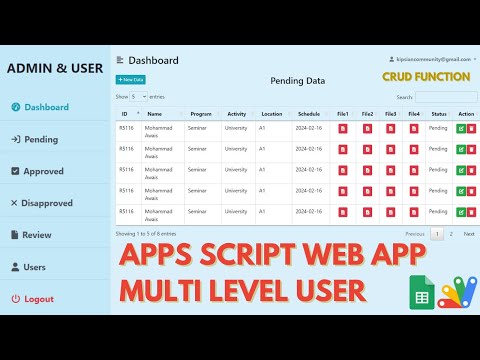
Pending, Approved and Disapproved are separate sheets, and a request physically moves between them as it is decided. It is a design worth understanding: the pending sheet is always exactly the queue that needs attention, with nothing to filter out, and the approved sheet is a clean record you can hand to accounts or payroll without explanation.
Users submit requests and track their own from the same screen, so "has it been approved yet" answers itself. The admin reviews the queue and approves or rejects. Supporting documents — PDFs, images, a scanned bill, a signed form — upload to Google Drive and stay attached to the request.
Two roles, admin and user, decide who reviews and who submits. Sessions expire automatically instead of leaving a login open on a shared machine, and a forgotten password is reset through an emailed OTP. Full CRUD throughout, and the layout is responsive so a request can be raised or approved from a phone.
Change the request fields and it becomes your own workflow — leave applications, expense claims, purchase orders, content approval. The moving parts that take the time are already written.
| Version | v1.0 |
| Published | Feb 12, 2026 |
| Platform | Google Apps Script |
| Database | Google Sheets |
| Category | Project & Task Management |
| Tags | |
| Video | Watch walkthrough |
| License | Regular License |
Subscribe on YouTube, then verify with one click. No payment, no card. Google is used only to confirm your subscription.
What you get
Not subscribed yet? Subscribe to our channel

Extra modules, your branding, integrations or reports built on top of this file. You get a clear quote and timeline before any work starts, and support after delivery.
What We Customize
20-30% advance to start • Clear quote before work begins • Support included after delivery
What buyers of this file added to the same order
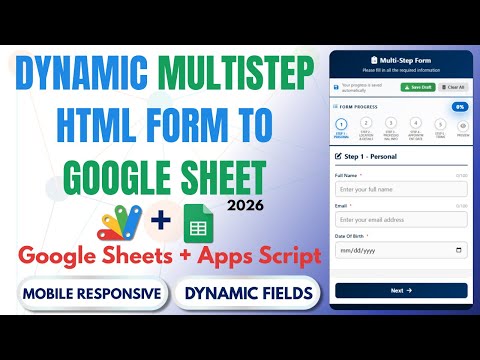 How to Create Multi-Step Form with Google Sheets & Apps Script 2026 | React Web App Tutorial | E26
Bought with this one
How to Create Multi-Step Form with Google Sheets & Apps Script 2026 | React Web App Tutorial | E26
Bought with this one
 How to Build a AI Helpdesk Ticketing System with Google Sheets & Apps Script | E33
122 views this month
How to Build a AI Helpdesk Ticketing System with Google Sheets & Apps Script | E33
122 views this month
 Multi Level Admin & User Web App Dashboard | Approval System | CRUD WEB APP | B7
31 views this month
Multi Level Admin & User Web App Dashboard | Approval System | CRUD WEB APP | B7
31 views this month
What buyers and viewers say about How to Build an Approval Management System with Google Apps Script | E38.
@DurvishJawaleOfficial
via YouTube
 @FaheemPan-g7d
via YouTube
@FaheemPan-g7d
via YouTube
 @ArpitPatil-i8o
via YouTube
@ArpitPatil-i8o
via YouTube
 @CodingTheriyuma
via YouTube
@CodingTheriyuma
via YouTube
 @khanasadullah5125
via YouTube
@khanasadullah5125
via YouTube
 @Ariel1433
via YouTube
@Ariel1433
via YouTube
 @CSE-VSKIT
via YouTube
@CSE-VSKIT
via YouTube
 @artwellhachunde6417
via YouTube
@artwellhachunde6417
via YouTube
 @paramjangid2792
via YouTube
@paramjangid2792
via YouTube
 @khushboojangid0777
via YouTube
@khushboojangid0777
via YouTube
 @vijaytechnical436
via YouTube
@vijaytechnical436
via YouTube
 @fastfirst
via YouTube
@fastfirst
via YouTube
 @umersir0510
via YouTube
@umersir0510
via YouTube
 @altmanedu
via YouTube
@altmanedu
via YouTube
 @irfanchauhan495
via YouTube
@irfanchauhan495
via YouTube
 @pinkygamit9139
via YouTube
@pinkygamit9139
via YouTube
 @CristhianUribe-lg5ft
via YouTube
@CristhianUribe-lg5ft
via YouTube
 @FakharHayat-r7l
via YouTube
@FakharHayat-r7l
via YouTube