


Important Notice: Join our official WhatsApp Channel for verified announcements, exclusive offers, giveaways, and expert resources on building web applications with AI

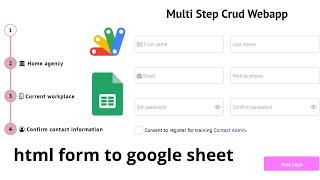
How to Create Multi-Step Form with Google Sheets & Apps Script 2026 | React Web App Tutorial | E26

E26 Forms & Data Entry CRUD & Dashboards Premium Plan VIP Premium Plan
❤️
Whatsapp Community
Join 🔥 Rameez Scripts WhatsApp Community — Get Free Templates, Tutorials & Giveaways Before Anyone Else!
How to Create Multi-Step Form with Google Sheets & Apps Script 2026 | React Web App Tutorial | E26

Item Details

Versionv1.0
PublishedJan 1, 2026
PlatformGoogle Apps Script
DatabaseGoogle Sheets
CategoryForms & Data Entry, CRUD & Dashboards
VideoWatch walkthrough
LicenseRegular License

How to Create Multi-Step Form with Google Sheets & Apps Script 2026 | React Web App Tutorial | E26

Forms & Data Entry CRUD & Dashboards

What You Get

Code.gs FilesComplete Apps Script source code files
HTML FilesAll HTML template files included
Google SheetYour own copy with all data and scripts
Setup GuideStep-by-step video tutorials included
6 Months SupportBug fixes, tweaks, and guidance — all free
Free UpdatesAll future updates included at no extra cost
Regular License E26
Subtotal $1.80 USD
Card fee (10%) $0.18 USD
Total $1.98 USD
70% OFF applied — was $6.00 now $1.80
Other payment methods
Wise / Bank Transfer · via WhatsApp +92 343 534 7417 $6.00$1.80
RE
Redotpay
How to Create Multi-Step Form with Google Sheets & Apps Script 2026 | React Web App Tutorial | E26
Secure checkout
Amount due
$1.80$6.00
Amount to pay
Redotpay Account
1002896884
What happens after you pay
  1. Send us the proofEnter your transaction ID and upload the payment screenshot in the form on this page.
  2. We check it by handUsually cleared in 10–30 minutes during working hours — no bots, a person looks at it.
  3. Your file arrives by emailWe open your account and email the login together with the download link, so use an address you can actually open.
Encrypted & secure
Manual review 10–30 min
Receipt by email
How to pay
  1. Copy the Redotpay account
  2. Pay $1.80 via Redotpay
  3. Enter transaction ID below
  4. Submit below — admin verifies & grants access
Manual verification: Typically takes 10 to 30 minutes to verify and grant access during working hours.
We'll find or create your account by this email.
Your country is picked from your location — change it if it's wrong, then type your number without the country code.
Submitted for admin review · typically takes 10 to 30 minutes to verify
Payment invoice
File / CourseHow to Create Multi-Step Form with Google Sheets & Apps Script 2026 | React Web App Tutorial | E26
Invoice CodeE26
Payment MethodRedotpay
Total$1.80
BP
Binance Pay
How to Create Multi-Step Form with Google Sheets & Apps Script 2026 | React Web App Tutorial | E26
Secure checkout
Amount due
$1.80
Amount to pay · zero fee · instant
Scan to Pay with Binance
Scan to Pay
Binance Pay ID
766412546
Account holder: Muahmmad Ramiz Imdad
What happens after you pay
  1. Send us the proofEnter your transaction ID and upload the payment screenshot in the form on this page.
  2. We check it by handUsually cleared in 10–30 minutes during working hours — no bots, a person looks at it.
  3. Your file arrives by emailWe open your account and email the login together with the download link, so use an address you can actually open.
Encrypted & secure
Manual review 10–30 min
Receipt by email
How to pay
  1. Open Binance app → Pay
  2. Scan QR or enter Pay ID
  3. Send $1.80 (any supported crypto)
  4. Copy Order ID from Binance receipt
  5. Paste below & submit for verification
Manual verification: Typically takes 10 to 30 minutes to verify and grant access during working hours.
We'll find or create your account by this email.
Your country is picked from your location — change it if it's wrong, then type your number without the country code.
Submitted for admin review · typically takes 10 to 30 minutes to verify
Payment invoice
File / CourseHow to Create Multi-Step Form with Google Sheets & Apps Script 2026 | React Web App Tutorial | E26
Invoice CodeE26
Payment MethodBinance Pay
Total$1.80
CR
Cryptocurrency
How to Create Multi-Step Form with Google Sheets & Apps Script 2026 | React Web App Tutorial | E26
Secure checkout
Amount due
$1.80
Send exact amount in crypto equivalent
Pick one
Send to this address
15jjKnm6NgxN1Wgbfh7xdBWgbCFztHeNhE
Important: Send only the selected coin on its correct network. Sending on wrong network may result in permanent loss.
What happens after you pay
  1. Send us the proofEnter your transaction ID and upload the payment screenshot in the form on this page.
  2. We check it by handUsually cleared in 10–30 minutes during working hours — no bots, a person looks at it.
  3. Your file arrives by emailWe open your account and email the login together with the download link, so use an address you can actually open.
Encrypted & secure
Manual review 10–30 min
Receipt by email
How to pay
  1. Choose your preferred crypto above
  2. Copy wallet address & send $1.80 equivalent
  3. Enter transaction hash below
  4. Submit below — admin verifies & grants access
Manual verification: Typically takes 10 to 30 minutes to verify and grant access during working hours.
We'll find or create your account by this email.
Your country is picked from your location — change it if it's wrong, then type your number without the country code.
Submitted for admin review · typically takes 10 to 30 minutes to verify
Payment invoice
File / CourseHow to Create Multi-Step Form with Google Sheets & Apps Script 2026 | React Web App Tutorial | E26
Invoice CodeE26
Payment MethodCryptocurrency
Total$1.80
PA
PayPal
How to Create Multi-Step Form with Google Sheets & Apps Script 2026 | React Web App Tutorial | E26
Secure checkout
Amount due
$1.80
Amount to pay
Pay $1.80 with PayPal
Opens PayPal in a new tab. Come back here afterwards with your Transaction ID.
What happens after you pay
  1. Send us the proofEnter your transaction ID and upload the payment screenshot in the form on this page.
  2. We check it by handUsually cleared in 10–30 minutes during working hours — no bots, a person looks at it.
  3. Your file arrives by emailWe open your account and email the login together with the download link, so use an address you can actually open.
Encrypted & secure
Manual review 10–30 min
Receipt by email
How to pay
  1. Tap Pay $1.80 with PayPal — it opens PayPal in a new tab
  2. Copy the Transaction ID from your PayPal receipt
  3. Enter it below with a screenshot of the payment, then submit
  4. We verify it and unlock your file — the download link is emailed to you too
Manual verification: Typically takes 10 to 30 minutes to verify and grant access during working hours.
We'll find or create your account by this email.
Your country is picked from your location — change it if it's wrong, then type your number without the country code.
Submitted for admin review · typically takes 10 to 30 minutes to verify
Payment invoice
File / CourseHow to Create Multi-Step Form with Google Sheets & Apps Script 2026 | React Web App Tutorial | E26
Invoice CodeE26
Payment MethodPayPal
Total$1.80
400+ PROJECTS DELIVERED · 5,000+ HAPPY CLIENTS WORLDWIDE

Need This Customized For Your Business?

We don't just deliver and disappear — every project comes with 6 months of free support. Bug fixes, small tweaks, and guidance included. Choose us without any worry.

5,000+
Happy Clients
24-72h
Fast Delivery
6 Months
Free Support
100%
Money Back
30 min
Avg. Reply

What We Customize

Features & Functions
Add new features, modify existing scripts, custom formulas & automations
API & Integrations
Connect with WhatsApp, Telegram, Payment Gateways, CRM & more
Design & UI Changes
Custom branding, layout redesign, dark mode, mobile optimization
Full Custom Projects
Dashboards, billing systems, inventory, CRM — built from scratch
Get Free Quote on WhatsApp

20-30% advance to start • Clear pricing before we start • 6 months free support after delivery

$1.98
USD · incl. card fee

People choose these

Paid picks from the same category

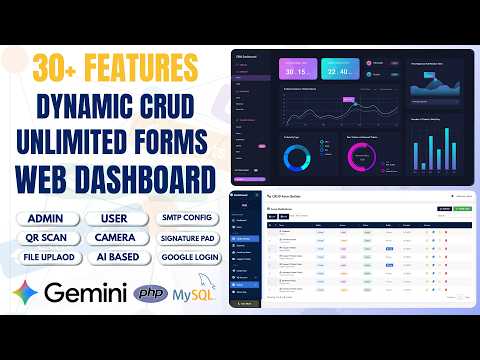
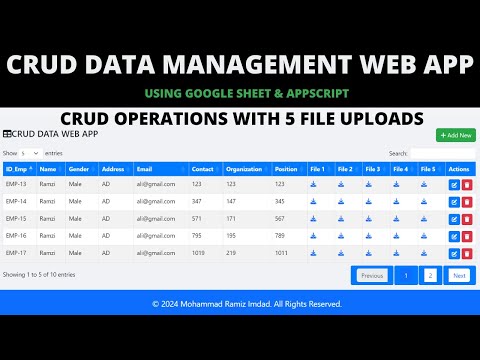
How to Build Unlimited CRUD Forms with AI — PHP MySQL Admin Panel - PHP2 How to Build Unlimited CRUD Forms with AI — PHP MySQL Admin Panel - PHP2 PHP $9.04 USD CRUD Management Web App with Google Apps Script | CRUD, File Upload & Google Sheets | B43 CRUD Management Web App with Google Apps Script | CRUD, File Upload & Google Sheets | B43 Apps Script $0.26 USD I Built a GPS Attendance Management System in PHP MySQL I Built a GPS Attendance Management System in PHP MySQL 158 views this month PHP $2.70 USD

Reviews & Feedback

What buyers and viewers say about How to Create Multi-Step Form with Google Sheets & Apps Script 2026 | React Web App Tutorial | E26.

No star ratings yet · 20 YouTube comments
Sort
@sylvesterjacob21 via YouTube
This is an awesome project and very helpful
1 like on YouTube
@asadalihussaini8978 via YouTube
This is what I was looking for. Thank you for the idea and baseline.
@Ariel1433 via YouTube
Happy 2026... Very nice tool... How to share the file uploads? Are public or private in the driver?
@manuelspctips via YouTube
Productive
@thegames_tws7871 via YouTube
Best for Online addmission and other online applicaton 🎉🎉❤❤
@M.K.Kalaiyarasan via YouTube
It’s very useful I’ll like same
@AsaKhatun-mr7pu via YouTube
This is an Awesome 🎉 web app project 🎉
@vipulchaudhari4437 via YouTube
Best for us...🎉🎉🎉 for school... And Educational purpose.....❤
@PwCouponWallah via YouTube
Very nice 🙂
@gravity_blooms_feast via YouTube
Happy New Year bruh..
@rajtalk3766 via YouTube
Best, osam, great work
@irfanchauhan495 via YouTube
Always New and Special Web Application Idea.... Really appreciate your efforts and attempts
@mfaizan5075 via YouTube
Can we add calculations fields in this form how
@mfaizan5075 via YouTube
Boht zabardast form bnaya rameez bahi I really need this form
@sylvesterjacob21 via YouTube
Very useful
@khanasadullah5125 via YouTube
Hazir hun guru ji ❤❤❤
@sofyanmutta4567 via YouTube
Fresh and very dynamic
@Ilf-ar via YouTube
Kerennnn 🔥🔥🔥
@AsariSAli via YouTube
First Comment 😊👍🔥
@Creepy000 via YouTube
❤️aww new year new project 🔥🔥🔥