Need a customized project? We build it to your exact requirements.Contact us on WhatsApp

Free Multi-Form Builder with Google Sheets Integration

FREE006 Forms & Data Entry Premium Plan Weekly Plan VIP Premium Plan
❀️
Need a Custom Business Solution?
Connect with us on WhatsApp to discuss your requirements. Our team will design and develop a tailored software solution aligned with your business workflow, operational needs, and growth objectives.
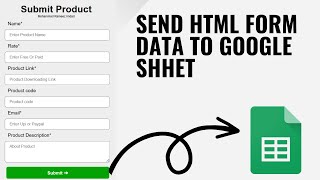
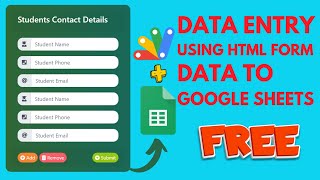
Auto HTML Form Maker with Google Sheets Integration | Send HTML Form Data To Google Sheets
You get
  • Google Sheet link
  • Source code file
  • Resale rights
  • Edit rights
  • Setup guide
  • AI setup help

Key Features

One web app holding all of your forms Form chosen from a dropdown before filling Each form rebuilt from its own sheet Fields taken from the sheet header row Add a column and the field appears on the form Rename a header and the label changes Submissions written into that form's sheet Form cleared automatically after submitting New form added by creating a sheet and naming it in one line No coding needed to change any existing form Embeds into any website Deployed as a Google Apps Script web app

Description

FREE006 answers a question most small businesses pay someone to solve repeatedly: we need another form, and it needs one more field. Here, a form is a sheet. Pick it from the dropdown, press Fetch Data, and the form builds itself from that sheet's header row.

Adding a field is typing a header

Decide you now need a CNIC, a phone number, a guardian's name. Type it as a column header, fetch the form again, and the field is there. Rename the header from Fee to Fee Year and the label changes with it. There is no HTML to edit, no developer to brief and no waiting β€” which is the entire reason the file exists.

Many forms, one app

Admission, fee, registration, results, product intake: each is its own sheet, and the dropdown switches between them. Submissions go into the sheet the form came from, and the form clears itself afterwards so the next entry starts clean. Adding a whole new form means creating the sheet and pasting its name into one line of the code β€” the only place you ever touch the script.

What to expect at the start

A new, empty sheet fetches nothing, because there are no headers to build from yet. Add your column headings and it appears. Worth knowing so an empty form does not look like a fault.

Where it can live

The deployed app embeds into any website, so the forms sit inside your own pages rather than as a separate link people have to be sent.

How it differs from the product entry form here

That one is a single rich form with field types, icons, validation rules and file uploads configured per field. This one is the opposite trade: simpler fields, but as many different forms as you like, all switchable from one dropdown.

Requirements

  • A Google account with Drive and Sheets
  • Your own copy of the provided spreadsheet
  • One sheet per form with its fields as column headers
  • The sheet name added to the code for each new form
  • Authorise the script on the first run
  • Deploy as a web app and embed or share the link

What's Included

  • Complete Apps Script code for the form maker
  • Google Sheet with the sample form tabs
  • Form dropdown listing every connected sheet
  • Form built automatically from the header row
  • Submissions written back into that form's sheet
  • Form cleared after each submission
  • One line method for registering a new form
  • Embed steps for your own website
  • Deployment steps for the web app
  • Step-by-step video walkthrough of the full build
  • Free support from the developer

Item Details

Versionv1.0
PublishedAug 22, 2025
PlatformGoogle Apps Script
DatabaseGoogle Sheets
CategoryForms & Data Entry
Tagsform builder with google sheet integrationsend html form data to google sheetshtml form to google sheetsfree form builder for google sheetsdynamic form from sheet headersauto html form maker google sheetsgoogle apps script form builderdata entry form in google sheets
VideoWatch walkthrough
LicenseRegular License
Subscription Verification Required
This is a free file. Subscribe to our YouTube channel to unlock the source code + Google Sheet. One click β€” no payment. Google only confirms you are subscribed.
Verify Now
Free download

Subscribe & Unlock Source Code

Subscribe on YouTube, then verify with one click. No payment, no card. Google is used only to confirm your subscription.

What you get

  • Code.gs + HTML filesThe complete Apps Script project
  • Google SheetYour own copy with the data
  • Setup guideInstall steps from start to finish

Not subscribed yet? Subscribe to our channel

Browse More Free Files
Custom development

Need this customized for your business?

Extra modules, your branding, integrations or reports built on top of this file. You get a clear quote and timeline before any work starts, and support after delivery.

400+Projects delivered
91+Countries served

20–30% advance to start · Clear quote before work begins · Support after delivery

What we customize

  • Features & functionsNew features, changes to existing scripts, custom formulas and automations
  • API & integrationsWhatsApp, payment gateways, CRM and more
  • Design & UI changesYour branding, layout redesign, dark mode, mobile layout
  • Full custom projectsDashboards, billing, inventory, CRM, built from scratch
Free
Source Code File

People choose these

Paid picks from the same category

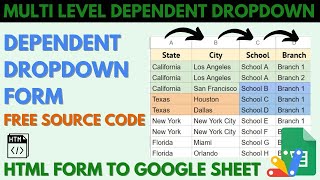
Multi-Level Dependent Dropdown Form | Google Apps Script Tutorial | B22 Multi-Level Dependent Dropdown Form | Google Apps Script Tutorial | B22 51 views this month Apps Script Grocery Store POS System with Barcode Scanner | Google Sheet POS + Apps Script + AI Grocery Store POS System with Barcode Scanner | Google Sheet POS + Apps Script + AI 380 views this month Apps Script How to Build an App with Claude AI: Complete Church Management System in Google Sheets How to Build an App with Claude AI: Complete Church Management System in Google Sheets 187 views this month Apps Script

Reviews & Feedback

What buyers and YouTube viewers say about this project.

Sort
@padhichittaranjan11 via YouTube
Excellent!! But file link is not available sir
1 like on YouTube
@HarjitSingh1978 via YouTube
Data submitted is not appearing after submission of form data. But in code it is there
@dk-ze8ei via YouTube
I want to add in this HTML form student photo option with Google Drive how to add in this form simple text column add automatically but photo column is not add is automatically. Can you create a workbook first sheet like your video student management data with student picture Google Drive. I need a first seat with students picture data in in Google Drive. How to add picture column
@zohairdilawar116 via YouTube
Very nice improvement on previous video , wish u success
@vishwanathranamale606 via YouTube
super but code is not avaliable πŸ˜“
@CHITTARANJANPADHI-c5t via YouTube
Sir, It fine but where is the file link
@makelifeeasy1917 via YouTube
great video bro, source code is not working on new videos. plz check it.