

 @klintraday5369
via YouTube
@klintraday5369
via YouTube
Nice sir ❤❤❤❤❤

R2 is a data entry form you configure without opening the HTML. There is a settings sheet alongside your data, one row per field, and everything about that field — what it is called, what it accepts, what icon it wears, what it starts with — is a cell in that row. Change the cell, refresh, the form has changed.
The label is the obvious one: rename Serial Number to Product Serial Number in the sheet and the form says that. The type decides behaviour — text, number, file or a text area for long comments — so a field meant to hold a number will not accept letters. Each field carries an icon by name, a default value that prefills it, and placeholder text showing the expected format. Switch a field to options, paste in a comma-separated list, and it becomes an autocomplete dropdown.
The picture field is restricted to images because the settings sheet says image. Remove that and it accepts anything. A part number can be required to be exactly eight characters. These are the rules that stop a catalogue filling with half-correct entries, and they are set the same way as everything else.
Products carry a photo and a PDF. Both upload with the submission and the row gets links to them. Nominate a Drive folder by ID and they go there; leave it blank and an Uploads folder is created for you on first use.
Either copy the supplied sheet or build your own and paste in the two files. One thing to know: the script reads the active spreadsheet, so it has to be the bound script opened from Extensions — a standalone Apps Script project will not work.
| Version | v1.0 |
| Published | Aug 22, 2025 |
| Platform | Google Apps Script |
| Database | Google Sheets |
| Category | Forms & Data Entry |
| Tags | |
| Video | Watch walkthrough |
| License | Regular License |
Subscribe on YouTube, then verify with one click. No payment, no card. Google is used only to confirm your subscription.
What you get
Not subscribed yet? Subscribe to our channel
Extra modules, your branding, integrations or reports built on top of this file. You get a clear quote and timeline before any work starts, and support after delivery.
What We Customize
20-30% advance to start • Clear quote before work begins • Support included after delivery
Paid picks from the same category
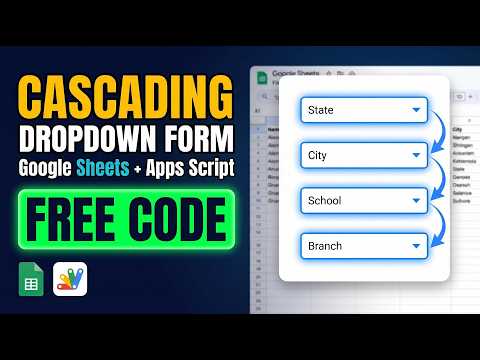 Multi-Level Dependent Dropdown Form | Google Apps Script Tutorial | B22
51 views this month
Multi-Level Dependent Dropdown Form | Google Apps Script Tutorial | B22
51 views this month
 Grocery Store POS System with Barcode Scanner | Google Sheet POS + Apps Script + AI
323 views this month
Grocery Store POS System with Barcode Scanner | Google Sheet POS + Apps Script + AI
323 views this month
 How to Build an App with Claude AI: Complete Church Management System in Google Sheets
179 views this month
How to Build an App with Claude AI: Complete Church Management System in Google Sheets
179 views this month
What buyers and viewers say about New Automated Product Data Entry Form in Google sheet & Appscript | R2.
@klintraday5369
via YouTube
 @zohairdilawar116
via YouTube
@zohairdilawar116
via YouTube