
Need a customized project? We build it to your exact requirements.Contact us on WhatsApp

Free User-Based CRUD Web App with Dependent Dropdowns

C16 Forms & Data Entry CRUD & Dashboards Premium Plan Weekly Plan VIP Premium Plan
❀️
Need a Custom Business Solution?
Connect with us on WhatsApp to discuss your requirements. Our team will design and develop a tailored software solution aligned with your business workflow, operational needs, and growth objectives.
How to Build a CRUD Dashboard with Dependent Dropdowns | Google Apps Script
You get
  • Google Sheet link
  • Source code file
  • Resale rights
  • Edit rights
  • Setup guide
  • AI setup help

Key Features

Username and password login from a Login sheet Each user sees only the records they submitted Add edit and delete your own entries Dependent job and requirement dropdowns Dependent state and city dropdowns Dropdown values maintained in one sheet Fields for name education salary and office timing View Data table listing your submissions Login session that lasts a day before asking again Logout from the dashboard Every submission stored in Google Sheets

Description

A data-entry dashboard where the login actually means something. Users sign in, submit records through a form, and the View Data table shows them their own submissions and nobody else's β€” the username on each row is what decides it.

Dependent dropdowns, both ways round

The form carries two linked pairs. Pick a job and only that job's requirements appear; pick a state and only its cities appear β€” Karnataka gives you Bangalore, and nothing irrelevant. Both sets of values live in a single Dropdown sheet, so extending the list is a matter of adding rows, not editing code. It is the pattern most people want the first time they build a form in Apps Script and the one that is fiddliest to get right.

Full CRUD on your own rows

Records can be edited in place and deleted with a confirmation, and the table updates as soon as the change is saved. Alongside the dropdowns, each entry captures name, education, salary and office timing.

Sessions

A login holds for a day and then asks again, so a shared machine does not stay signed in indefinitely, and there is a logout button for when you want to end it sooner. Everything β€” logins, dropdown values and submitted records β€” sits in your own Google Sheet.

Requirements

  • A Google account (Gmail or Google Workspace)
  • Google Sheets and Google Apps Script β€” no hosting or server needed
  • A Login sheet with usernames and passwords
  • A Dropdown sheet holding the dependent values
  • A modern browser (Chrome, Edge, Firefox or Safari)

What's Included

  • Complete Google Apps Script source code
  • Form and View Data front-end with dependent dropdowns
  • Google Sheets structure for login, responses and dropdowns
  • Step-by-step video walkthrough of the build
  • Free support from the developer

Item Details

Versionv1.0
PublishedAug 22, 2025
PlatformGoogle Apps Script
DatabaseGoogle Sheets
CategoryForms & Data Entry, CRUD & Dashboards
Tagscrud web app google sheetcrud app script google sheetdependent dropdown google apps scriptuser login crud app google sheetscrud google sheetsdependent dropdown in google sheetsdata entry web app with logingoogle sheets dashboard with login
VideoWatch walkthrough
LicenseRegular License
Subscription Verification Required
This is a free file. Subscribe to our YouTube channel to unlock the source code + Google Sheet. One click β€” no payment. Google only confirms you are subscribed.
Verify Now
Free download

Subscribe & Unlock Source Code

Subscribe on YouTube, then verify with one click. No payment, no card. Google is used only to confirm your subscription.

What you get

  • Code.gs + HTML filesThe complete Apps Script project
  • Google SheetYour own copy with the data
  • Setup guideInstall steps from start to finish

Not subscribed yet? Subscribe to our channel

Browse More Free Files

Need This Customized For Your Business?

Extra modules, your branding, integrations or reports built on top of this file. You get a clear quote and timeline before any work starts, and support after delivery.

400+
Projects Delivered
91+
Countries Served

What We Customize

Features & Functions
Add new features, modify existing scripts, custom formulas & automations
API & Integrations
Connect with WhatsApp, Payment Gateways, CRM & more
Design & UI Changes
Custom branding, layout redesign, dark mode, mobile optimization
Full Custom Projects
Dashboards, billing systems, inventory, CRM β€” built from scratch
Get Free Quote on WhatsApp

20-30% advance to start β€’ Clear quote before work begins β€’ Support included after delivery

Free
Source Code File

People choose these

Paid picks from the same category

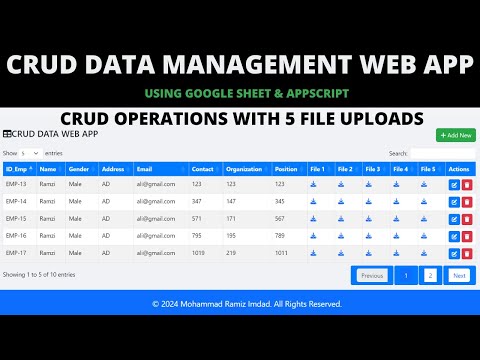
How to Build Unlimited CRUD Forms with AI β€” PHP MySQL Admin Panel - PHP2 How to Build Unlimited CRUD Forms with AI β€” PHP MySQL Admin Panel - PHP2 95 views this month PHP How to Create Multi-Step Form with Google Sheets & Apps Script 2026 | React Web App Tutorial | E26 How to Create Multi-Step Form with Google Sheets & Apps Script 2026 | React Web App Tutorial | E26 54 views this month Apps Script CRUD Management Web App with Google Apps Script | CRUD, File Upload & Google Sheets | B43 CRUD Management Web App with Google Apps Script | CRUD, File Upload & Google Sheets | B43 48 views this month Apps Script

Reviews & Feedback

What buyers and viewers say about How to Build a CRUD Dashboard with Dependent Dropdowns | Google Apps Script.

No star ratings yet Tap a star to be the first to rate it.
4 comments from
YouTube viewers
Sort
@likhanlpc3807 via YouTube
Thank you sir
@krishnaenterprise134 via YouTube
superb work bro... very very helpful... Hartly thanks.. Bro....πŸ’ŒπŸ’Œβ€β€β€
@nasarmkm3484 via YouTube
❀❀❀good thanks bro
@Premkumar-nv8xf via YouTube
Thank you.