
 @vishwanathranamale606
via YouTube
@vishwanathranamale606
via YouTube
sir data not submitting in sheet
1 like on YouTube

The doPost method, explained properly. This is the Apps Script function that receives a POST request from outside Google, and once you understand it, any form on any website can write into a Google Sheet.
Apps Script gives a web app two entry points: doGet for a page being opened, and doPost for data being sent to it. The walkthrough builds the handler step by step — reading the posted parameters, picking the sheet, appending the row, returning a response — so you can see where the data arrives and what to do with it, rather than copying a block that works for reasons you cannot explain.
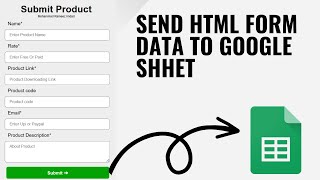
The HTML form is built from scratch with HTML and CSS, and posted with plain JavaScript — no jQuery, no library, no framework. That is deliberate: a fetch to a URL is something you can drop into any page you already have, whatever it was built with.
Once doPost is clear, the same endpoint takes data from anywhere that can make an HTTP request: a website form, a mobile app, an IoT device, Zapier, n8n, a PHP script. The sheet becomes a free endpoint for collecting anything, with no server behind it.
This one is the method — written for understanding doPost and posting with plain JavaScript. If you would rather have the ready-made receiver and a working form to adapt, the custom HTML form to Google Sheets project covers the same ground as a finished build.
| Version | v1.0 |
| Published | Aug 22, 2025 |
| Platform | Google Apps Script |
| Database | Google Sheets |
| Category | Forms & Data Entry |
| Tags | |
| Video | Watch walkthrough |
| License | Regular License |
Subscribe on YouTube, then verify with one click. No payment, no card. Google is used only to confirm your subscription.
What you get
Not subscribed yet? Subscribe to our channel
Extra modules, your branding, integrations or reports built on top of this file. You get a clear quote and timeline before any work starts, and support after delivery.
What We Customize
20-30% advance to start • Clear quote before work begins • Support included after delivery
Paid picks from the same category
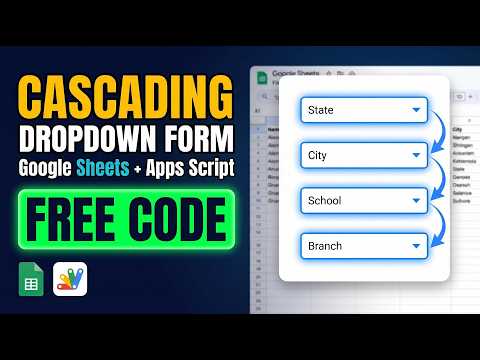 Multi-Level Dependent Dropdown Form | Google Apps Script Tutorial | B22
51 views this month
Multi-Level Dependent Dropdown Form | Google Apps Script Tutorial | B22
51 views this month
 Grocery Store POS System with Barcode Scanner | Google Sheet POS + Apps Script + AI
269 views this month
Grocery Store POS System with Barcode Scanner | Google Sheet POS + Apps Script + AI
269 views this month
 How to Build an App with Claude AI: Complete Church Management System in Google Sheets
162 views this month
How to Build an App with Claude AI: Complete Church Management System in Google Sheets
162 views this month
What buyers and viewers say about How to Submit HTML Form Data to Google Sheets | Save Using doPost Method | AppScript | R40.
@vishwanathranamale606
via YouTube
 @ErMohitSingh
via YouTube
@ErMohitSingh
via YouTube
 @Radventurex
via YouTube
@Radventurex
via YouTube