Need a customized project? We build it to your exact requirements.Contact us on WhatsApp

Free Library Management System with OTP Login – Apps Script

V1L Education & School Premium Plan Weekly Plan VIP Premium Plan
❤️
Need a Custom Business Solution?
Connect with us on WhatsApp to discuss your requirements. Our team will design and develop a tailored software solution aligned with your business workflow, operational needs, and growth objectives.
Library Management System (LMS) on Google apps script and Google sheet | V1
You get
  • Google Sheet link
  • Source code file
  • Resale rights
  • Edit rights
  • Setup guide
  • AI setup help

Key Features

Login verified by a one-time code emailed to the member A new OTP generated on every login attempt Used OTP cleared after verification Forgot password sends the password to the registered email Book catalogue with cover image author and category Live quantity per title Book quantity reduced when a copy is borrowed Member ID entered at borrow time Member details fetched automatically from the ID One active borrow per member enforced Second borrow refused with a clear message Borrow confirmation message to the member Members list linkable to the login accounts Google Sheets as the database

Description

A library portal where members sign in with an emailed code, browse the catalogue, and borrow against their member ID — with the system holding them to one book at a time.

OTP instead of a password alone

Logging in sends a one-time code to the member's email that must be entered to get in. A fresh code is generated on every attempt and the used one is cleared, so an old code in an inbox is worthless. There is also a forgot-password route that emails the password to the registered address.

The catalogue

Books are listed with their cover image, author, category and the quantity currently available — all rows in your sheet, so adding a title or a new batch of copies is typing. Open a book's details, enter the member ID your institution issued, and the member's information is fetched for you rather than retyped. Borrow it and the available quantity drops by one immediately.

One book per member

The rule that makes a small library workable. A member who already has a book out cannot take another — the attempt is refused with a message saying their ID is already on the borrow list. They stay blocked until the borrow record is cleared, which is what stops a handful of members quietly holding the whole shelf.

What this version does not include

This is version one, and it has no admin screen. Returns are processed by removing the member's borrow record in the sheet, which also releases them to borrow again. For a small library that is workable; if you need staff to handle returns from a UI, budget for that as an addition.

Requirements

  • A Google account (Gmail or Google Workspace)
  • Google Sheets and Google Apps Script — no hosting or server needed
  • Gmail for sending OTP codes and password reminders
  • A books sheet with title, author, category, quantity and image URL
  • A members sheet with the IDs your institution issues
  • Your Sheet ID set in the script

What's Included

  • Complete Google Apps Script source code
  • OTP email login with single-use codes
  • Forgot password by email
  • Book catalogue with images, author, category and live quantity
  • Borrow flow with member ID lookup
  • Automatic stock reduction on borrow
  • One-active-borrow-per-member rule
  • Google Sheets structure for books, members and borrows
  • Deployment walkthrough for publishing as a web app
  • Step-by-step video walkthrough of the full build
  • Free support from the developer

Item Details

Versionv1.0
PublishedAug 22, 2025
PlatformGoogle Apps Script
DatabaseGoogle Sheets
CategoryEducation & School
Tagslibrary management system google sheetslibrary management in google sheetslibrary management system free source codelibrary management system projectlibrary management system for small librarieslibrary management system software freelibrary system google sheetsbook issue and return system
VideoWatch walkthrough
LicenseRegular License
Subscription Verification Required
This is a free file. Subscribe to our YouTube channel to unlock the source code + Google Sheet. One click — no payment. Google only confirms you are subscribed.
Verify Now
Free download

Subscribe & Unlock Source Code

Subscribe on YouTube, then verify with one click. No payment, no card. Google is used only to confirm your subscription.

What you get

  • Code.gs + HTML filesThe complete Apps Script project
  • Google SheetYour own copy with the data
  • Setup guideInstall steps from start to finish

Not subscribed yet? Subscribe to our channel

Browse More Free Files

Need This Customized For Your Business?

Extra modules, your branding, integrations or reports built on top of this file. You get a clear quote and timeline before any work starts, and support after delivery.

400+
Projects Delivered
91+
Countries Served

What We Customize

Features & Functions
Add new features, modify existing scripts, custom formulas & automations
API & Integrations
Connect with WhatsApp, Payment Gateways, CRM & more
Design & UI Changes
Custom branding, layout redesign, dark mode, mobile optimization
Full Custom Projects
Dashboards, billing systems, inventory, CRM — built from scratch
Get Free Quote on WhatsApp

20-30% advance to start • Clear quote before work begins • Support included after delivery

Free
Source Code File

People choose these

Paid picks from the same category

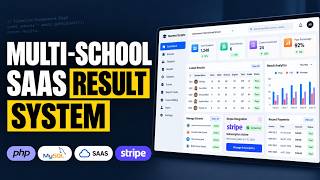
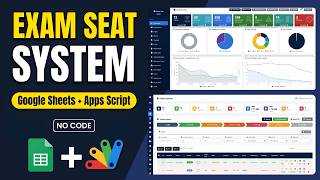
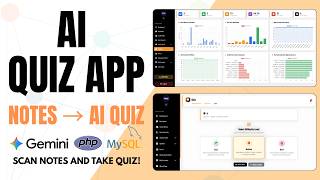
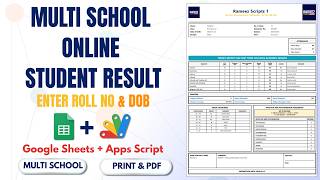
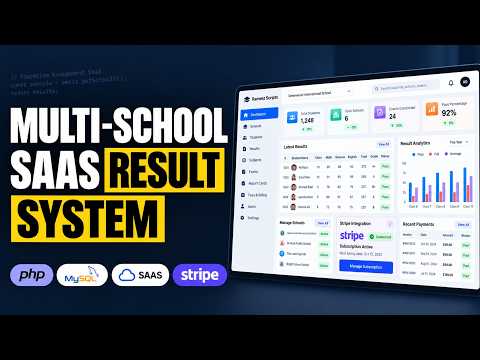
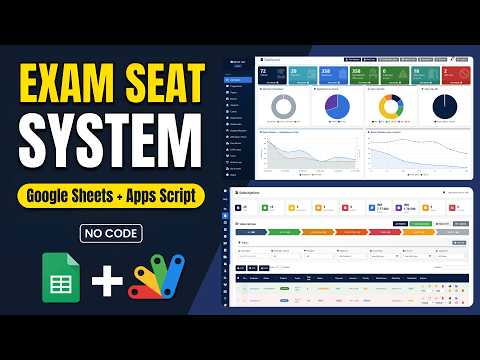
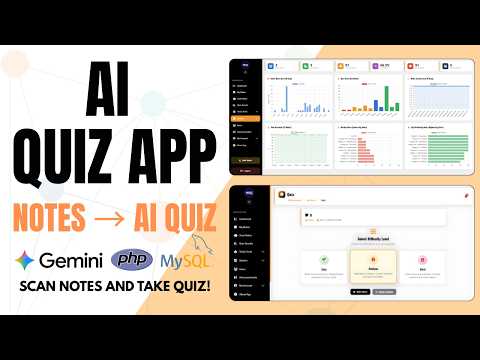
How to Build a Multi School Result Management System (SaaS) Using PHP MYSQL How to Build a Multi School Result Management System (SaaS) Using PHP MYSQL 184 views this month PHP School Exam Seating System | Google Apps Script + Sheets Dashboard School Exam Seating System | Google Apps Script + Sheets Dashboard 59 views this month Apps Script How to Build a Complete LMS with AI Quizzes, Leaderboard & Study Planner How to Build a Complete LMS with AI Quizzes, Leaderboard & Study Planner 91 views this month PHP

Reviews & Feedback

What buyers and viewers say about Library Management System (LMS) on Google apps script and Google sheet | V1.

No star ratings yet Tap a star to be the first to rate it.
5 comments from
YouTube viewers
Sort
@অচেনাঅন্ধকার via YouTube
Wow Nice Project. My dear Boss
@krishnanmanoj1 via YouTube
Keep going🎉 super
@curiositeinformatique via YouTube
Excellent travail!
@JNC_Edukasi via YouTube
Thank you..
@zohairdilawar116 via YouTube
Looking forward to this new project