
Important Notice: Join our official WhatsApp Channel for verified announcements, exclusive offers, giveaways, and expert resources on building web applications with AI

School Exam Seating System | Google Apps Script + Sheets Dashboard

F10 Education & School Premium Plan Weekly Plan VIP Premium Plan
❤️
Whatsapp Community
Join 🔥 Rameez Scripts WhatsApp Community — Get Free Templates, Tutorials & Giveaways Before Anyone Else!
School Exam Seating System | Google Apps Script + Sheets Dashboard

Key Features

Automatic seat allocation engine across every room in one action Column-major seating charts filled in roll-number order Room-wise printable seating plans for the notice board Rooms with total capacity single desk capacity extra double capacity building and floor Live room utilisation with the assigned invigilator shown Invigilator duty roster by room date and morning or evening session Programmes and papers management with quick filters Student records with programme semester category guardian and photo Accessibility fields for PwBD subcategory low vision and scribe required Bulk print every admit card and seat slip in one go Per-student view showing registration seat allocation room column and seat number Exams with paper session date start time centre code duration and maximum marks Registered versus seated counts per exam with present and absent totals Printable examination schedule Student exam registration with regular or reappear type and admit card issue toggle Attendance sheet generated per room and date with a signature column Absentee marking straight from the seating plan UFM unfair means case filing with evidence witness and action taken UFM case records and reporting Three roles of admin exam coordinator and invigilator CSV import on the data-heavy sections Searchable dropdowns and exportable tables throughout Activity log and audit trail About App page comparing what each role can do

Description

Every exam season, the same problem: hundreds of students, several rooms, and someone assigning roll numbers to seats by hand on paper or in a sprawling spreadsheet. This system does the allocation for you. Add your students, rooms and exams, and it seats everyone automatically — then prints the charts, the attendance sheets, the admit cards and the invigilator roster.

What it does

Rooms are defined with their real capacity — total seats, single-desk seats and extra double seats — along with building and floor. Students are registered against programmes and papers, with accessibility details where they matter: PwBD subcategory, low vision, whether a scribe is required. Run the allocation and the engine fills rooms in roll-number order using a column-major layout, so adjacent candidates are not sitting the same paper. Each room then yields a printable seating plan for the notice board, and each student an admit card showing their date, session, paper, room, column and seat number.

Highlights

  • Bulk-print every admit card and seat slip at once rather than one at a time
  • Attendance sheets generated per room and date, with roll number, name, programme, paper and a signature column
  • Absentees marked straight from the seating plan, feeding the exam's present/absent totals
  • Invigilator duty roster by room, date and session — assignments show back on the room record automatically
  • UFM (unfair means) case register with evidence, witness, copies count and action taken
  • Three roles — admin, exam coordinator, invigilator — with an About App page comparing what each can do
  • CSV import for bulk student and programme data

Who it is for

Colleges, universities, schools and examination boards running multi-room sittings, where seating a few hundred candidates currently costs days of manual work and still produces clashes.

Requirements

  • A Google account (Gmail or Google Workspace)
  • Google Sheets as the database — no server or MySQL needed
  • Google Apps Script web app deployment access
  • Modern browser (Chrome, Edge, Firefox or Safari)
  • A printer for seating charts, admit cards and attendance sheets

What's Included

  • Full Apps Script source code (Code.gs + index.html)
  • Automatic seat allocation engine
  • Programmes, papers, rooms and students modules
  • Exam scheduling and student registration
  • Printable seating plans, admit cards and attendance sheets
  • Invigilator duty roster
  • UFM case register and reporting
  • Three preset roles with an About App matrix
  • CSV import templates
  • Full video walkthrough
  • Free support and paid customization on request

Item Details

Versionv1.0
PublishedJun 8, 2026
PlatformGoogle Apps Script
DatabaseGoogle Sheets
CategoryEducation & School
Tagsexam seating plan systemexamination management systemseating arrangement softwareexam hall seatingseat allocation systemadmit card generatorinvigilator duty rostercollege exam management
VideoWatch walkthrough
LicenseRegular License

School Exam Seating System | Google Apps Script + Sheets Dashboard

Education & School

What You Get

Code.gs FilesComplete Apps Script source code files
HTML FilesAll HTML template files included
Google SheetYour own copy with all data and scripts
Setup GuideStep-by-step video tutorials included
6 Months SupportBug fixes, tweaks, and guidance — all free
Free UpdatesAll future updates included at no extra cost
Regular License F10
Subtotal $0.96 USD
Card fee (10%) $0.10 USD
Total $1.06 USD
70% OFF applied — was $3.20 now $0.96
Other payment methods
Wise / Bank Transfer · via WhatsApp +92 343 534 7417 $3.20$0.96
RE
Redotpay
School Exam Seating System | Google Apps Script + Sheets Dashboard
Secure checkout
Amount due
$0.96$3.20
Amount to pay
Redotpay Account
1002896884
What happens after you pay
  1. Send us the proofEnter your transaction ID and upload the payment screenshot in the form on this page.
  2. We check it by handUsually cleared in 10–30 minutes during working hours — no bots, a person looks at it.
  3. Your file arrives by emailWe open your account and email the login together with the download link, so use an address you can actually open.
Encrypted & secure
Manual review 10–30 min
Receipt by email
How to pay
  1. Copy the Redotpay account
  2. Pay $0.96 via Redotpay
  3. Enter transaction ID below
  4. Submit below — admin verifies & grants access
Manual verification: Typically takes 10 to 30 minutes to verify and grant access during working hours.
We'll find or create your account by this email.
Your country is picked from your location — change it if it's wrong, then type your number without the country code.
Submitted for admin review · typically takes 10 to 30 minutes to verify
Payment invoice
File / CourseSchool Exam Seating System | Google Apps Script + Sheets Dashboard
Invoice CodeF10
Payment MethodRedotpay
Total$0.96
BP
Binance Pay
School Exam Seating System | Google Apps Script + Sheets Dashboard
Secure checkout
Amount due
$0.96
Amount to pay · zero fee · instant
Scan to Pay with Binance
Scan to Pay
Binance Pay ID
766412546
Account holder: Muahmmad Ramiz Imdad
What happens after you pay
  1. Send us the proofEnter your transaction ID and upload the payment screenshot in the form on this page.
  2. We check it by handUsually cleared in 10–30 minutes during working hours — no bots, a person looks at it.
  3. Your file arrives by emailWe open your account and email the login together with the download link, so use an address you can actually open.
Encrypted & secure
Manual review 10–30 min
Receipt by email
How to pay
  1. Open Binance app → Pay
  2. Scan QR or enter Pay ID
  3. Send $0.96 (any supported crypto)
  4. Copy Order ID from Binance receipt
  5. Paste below & submit for verification
Manual verification: Typically takes 10 to 30 minutes to verify and grant access during working hours.
We'll find or create your account by this email.
Your country is picked from your location — change it if it's wrong, then type your number without the country code.
Submitted for admin review · typically takes 10 to 30 minutes to verify
Payment invoice
File / CourseSchool Exam Seating System | Google Apps Script + Sheets Dashboard
Invoice CodeF10
Payment MethodBinance Pay
Total$0.96
CR
Cryptocurrency
School Exam Seating System | Google Apps Script + Sheets Dashboard
Secure checkout
Amount due
$0.96
Send exact amount in crypto equivalent
Pick one
Send to this address
15jjKnm6NgxN1Wgbfh7xdBWgbCFztHeNhE
Important: Send only the selected coin on its correct network. Sending on wrong network may result in permanent loss.
What happens after you pay
  1. Send us the proofEnter your transaction ID and upload the payment screenshot in the form on this page.
  2. We check it by handUsually cleared in 10–30 minutes during working hours — no bots, a person looks at it.
  3. Your file arrives by emailWe open your account and email the login together with the download link, so use an address you can actually open.
Encrypted & secure
Manual review 10–30 min
Receipt by email
How to pay
  1. Choose your preferred crypto above
  2. Copy wallet address & send $0.96 equivalent
  3. Enter transaction hash below
  4. Submit below — admin verifies & grants access
Manual verification: Typically takes 10 to 30 minutes to verify and grant access during working hours.
We'll find or create your account by this email.
Your country is picked from your location — change it if it's wrong, then type your number without the country code.
Submitted for admin review · typically takes 10 to 30 minutes to verify
Payment invoice
File / CourseSchool Exam Seating System | Google Apps Script + Sheets Dashboard
Invoice CodeF10
Payment MethodCryptocurrency
Total$0.96
PA
PayPal
School Exam Seating System | Google Apps Script + Sheets Dashboard
Secure checkout
Amount due
$0.96
Amount to pay
Pay $0.96 with PayPal
Opens PayPal in a new tab. Come back here afterwards with your Transaction ID.
What happens after you pay
  1. Send us the proofEnter your transaction ID and upload the payment screenshot in the form on this page.
  2. We check it by handUsually cleared in 10–30 minutes during working hours — no bots, a person looks at it.
  3. Your file arrives by emailWe open your account and email the login together with the download link, so use an address you can actually open.
Encrypted & secure
Manual review 10–30 min
Receipt by email
How to pay
  1. Tap Pay $0.96 with PayPal — it opens PayPal in a new tab
  2. Copy the Transaction ID from your PayPal receipt
  3. Enter it below with a screenshot of the payment, then submit
  4. We verify it and unlock your file — the download link is emailed to you too
Manual verification: Typically takes 10 to 30 minutes to verify and grant access during working hours.
We'll find or create your account by this email.
Your country is picked from your location — change it if it's wrong, then type your number without the country code.
Submitted for admin review · typically takes 10 to 30 minutes to verify
Payment invoice
File / CourseSchool Exam Seating System | Google Apps Script + Sheets Dashboard
Invoice CodeF10
Payment MethodPayPal
Total$0.96
400+ PROJECTS DELIVERED · 5,000+ HAPPY CLIENTS WORLDWIDE

Need This Customized For Your Business?

We don't just deliver and disappear — every project comes with 6 months of free support. Bug fixes, small tweaks, and guidance included. Choose us without any worry.

5,000+
Happy Clients
24-72h
Fast Delivery
6 Months
Free Support
100%
Money Back
30 min
Avg. Reply

What We Customize

Features & Functions
Add new features, modify existing scripts, custom formulas & automations
API & Integrations
Connect with WhatsApp, Telegram, Payment Gateways, CRM & more
Design & UI Changes
Custom branding, layout redesign, dark mode, mobile optimization
Full Custom Projects
Dashboards, billing systems, inventory, CRM — built from scratch
Get Free Quote on WhatsApp

20-30% advance to start • Clear pricing before we start • 6 months free support after delivery

$1.06
USD · incl. card fee

People choose these

What buyers of this file added to the same order

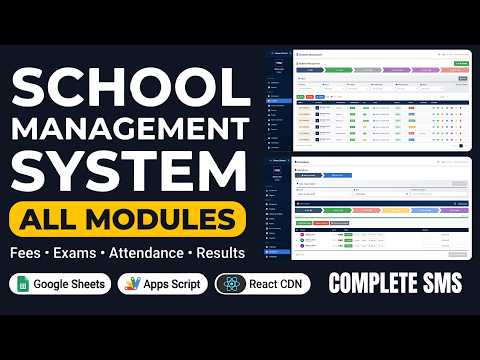
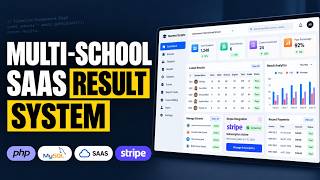
Build a Gym Management System with Claude Code & Google Sheets Build a Gym Management System with Claude Code & Google Sheets Bought with this one Apps Script $1.44 USD School Management System with All Modules | Fees, Exams, Timetable, Attendance & Hall Tickets School Management System with All Modules | Fees, Exams, Timetable, Attendance & Hall Tickets Bought with this one Apps Script $4.81 USD How to Build a Multi School Result Management System (SaaS) Using PHP MYSQL How to Build a Multi School Result Management System (SaaS) Using PHP MYSQL 56 views this month PHP $4.81 USD

Reviews & Feedback

What buyers and viewers say about School Exam Seating System | Google Apps Script + Sheets Dashboard.

No star ratings yet · 14 YouTube comments
Sort
@DurvishJawaleOfficial via YouTube
Nice project
1 like on YouTube
@sri3555 via YouTube
Watching your video is awe-inspiring
1 like on YouTube
@masifqadri12 via YouTube
Good Software and video presentation
@richarrh via YouTube
Really solid project. This is a complete solution for exam management. Very impressed 👏🏻
@SDNBanjaranyar02 via YouTube
Give me your prompt ?
@CrazyBooksOfficial via YouTube
No. 1 Project for schools
@BhaktiDivyaDarshanOfficial via YouTube
Amazing Project❤❤
@rasc-c5e via YouTube
Very nice projects
@Medicaltalk1 via YouTube
Bahut hi shandar aur useful video! Exam seating arrangement hamesha se ek bada headache raha hai, aur is Apps Script dashboard se ye process bahut aasan ho jayega. Great work and thanks for sharing💯
@genuspro1 via YouTube
I'm really appreciate it. Go ahead I'm your first fan
@gusikpn via YouTube
Awesome. Is there demo to try sir?
@irfanchauhan495 via YouTube
Really appreciate... Nice Web Application to ease tedious tasks... Great Work..
@gusadiyanto via YouTube
Wow..nice web app for exam seating 🎉👍
@genuspro1 via YouTube
I'm really appreciate it. Please would you give us a professional prompt you've used?