
 @MokimAhmedBlp
via YouTube
@MokimAhmedBlp
via YouTube
Shukriya Bhai Aap ki Koshish se n malom kitne logon ko faida ho raha hae.
1 like on YouTube

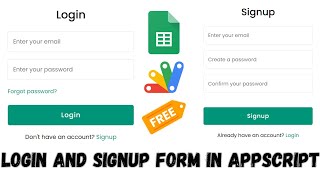
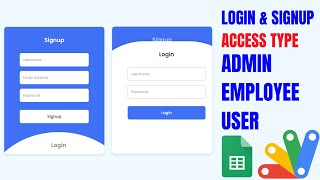
The second version of the login and signup form, and the one worth taking: it checks what people type, emails them when the account is made, and sends each user to their own destination.
This is the feature that separates it. The admin assigns each account its own URL, so two people signing in through the same form land in two different places — a student portal for one, a staff dashboard for another. The destination is not revealed in the form, so a user cannot read off the address and bypass the login by going straight there next time.
A username already in the sheet is rejected. An email already in the sheet is rejected too — separately, with its own message, so the person knows which one is the problem rather than guessing. And the password must mix an uppercase letter, a lowercase letter and digits; anything weaker is refused. Those three checks are what stop a user table filling with duplicates and one-character passwords within a week of going live.
A successful signup emails the user to confirm their account was created. It is a small thing that makes a form feel like a system, and it gives the user a record they can search for later.
The browser tab title is set in the script — make it your institution's name — and the deployed URL embeds by iframe into Blogger, WordPress or any page you can edit, so the login sits inside your own site rather than on a Google address.
| Version | v1.0 |
| Published | Aug 22, 2025 |
| Platform | Google Apps Script |
| Database | Google Sheets |
| Category | Login & Authentication, Forms & Data Entry |
| Tags | |
| Video | Watch walkthrough |
| License | Regular License |
Subscribe on YouTube, then verify with one click. No payment, no card. Google is used only to confirm your subscription.
What you get
Not subscribed yet? Subscribe to our channel
Extra modules, your branding, integrations or reports built on top of this file. You get a clear quote and timeline before any work starts, and support after delivery.
20–30% advance to start · Clear quote before work begins · Support after delivery
What we customize
Paid picks from the same category
 PHP MySQL CRUD Project with AI Form Builder — Login System, Admin Panel & Full Source Code
48 views this month
PHP MySQL CRUD Project with AI Form Builder — Login System, Admin Panel & Full Source Code
48 views this month
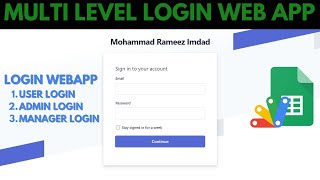
 How to Create Multi-Level Login Form Using Google Sheets & Apps Script | B23
44 views this month
How to Create Multi-Level Login Form Using Google Sheets & Apps Script | B23
44 views this month
 Grocery Store POS System with Barcode Scanner | Google Sheet POS + Apps Script + AI
380 views this month
Grocery Store POS System with Barcode Scanner | Google Sheet POS + Apps Script + AI
380 views this month
What buyers and YouTube viewers say about this project.
@MokimAhmedBlp
via YouTube
 @Prabh_hundal_01
via YouTube
@Prabh_hundal_01
via YouTube
 @dlhk.sumedangkab
via YouTube
@dlhk.sumedangkab
via YouTube
 @Pwilao_Narzary_Official
via YouTube
@Pwilao_Narzary_Official
via YouTube
 @Ahsan-Khan-e9j
via YouTube
@Ahsan-Khan-e9j
via YouTube
 @myfinance_CG_official
via YouTube
@myfinance_CG_official
via YouTube
 @wangzig9800
via YouTube
@wangzig9800
via YouTube