Need a customized project? We build it to your exact requirements.Contact us on WhatsApp

Multi-Level Login with Role Dashboards – Google Apps Script

B23 Login & Authentication Forms & Data Entry Weekly Plan Premium Plan VIP Premium Plan
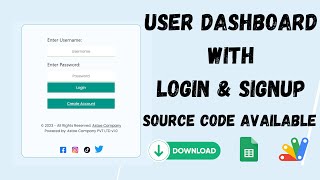
How to Create Multi-Level Login Form Using Google Sheets & Apps Script | B23
You get
  • Google Sheet link
  • Source code file
  • Resale rights
  • Edit rights
  • Setup guide
  • AI setup help

Key Features

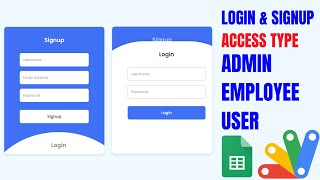
One login page serving three roles Separate dashboards for user manager and admin Login by email and password from the sheet Role decided by a type column on the account Per-account access switch to allow or block a login Blocked accounts refused with an access-denied message Role greeting shown on successful login Dedicated code block per role dashboard Editable footer content per role Accounts created by the admin in the sheet Google Sheets as the database Deploys as a Google Apps Script web app

Description

One login page, three different applications behind it. The same email box serves a user, a manager and an admin — and which dashboard opens is decided by the account, not by three separate web apps you have to maintain.

The role lives in the sheet

Each account row holds the email, the password and a type: user, manager or admin. Sign in and you land on the dashboard for that type, with a greeting naming the role. Change the type in the sheet and that person's next login opens a different dashboard — promoting someone is editing a cell.

An access switch that actually blocks

Beside the role sits an access column. Set it to disallowed and the login is refused with an access-denied message, even though the password is correct. That is the difference between a login system and a real one: staff leave, accounts need suspending, and deleting the row loses the history. Switch access off and the account is shut without being erased.

Three dashboards to fill

The code carries a clearly marked block for each role — admin, manager and user — where your own screens go, plus an editable footer for each. The structure is done; what each role sees is yours to write. One web app, one URL, three audiences.

What it does not include

There is no self-signup and no forgot-password flow — deliberately. Accounts are issued by the admin in the sheet, which is how schools hand out generated logins to students. If you need registration or password reset, the Apps Script login system with OTP reset covers that ground instead.

Requirements

  • A Google account (Gmail or Google Workspace)
  • Google Sheets and Google Apps Script — no hosting or server needed
  • A login sheet with email, password, type and access columns
  • Your own dashboard content for each of the three roles

What's Included

  • Complete Google Apps Script source code
  • Single login page routing to three role dashboards
  • User, manager and admin dashboard blocks to fill with your own content
  • Per-account access switch blocking a login
  • Editable footer per role
  • Google Sheets structure for accounts, roles and access
  • Step-by-step video walkthrough of the full build
  • Free support from the developer

Item Details

Versionv1.0
PublishedAug 22, 2025
PlatformGoogle Apps Script
DatabaseGoogle Sheets
CategoryLogin & Authentication, Forms & Data Entry
Tagsmulti user role based login systemrole based loginrole based authentication systemrole based login google sheetsuser manager admin loginmulti level login systemaccess control google sheetsthree role dashboard web app
VideoWatch walkthrough
LicenseRegular License
Regular License B23
Subtotal $9.99 USD
Total $9.99 USD
Other payment methods
Wise / Bank Transfer · via WhatsApp +92 343 534 7417 $19.98$9.99
Redotpay
How to Create Multi-Level Login Form Using Google Sheets & Apps Script | B23
Secure checkout
Amount due
$9.99$19.98
Total due
Redotpay Account
1002896884
How to pay
  1. Copy the Redotpay account
  2. Pay $9.99 via Redotpay
  3. Enter the transaction reference below
  4. Submit the details below to complete your order
Order details$9.99
Order summary
ItemHow to Create Multi-Level Login Form Using Google Sheets & Apps Script | B23
ReferenceB23
Payment MethodRedotpay
Total$9.99
Your payment proofReference + screenshot — takes a minute
Your receipt and download link will be sent to this address.
Country code is set from your location. Change it if needed and enter the number without the code.
Upload a screenshot of the paymentDrop it here or click to browse · JPG or PNG, up to 2 MB
Confirmed typically within 2 hours (24/7)
Encrypted connection
Confirmation in 2 hours
Emailed receipt
Get a custom version for your business

Your features, branding and reports, built on this system. Free quote before any work starts.

Chat on WhatsApp
Binance Pay
How to Create Multi-Level Login Form Using Google Sheets & Apps Script | B23
Secure checkout
Amount due
$9.99
Total due · no additional fees
Binance Pay ID
766412546
Account holder: Muahmmad Ramiz Imdad
How to pay
  1. Open the Binance app and choose Pay
  2. Enter the Pay ID
  3. Send $9.99 in any supported asset
  4. Copy the Order ID from your Binance receipt
  5. Enter it below with a screenshot and submit
Order details$9.99
Order summary
ItemHow to Create Multi-Level Login Form Using Google Sheets & Apps Script | B23
ReferenceB23
Payment MethodBinance Pay
Total$9.99
Your payment proofReference + screenshot — takes a minute
Your receipt and download link will be sent to this address.
Country code is set from your location. Change it if needed and enter the number without the code.
Upload a screenshot of the paymentDrop it here or click to browse · JPG or PNG, up to 2 MB
Confirmed typically within 2 hours (24/7)
Encrypted connection
Confirmation in 2 hours
Emailed receipt
Cryptocurrency
How to Create Multi-Level Login Form Using Google Sheets & Apps Script | B23
Secure checkout
Amount due
$9.99
Send the equivalent amount in the selected asset
Select an asset
Wallet address
15jjKnm6NgxN1Wgbfh7xdBWgbCFztHeNhE
Send only the selected asset on the selected network. Transfers made on a different network cannot be recovered.
How to pay
  1. Select an asset above
  2. Copy the wallet address and send the equivalent of $9.99
  3. Enter the transaction hash below
  4. Submit the details below to complete your order
Order details$9.99
Order summary
ItemHow to Create Multi-Level Login Form Using Google Sheets & Apps Script | B23
ReferenceB23
Payment MethodCryptocurrency
Total$9.99
Your payment proofReference + screenshot — takes a minute
Your receipt and download link will be sent to this address.
Country code is set from your location. Change it if needed and enter the number without the code.
Upload a screenshot of the paymentDrop it here or click to browse · JPG or PNG, up to 2 MB
Confirmed typically within 2 hours (24/7)
Encrypted connection
Confirmation in 2 hours
Emailed receipt
PayPal
How to Create Multi-Level Login Form Using Google Sheets & Apps Script | B23
Secure checkout
Amount due
$9.99
Total due
Pay $9.99 with PayPal
Opens PayPal in a new tab. Return here with your Transaction ID to complete the submission.
How to pay
  1. Select Pay $9.99 with PayPal; PayPal opens in a new tab
  2. Copy the Transaction ID from your PayPal receipt
  3. Enter it below with a screenshot of the payment, then submit
  4. Your payment is verified and access is enabled; the download link is also emailed to you
Order details$9.99
Order summary
ItemHow to Create Multi-Level Login Form Using Google Sheets & Apps Script | B23
ReferenceB23
Payment MethodPayPal
Total$9.99
Your payment proofReference + screenshot — takes a minute
Your receipt and download link will be sent to this address.
Country code is set from your location. Change it if needed and enter the number without the code.
Upload a screenshot of the paymentDrop it here or click to browse · JPG or PNG, up to 2 MB
Confirmed typically within 2 hours (24/7)
Encrypted connection
Confirmation in 2 hours
Emailed receipt
Custom development

Need this customized for your business?

Extra modules, your branding, integrations or reports built on top of this file. You get a clear quote and timeline before any work starts, and support after delivery.

400+Projects delivered
91+Countries served

20–30% advance to start · Clear quote before work begins · Support after delivery

What we customize

  • Features & functionsNew features, changes to existing scripts, custom formulas and automations
  • API & integrationsWhatsApp, payment gateways, CRM and more
  • Design & UI changesYour branding, layout redesign, dark mode, mobile layout
  • Full custom projectsDashboards, billing, inventory, CRM, built from scratch
$9.99
USD · card / manual pay

People choose these

Paid picks from the same category

PHP MySQL CRUD Project with AI Form Builder — Login System, Admin Panel & Full Source Code PHP MySQL CRUD Project with AI Form Builder — Login System, Admin Panel & Full Source Code 48 views this month PHP $9.99 USD Grocery Store POS System with Barcode Scanner | Google Sheet POS + Apps Script + AI Grocery Store POS System with Barcode Scanner | Google Sheet POS + Apps Script + AI 380 views this month Apps Script $9.99 USD How to Build an App with Claude AI: Complete Church Management System in Google Sheets How to Build an App with Claude AI: Complete Church Management System in Google Sheets 187 views this month Apps Script $9.99 USD

Reviews & Feedback

What buyers and YouTube viewers say about this project.

Sort
@DurvishJawaleOfficial via YouTube
I like your every Web app
@DurvishJawaleOfficial via YouTube
I like this Web app
@DurvishJawaleOfficial via YouTube
I am your big fan