
 @epspdsssg
via YouTube
@epspdsssg
via YouTube
thank you for this great tutorial.Please I need a tutorial on how to submit data from webapp and search , edit data from the same webapp
1 like on YouTube

FREE036 is the first part of a user dashboard build, and what it delivers is the layer everything else sits on: the login form, the sign up form, and the record of who came in and when. The dashboard screens themselves — settings, news, contact — arrive in the later parts of the series, so take this as the foundation rather than a finished portal.
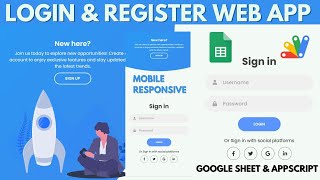
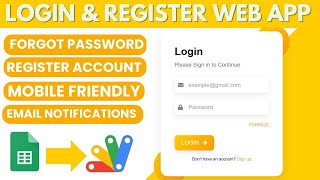
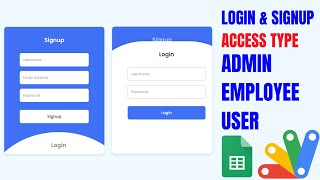
Users live as rows in a Google Sheet: a type, a user ID, a name and a code. One column decides everything — set it to yes and that person can log in, set it to no and they cannot, with no account deleted and nothing else to change. An attempt with the wrong details, or from a switched-off account, is met with a clear not logged in message rather than a blank screen.
The part that makes this worth building on is the activity side. The sheet records who signed in and when they were active, and captures the location the login came from. If you are running something for a hundred users, being able to see who is actually on it, from where, without asking anyone, is usually the first thing you wish you had.
The full system this starts is a dashboard for a school, an institution or a shop, with users able to change their own password rather than messaging you for a reset. Those pages come in the following parts of the series. In this part, the dashboard area is a shell that loads after login.
Build the sheet with the user columns, open Apps Script from Extensions and paste in the supplied code and HTML files, then deploy as a web app.
| Version | v1.0 |
| Published | Aug 22, 2025 |
| Platform | Google Apps Script |
| Database | Google Sheets |
| Category | Login & Authentication, Forms & Data Entry |
| Tags | |
| Video | Watch walkthrough |
| License | Regular License |
Subscribe on YouTube, then verify with one click. No payment, no card. Google is used only to confirm your subscription.
What you get
Not subscribed yet? Subscribe to our channel
Extra modules, your branding, integrations or reports built on top of this file. You get a clear quote and timeline before any work starts, and support after delivery.
20–30% advance to start · Clear quote before work begins · Support after delivery
What we customize
Paid picks from the same category
 PHP MySQL CRUD Project with AI Form Builder — Login System, Admin Panel & Full Source Code
48 views this month
PHP MySQL CRUD Project with AI Form Builder — Login System, Admin Panel & Full Source Code
48 views this month
 How to Create Multi-Level Login Form Using Google Sheets & Apps Script | B23
44 views this month
How to Create Multi-Level Login Form Using Google Sheets & Apps Script | B23
44 views this month
 Grocery Store POS System with Barcode Scanner | Google Sheet POS + Apps Script + AI
381 views this month
Grocery Store POS System with Barcode Scanner | Google Sheet POS + Apps Script + AI
381 views this month
What buyers and YouTube viewers say about this project.
@epspdsssg
via YouTube
 @mahendarnaik1593
via YouTube
@mahendarnaik1593
via YouTube
 @sarkarischoolinfo4060
via YouTube
@sarkarischoolinfo4060
via YouTube
 @mgc.73
via YouTube
@mgc.73
via YouTube
 @MenyokNdruwo
via YouTube
@MenyokNdruwo
via YouTube
 @Hazrat_edu
via YouTube
@Hazrat_edu
via YouTube