

Need a customized project? We build it to your exact requirements.Contact us on WhatsApp

Intermediate Result System Part 1 & 2 – Google Apps Script

B31 Education & School Apps Script Pass Pro Business
How to Make Online School Result Web App Using google sheet and Appscript | B31
You get
  • Google Sheet link
  • Source code file
  • Resale rights
  • Edit rights
  • Setup guide
  • AI setup help

Key Features

Result looked up by roll number Combined Part 1 and Part 2 marks on one result Theory and practical maximum marks per subject Practical set to zero where it does not apply Obtained marks totalled automatically Pass or fail decided at a 40 percent threshold Student photo shown on the result Roll number and registration number displayed Student name father name institution and district Group shown for science computer arts or commerce School logo with configurable URL and size Examination name and year editable Editable instructions note for students Empty roll number blocked with a prompt Unknown roll number refused with a retry message Search another roll number without reloading One-page printable result Mobile-friendly layout

Description

An intermediate result portal built the way a board result actually works: Part 1 and Part 2 on one card, theory and practical marks kept separate, and the totals and verdict calculated for you.

Two parts, one result

This is what separates it from a simple marks lookup. Each subject carries its maximum theory and practical marks, then the marks obtained in Part 1 theory, Part 2 theory and the practical — and the three are summed into the subject total. A student sitting a two-year intermediate programme sees their complete standing rather than one term in isolation. Where a subject has no practical component, put zero against it and the layout adjusts.

The verdict is automatic

Totals add themselves and the pass or fail status is decided at a forty per cent threshold. Change a mark in the sheet and both follow. A failing candidate gets a clear statement with their total rather than a number the reader has to interpret.

A result card that looks official

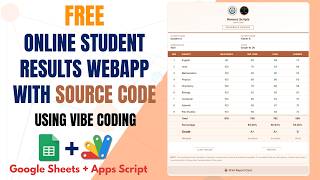
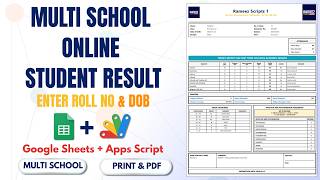
Your school logo with its size adjustable, the examination name and year, the student's photograph, roll number, registration number, father's name, institution, district and group — science, computer, arts or commerce. Underneath sits an instructions note you write yourself for whatever your students need telling.

Handling wrong input properly

Pressing check with an empty box prompts for a roll number. An unknown roll number returns a clear not-found message asking them to try a correct one — not a blank screen. A search-another button resets without a page reload.

On paper and on a phone

The result prints on a single page, which matters when students need a copy for an admission file, and the whole portal is mobile friendly because that is where most of them will open it.

Requirements

  • A Google account (Gmail or Google Workspace)
  • Google Sheets and Google Apps Script — no hosting or server needed
  • A sheet with roll numbers, registration numbers and marks per subject
  • Maximum theory and practical marks per subject, using zero where none applies
  • Student photo and school logo URLs
  • A printer for result copies

What's Included

  • Complete Google Apps Script source code
  • Roll number result lookup
  • Combined Part 1 and Part 2 result with theory and practical split
  • Automatic totals and pass-fail at a 40 percent threshold
  • Student photo, school logo and group on the result card
  • Editable examination name, year and student instructions
  • Empty and unknown roll number handling
  • One-page printable result
  • Mobile-friendly layout
  • Google Sheets structure for students and marks
  • Step-by-step video walkthrough of the full build
  • Free support from the developer

Item Details

Versionv1.0
PublishedAug 22, 2025
PlatformGoogle Apps Script
DatabaseGoogle Sheets
CategoryEducation & School
Tagsintermediate result portalstudent result management systemonline result systemboard result web app google sheetstheory and practical marks systempart 1 and part 2 combined resultstudent result portal with photoroll number result check
VideoWatch walkthrough
LicenseRegular License
Regular License B31
Subtotal $9.99 USD
Total $9.99 USD
Other payment methods
Wise / Bank Transfer · via WhatsApp +92 343 534 7417 $19.98$9.99
Redotpay
How to Make Online School Result Web App Using google sheet and Appscript | B31
Secure checkout
Amount due
$9.99$19.98
Total due
Redotpay Account
1002896884
How to pay
  1. Copy the Redotpay account
  2. Pay $9.99 via Redotpay
  3. Enter the transaction reference below
  4. Submit the details below to complete your order
Order details$9.99
Order summary
ItemHow to Make Online School Result Web App Using google sheet and Appscript | B31
ReferenceB31
Payment MethodRedotpay
Total$9.99
Your payment proofReference + screenshot — takes a minute
Your receipt and download link will be sent to this address.
Country code is set from your location. Change it if needed and enter the number without the code.
Upload a screenshot of the paymentDrop it here or click to browse · JPG or PNG, up to 2 MB
Confirmed typically within 2 hours (24/7)
Encrypted connection
Confirmation in 2 hours
Emailed receipt
Get a custom version for your business

Your features, branding and reports, built on this system. Free quote before any work starts.

Chat on WhatsApp
Binance Pay
How to Make Online School Result Web App Using google sheet and Appscript | B31
Secure checkout
Amount due
$9.99
Total due · no additional fees
Binance Pay ID
766412546
Account holder: Muahmmad Ramiz Imdad
How to pay
  1. Open the Binance app and choose Pay
  2. Enter the Pay ID
  3. Send $9.99 in any supported asset
  4. Copy the Order ID from your Binance receipt
  5. Enter it below with a screenshot and submit
Order details$9.99
Order summary
ItemHow to Make Online School Result Web App Using google sheet and Appscript | B31
ReferenceB31
Payment MethodBinance Pay
Total$9.99
Your payment proofReference + screenshot — takes a minute
Your receipt and download link will be sent to this address.
Country code is set from your location. Change it if needed and enter the number without the code.
Upload a screenshot of the paymentDrop it here or click to browse · JPG or PNG, up to 2 MB
Confirmed typically within 2 hours (24/7)
Encrypted connection
Confirmation in 2 hours
Emailed receipt
Cryptocurrency
How to Make Online School Result Web App Using google sheet and Appscript | B31
Secure checkout
Amount due
$9.99
Send the equivalent amount in the selected asset
Select an asset
Wallet address
15jjKnm6NgxN1Wgbfh7xdBWgbCFztHeNhE
Send only the selected asset on the selected network. Transfers made on a different network cannot be recovered.
How to pay
  1. Select an asset above
  2. Copy the wallet address and send the equivalent of $9.99
  3. Enter the transaction hash below
  4. Submit the details below to complete your order
Order details$9.99
Order summary
ItemHow to Make Online School Result Web App Using google sheet and Appscript | B31
ReferenceB31
Payment MethodCryptocurrency
Total$9.99
Your payment proofReference + screenshot — takes a minute
Your receipt and download link will be sent to this address.
Country code is set from your location. Change it if needed and enter the number without the code.
Upload a screenshot of the paymentDrop it here or click to browse · JPG or PNG, up to 2 MB
Confirmed typically within 2 hours (24/7)
Encrypted connection
Confirmation in 2 hours
Emailed receipt
PayPal
How to Make Online School Result Web App Using google sheet and Appscript | B31
Secure checkout
Amount due
$9.99
Total due
Pay $9.99 with PayPal
Opens PayPal in a new tab. Return here with your Transaction ID to complete the submission.
How to pay
  1. Select Pay $9.99 with PayPal; PayPal opens in a new tab
  2. Copy the Transaction ID from your PayPal receipt
  3. Enter it below with a screenshot of the payment, then submit
  4. Your payment is verified and access is enabled; the download link is also emailed to you
Order details$9.99
Order summary
ItemHow to Make Online School Result Web App Using google sheet and Appscript | B31
ReferenceB31
Payment MethodPayPal
Total$9.99
Your payment proofReference + screenshot — takes a minute
Your receipt and download link will be sent to this address.
Country code is set from your location. Change it if needed and enter the number without the code.
Upload a screenshot of the paymentDrop it here or click to browse · JPG or PNG, up to 2 MB
Confirmed typically within 2 hours (24/7)
Encrypted connection
Confirmation in 2 hours
Emailed receipt
Custom development

Need this customized for your business?

Extra modules, your branding, integrations or reports built on top of this file. You get a clear quote and timeline before any work starts, and support after delivery.

400+Projects delivered
91+Countries served

20–30% advance to start · Clear quote before work begins · Support after delivery

What we customize

  • Features & functionsNew features, changes to existing scripts, custom formulas and automations
  • API & integrationsWhatsApp, payment gateways, CRM and more
  • Design & UI changesYour branding, layout redesign, dark mode, mobile layout
  • Full custom projectsDashboards, billing, inventory, CRM, built from scratch
$9.99
USD · card / manual pay

People choose these

Paid picks from the same category

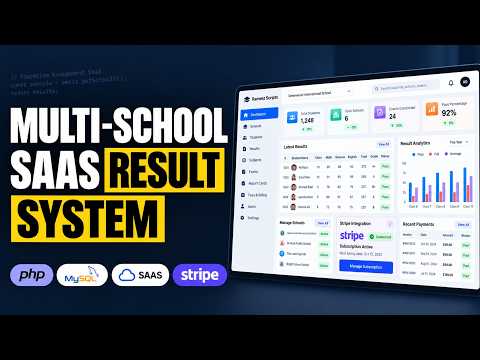
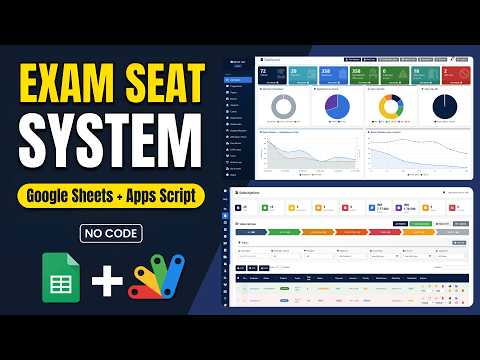
How to Build a Multi School Result Management System (SaaS) Using PHP MYSQL How to Build a Multi School Result Management System (SaaS) Using PHP MYSQL 188 views this month PHP $9.99 USD School Exam Seating System | Google Apps Script + Sheets Dashboard School Exam Seating System | Google Apps Script + Sheets Dashboard 64 views this month Apps Script $9.99 USD How to Build a Complete LMS with AI Quizzes, Leaderboard & Study Planner How to Build a Complete LMS with AI Quizzes, Leaderboard & Study Planner 75 views this month PHP $9.99 USD

Reviews & Feedback

What buyers and YouTube viewers say about this project.

Sort
@DurvishJawaleOfficial via YouTube
Just love it
2 likes on YouTube
@AmelieRaina via YouTube
Amazing I like it. But What is that All code I don't know then how can I make it
1 like on YouTube
@Pankajspace via YouTube
Source code please provide
@groupesvtmaroc9118 via YouTube
link of code source & google sheet ?????
@sushantsharma1161 via YouTube
How to change subject name