




Need a customized project? We build it to your exact requirements.Contact us on WhatsApp

Student Result Portal with Fee Defaulter Hold – Apps Script

R37 Education & School Weekly Plan Premium Plan VIP Premium Plan
How to Make Online Student Result System with Fee Defaulter by Using Google Sheet & app Script | R37
You get
  • Google Sheet link
  • Source code file
  • Resale rights
  • Edit rights
  • Setup guide
  • AI setup help

Key Features

Fee defaulter check that withholds a result Result released by switching that cell back to no Exam type chosen alongside roll number and class Exam types added by matching a keyword in sheet and code One sheet per class with classes added by copying the layout Subjects shown only where marks exist Twenty or more subjects handled per result Totals obtained marks and percentage calculated Pass mark editable from forty percent Grade bands and letters editable Result colour thresholds editable by colour name School logo name and address on the result Teacher and principal signature boxes on the print Notes section on the result card

Description

R37 is the result portal built from what schools kept asking for. It searches on three things — roll number, class and exam type — and it will not show a result to a student whose fees are outstanding. That last part is the reason most schools want a portal like this in the first place.

The fee defaulter gate

Each student row carries a defaulter cell. Set it to Yes and the portal tells that student their result cannot be shown; set it back to No and the result appears. The cell is colour-coded in the sheet so the office can see at a glance who is being withheld, and releasing a result after a payment is one keystroke.

Mid term, final term, or your own

Exam type sits alongside class, so one portal covers every assessment of the year rather than a separate link per term. Adding your own — a monthly test, a mock — means putting the same keyword in the sheet and in the code. It is case sensitive and must match exactly, which is the single most common reason a new exam type returns nothing.

Subjects that follow the data

Only subjects with marks appear. Two subjects show two, twenty show twenty, and the totals, obtained marks and percentage follow. One rule matters: remove subjects from the end of the list, never from the start or the middle, or the positions shift and marks line up against the wrong subject names.

Marking rules you set

The pass mark is a value you change from forty to thirty-three or anything else. Grade bands are yours — ninety percent upward can be A+ or whatever letter your school uses. Even the result colours are editable by writing a colour name. Remarks are the one column you fill in yourself.

On paper

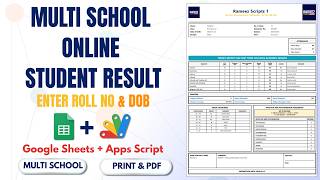
Printing produces a card with the school logo, name and address, a notes section, and signature boxes for the class teacher and the principal.

Requirements

  • A Google account with Drive and Sheets
  • Your own copy of the provided spreadsheet
  • One sheet per class using the supplied header layout
  • Exam type keywords matched between the sheet and the code
  • A fee defaulter column on each student row
  • Deploy as a web app and publish a new version after code edits

What's Included

  • Complete Apps Script code already inside the sheet
  • Google Sheet with class tabs and marks layout
  • Roll number class and exam type search
  • Fee defaulter check that withholds a result
  • Dynamic subject list driven by the marks entered
  • Automatic totals percentage and grade
  • Editable pass mark and grade bands
  • Editable result colour thresholds
  • School logo name and address on the card
  • Notes section and signature boxes for print
  • Blogger embed steps including the required line
  • Step-by-step video walkthrough of the full build
  • Free support from the developer

Item Details

Versionv1.0
PublishedAug 22, 2025
PlatformGoogle Apps Script
DatabaseGoogle Sheets
CategoryEducation & School
Tagsstudent result management systemstudent result system with fee defaulterwithhold result for unpaid feesschool result portal google sheetsexam type result portalmid term and final term resulteditable grade bands google sheetsclass wise result sheets
VideoWatch walkthrough
LicenseRegular License
Regular License R37
Subtotal $2.60 USD
Total $2.60 USD
Other payment methods
Wise / Bank Transfer · via WhatsApp +92 343 534 7417 $5.20$2.60
Redotpay
How to Make Online Student Result System with Fee Defaulter by Using Google Sheet & app Script | R37
Secure checkout
Amount due
$2.60$5.20
Total due
Redotpay Account
1002896884
How to pay
  1. Copy the Redotpay account
  2. Pay $2.60 via Redotpay
  3. Enter the transaction reference below
  4. Submit the details below to complete your order
Order details$2.60
Order summary
ItemHow to Make Online Student Result System with Fee Defaulter by Using Google Sheet & app Script | R37
ReferenceR37
Payment MethodRedotpay
Total$2.60
Your payment proofReference + screenshot — takes a minute
Your receipt and download link will be sent to this address.
Country code is set from your location. Change it if needed and enter the number without the code.
Upload a screenshot of the paymentDrop it here or click to browse · JPG or PNG, up to 2 MB
Confirmed typically within 2 hours (24/7)
Encrypted connection
Confirmation in 2 hours
Emailed receipt
Binance Pay
How to Make Online Student Result System with Fee Defaulter by Using Google Sheet & app Script | R37
Secure checkout
Amount due
$2.60
Total due · no additional fees
Binance Pay ID
766412546
Account holder: Muahmmad Ramiz Imdad
How to pay
  1. Open the Binance app and choose Pay
  2. Enter the Pay ID
  3. Send $2.60 in any supported asset
  4. Copy the Order ID from your Binance receipt
  5. Enter it below with a screenshot and submit
Order details$2.60
Order summary
ItemHow to Make Online Student Result System with Fee Defaulter by Using Google Sheet & app Script | R37
ReferenceR37
Payment MethodBinance Pay
Total$2.60
Your payment proofReference + screenshot — takes a minute
Your receipt and download link will be sent to this address.
Country code is set from your location. Change it if needed and enter the number without the code.
Upload a screenshot of the paymentDrop it here or click to browse · JPG or PNG, up to 2 MB
Confirmed typically within 2 hours (24/7)
Encrypted connection
Confirmation in 2 hours
Emailed receipt
Cryptocurrency
How to Make Online Student Result System with Fee Defaulter by Using Google Sheet & app Script | R37
Secure checkout
Amount due
$2.60
Send the equivalent amount in the selected asset
Select an asset
Wallet address
15jjKnm6NgxN1Wgbfh7xdBWgbCFztHeNhE
Send only the selected asset on the selected network. Transfers made on a different network cannot be recovered.
How to pay
  1. Select an asset above
  2. Copy the wallet address and send the equivalent of $2.60
  3. Enter the transaction hash below
  4. Submit the details below to complete your order
Order details$2.60
Order summary
ItemHow to Make Online Student Result System with Fee Defaulter by Using Google Sheet & app Script | R37
ReferenceR37
Payment MethodCryptocurrency
Total$2.60
Your payment proofReference + screenshot — takes a minute
Your receipt and download link will be sent to this address.
Country code is set from your location. Change it if needed and enter the number without the code.
Upload a screenshot of the paymentDrop it here or click to browse · JPG or PNG, up to 2 MB
Confirmed typically within 2 hours (24/7)
Encrypted connection
Confirmation in 2 hours
Emailed receipt
PayPal
How to Make Online Student Result System with Fee Defaulter by Using Google Sheet & app Script | R37
Secure checkout
Amount due
$2.60
Total due
Pay $2.60 with PayPal
Opens PayPal in a new tab. Return here with your Transaction ID to complete the submission.
How to pay
  1. Select Pay $2.60 with PayPal; PayPal opens in a new tab
  2. Copy the Transaction ID from your PayPal receipt
  3. Enter it below with a screenshot of the payment, then submit
  4. Your payment is verified and access is enabled; the download link is also emailed to you
Order details$2.60
Order summary
ItemHow to Make Online Student Result System with Fee Defaulter by Using Google Sheet & app Script | R37
ReferenceR37
Payment MethodPayPal
Total$2.60
Your payment proofReference + screenshot — takes a minute
Your receipt and download link will be sent to this address.
Country code is set from your location. Change it if needed and enter the number without the code.
Upload a screenshot of the paymentDrop it here or click to browse · JPG or PNG, up to 2 MB
Confirmed typically within 2 hours (24/7)
Encrypted connection
Confirmation in 2 hours
Emailed receipt

Need This Customized For Your Business?

Extra modules, your branding, integrations or reports built on top of this file. You get a clear quote and timeline before any work starts, and support after delivery.

400+
Projects Delivered
91+
Countries Served

What We Customize

Features & Functions
Add new features, modify existing scripts, custom formulas & automations
API & Integrations
Connect with WhatsApp, Payment Gateways, CRM & more
Design & UI Changes
Custom branding, layout redesign, dark mode, mobile optimization
Full Custom Projects
Dashboards, billing systems, inventory, CRM — built from scratch
Get Free Quote on WhatsApp

20-30% advance to start • Clear quote before work begins • Support included after delivery

$2.60
USD · card / manual pay

People choose these

Paid picks from the same category

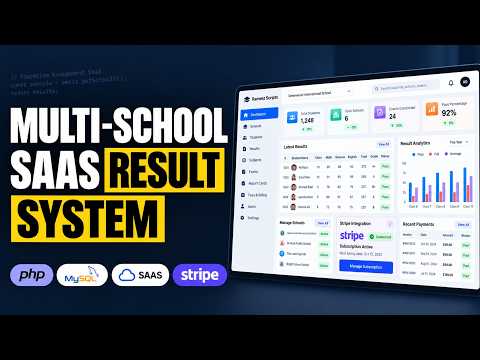
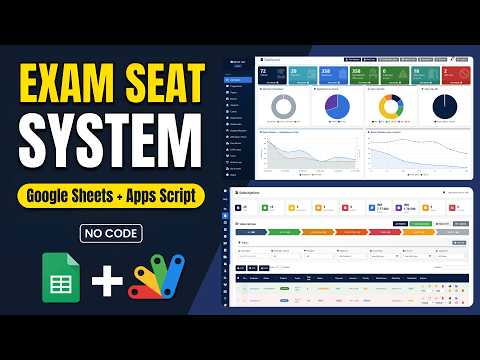
How to Build a Multi School Result Management System (SaaS) Using PHP MYSQL How to Build a Multi School Result Management System (SaaS) Using PHP MYSQL 184 views this month PHP $6.52 USD School Exam Seating System | Google Apps Script + Sheets Dashboard School Exam Seating System | Google Apps Script + Sheets Dashboard 60 views this month Apps Script $1.29 USD How to Build a Complete LMS with AI Quizzes, Leaderboard & Study Planner How to Build a Complete LMS with AI Quizzes, Leaderboard & Study Planner 91 views this month PHP $6.52 USD

Reviews & Feedback

What buyers and viewers say about How to Make Online Student Result System with Fee Defaulter by Using Google Sheet & app Script | R37.

No star ratings yet Tap a star to be the first to rate it.
15 comments from
YouTube viewers
Sort
@datasciencewithai-82 via YouTube
script kaise milegi with code
1 like on YouTube
@aio-bd9ue via YouTube
amazing , but link to google sheet code is not working it refer to chat & after that one can't find anything.
1 like on YouTube
@KAREEMULLA-s9r via YouTube
Mashallah bhai
@zahran_media via YouTube
How to get code for free
@shadmev-b5q via YouTube
But I suggest how to show result offline means when my google drive offline
@shadmev-b5q via YouTube
Nice work bhai jan
@nileshpawar302 via YouTube
Thank you sir.
@hanselporfirio8014 via YouTube
Very nice!
@saleemfaizynenmini via YouTube
How to hide print button before submitting
@scholasticsurveillance via YouTube
Educational ❤️
@ErMohitSingh via YouTube
Hi, i want this script what should be the price?
@krishnanmanoj1 via YouTube
Impressed❤
@corporatecivilengineerjuba4579 via YouTube
Assalam walekum, your video is very good.I like it very much. I am from Bangladesh.
@MDDistribuciones via YouTube
You are de Best.... Regards from Bogotá Colombia
@muskanthakur2952 via YouTube
Chatbot vedio please 🙏🙏