Important Notice: Your success matters to us. If anything goes wrong after purchase, contact us on WhatsApp and we'll personally get it fixed.

How to publish student result in blogger website using google appscript

BRESULT Education & School Premium Plan Weekly Plan VIP Premium Plan
❀️
Need a Custom Business Solution?
Connect with us on WhatsApp to discuss your requirements. Our team will design and develop a tailored software solution aligned with your business workflow, operational needs, and growth objectives.
How to publish student result in blogger website using google appscript

Key Features

Result portal embedded inside a Blogger page Fix for the refused to connect script error Students search by roll number and class Short Blogger link instead of a long web app URL Subject names pulled from the sheet headers Maximum marks totalled automatically Obtained marks totalled automatically Percentage calculated on its own Pass mark set at forty percent and editable Grade column you fill in the sheet One sheet tab per class with a fixed layout Students can print their result from the page

Description

This file takes an Apps Script result portal and puts it inside your own Blogger website, so students check their marks on your site instead of following a long script.google.com link. It is the follow-on to the school result portal build: you set that code up first, then this one handles the embedding and the error that stops it working.

The refused to connect fix

Drop a web app URL into a Blogger page the usual way and the browser blocks it with a refused to connect message. That is the problem this file exists to solve. You get the exact snippet to paste into the Blogger page, with the height and width values that make the portal display properly, and the embed loads instead of failing.

What the student sees

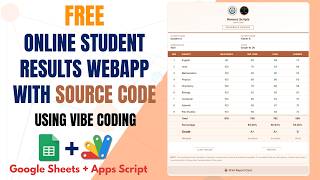
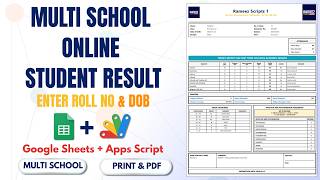
A student opens your Blogger page, types a roll number, picks a class and presses Get Result. The marksheet comes back with each subject, the maximum marks, the obtained marks, the total, the percentage and a pass or fail status, and they can print it from the page. The link you hand out is a normal page on your site, not a raw web app address.

Marks logic you control

Subject names come from the sheet headers, so renaming a column renames it on the result. Totals are not typed by anyone: whatever maximum marks you enter are added up, and so are the obtained marks, with the percentage following. The pass mark sits at forty percent and is a single value to change if your school passes at thirty-three. Grades are the one column you fill in yourself.

Sheet layout matters

Add as many class tabs as you need, but keep the header layout identical on each one β€” the code reads a fixed pattern, so a shifted row is the usual cause of a blank result. Paste your spreadsheet ID into the script, run it once to authorise, then deploy and copy the URL into Blogger.

Requirements

  • The school result portal source code set up first
  • A Google account with Drive and Sheets
  • A Blogger website you can add pages to
  • Your spreadsheet ID pasted into the script
  • Deploy as a web app and authorise it once
  • Identical header layout on every class tab

What's Included

  • Apps Script code with the Blogger embed fix
  • Embed snippet for the Blogger page with size values
  • Google Sheet with class tabs and marks layout
  • Roll number and class result lookup
  • Automatic totals percentage and pass fail status
  • Editable pass percentage in one place
  • Printable result for the student
  • Deployment and authorisation steps
  • Step-by-step video walkthrough of the full build
  • Free support from the developer

Item Details

Versionv1.0
PublishedAug 22, 2025
PlatformGoogle Apps Script
DatabaseGoogle Sheets
CategoryEducation & School
Tagspublish student result on bloggeronline result system blogger websiteapps script result portal embedblogger refused to connect fixschool result portal google sheetsroll number result checkstudent marksheet blogger pagegoogle apps script web app embed
VideoWatch walkthrough
LicenseRegular License
Subscription Verification Required
This is a free file. Subscribe to our YouTube channel to unlock the source code + Google Sheet. One click β€” no payment. Google only confirms you are subscribed.
Verify Now
Free download

Subscribe & Unlock Source Code

Subscribe on YouTube, then verify with one click. No payment, no card. Google is used only to confirm your subscription.

What you get

  • Code.gs + HTML filesThe complete Apps Script project
  • Google SheetYour own copy with the data
  • Setup guideInstall steps from start to finish

Not subscribed yet? Subscribe to our channel

Browse More Free Files

Need This Customized For Your Business?

Extra modules, your branding, integrations or reports built on top of this file. You get a clear quote and timeline before any work starts, and support after delivery.

400+
Projects Delivered
89+
Countries Served

What We Customize

Features & Functions
Add new features, modify existing scripts, custom formulas & automations
API & Integrations
Connect with WhatsApp, Payment Gateways, CRM & more
Design & UI Changes
Custom branding, layout redesign, dark mode, mobile optimization
Full Custom Projects
Dashboards, billing systems, inventory, CRM β€” built from scratch
Get Free Quote on WhatsApp

20-30% advance to start β€’ Clear quote before work begins β€’ Support included after delivery

Free
Source Code File

People choose these

Paid picks from the same category

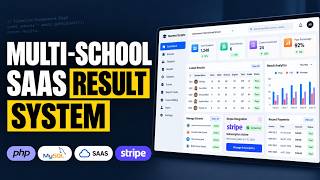
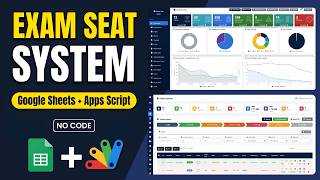
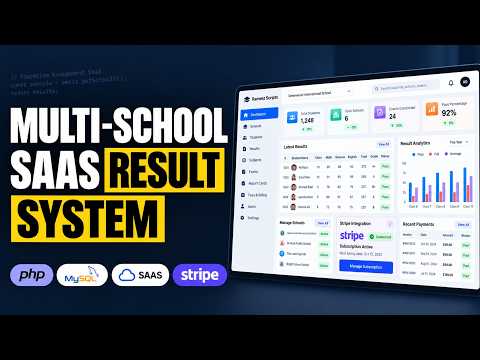
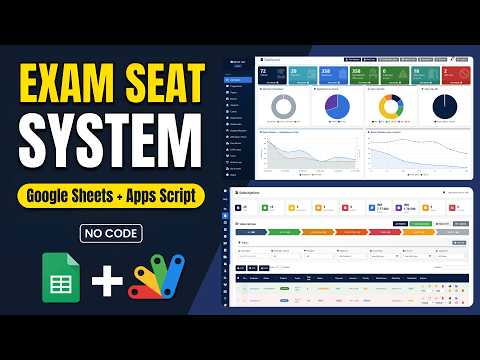
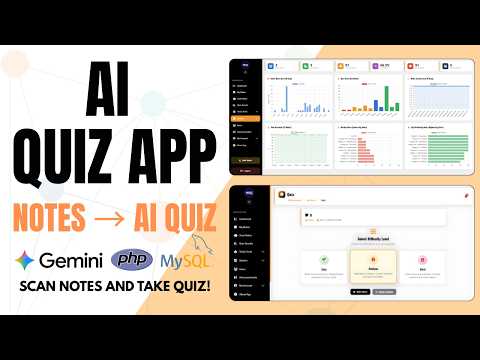
How to Build a Multi School Result Management System (SaaS) Using PHP MYSQL How to Build a Multi School Result Management System (SaaS) Using PHP MYSQL 692 views this month PHP School Exam Seating System | Google Apps Script + Sheets Dashboard School Exam Seating System | Google Apps Script + Sheets Dashboard 80 views this month Apps Script How to Build a Complete LMS with AI Quizzes, Leaderboard & Study Planner How to Build a Complete LMS with AI Quizzes, Leaderboard & Study Planner 565 views this month PHP

Reviews & Feedback

What buyers and viewers say about How to publish student result in blogger website using google appscript.

No star ratings yet Tap a star to be the first to rate it.
5 comments from
YouTube viewers
Sort
@zohairdilawar116 via YouTube
Good job. Keep it up
1 like on YouTube
@guruofmcqs via YouTube
i neend source code
@AlomShah-79 via YouTube
How to create online results web using kotlin and Google sheets?
@muhammedsanusimusa695 via YouTube
I need the source code
@farhadmerantec2583 via YouTube
how can i get the code i send the massage but you did not answer me sir