


Important Notice: Your success matters to us. If anything goes wrong after purchase, contact us on WhatsApp and we'll personally get it fixed.

How to Make Student Result Portal in Google Sheets + Apps Script | Admin & Teacher Dashboard | D35

D35 Education & School Weekly Plan Premium Plan VIP Premium Plan
❤️
Need a Custom Business Solution?
Connect with us on WhatsApp to discuss your requirements. Our team will design and develop a tailored software solution aligned with your business workflow, operational needs, and growth objectives.
How to Make Student Result Portal in Google Sheets + Apps Script | Admin & Teacher Dashboard | D35

Key Features

Secure login with per-teacher permissions Teacher class and subject filters on the marks grid Inline editing - type marks straight into the table Automatic grade and overall average calculation Per-subject result breakdown for each student Print-ready report cards Admin panel with full student CRUD Teachers see only the classes assigned to them Google Sheets as the database Responsive layout that works on a tablet

Description

A student result portal with a working back office. Teachers log in and enter marks for their own classes; admins manage students and see everything; the result comes out as a printable report card. All of it on Google Sheets, with no server behind it.

Marks entry that does not fight you

The marks grid filters by teacher, class and subject, so a teacher lands on exactly the set of students they need and nothing else. Marks are edited inline — click the cell, type the number, move on. There is no separate edit form and no modal in the way, which is the difference between entering a class of forty in five minutes and in half an hour.

Permissions that match how a school works

Teachers see only the classes assigned to them, so one teacher cannot alter another's marks, deliberately or by accident. Admins get the full picture plus student CRUD — adding new students, editing details and removing leavers without touching the sheet directly.

Grades and report cards

Grades and the overall average calculate themselves from the marks as they are entered, so nobody is maintaining a parallel formula column. Each student has a per-subject breakdown, and the report card is print-ready — no export, reformat and reprint cycle.

Who it suits

Schools and colleges that need several teachers entering marks into one system, coaching centres tracking batch performance, and anyone who has outgrown passing a marks spreadsheet around by email. It is also a clear reference for building filtered, permission-aware CRUD in Apps Script.

Setup

Copy the sheet, deploy the script, add your teachers and classes. Google Sheets is the database and the layout works on a tablet, which is what most teachers will actually use. The video covers the whole build, and support is free if you get stuck.

Requirements

  • Google account with access to Google Sheets
  • Apps Script editor - built into Google Sheets
  • Student, class and subject lists prepared in the sheet
  • Modern browser such as Chrome or Edge - works on tablet
  • No hosting or external database needed

What's Included

  • Complete Google Apps Script source code
  • Admin and teacher dashboard front end
  • Google Sheet with Students, Teachers, Classes and Marks tabs
  • Inline marks entry grid
  • Print-ready report card layout
  • Demo admin and teacher logins
  • Full video walkthrough
  • Free support by WhatsApp and email

Item Details

Versionv1.0
PublishedSep 4, 2025
PlatformGoogle Apps Script
DatabaseGoogle Sheets
CategoryEducation & School
Tagsstudent result portal google sheetsteacher dashboard apps scriptmarks entry systemstudent marks managementschool management system google sheetsapps script crud web appreport card printingclass subject filter result
VideoWatch walkthrough
LicenseRegular License

How to Make Student Result Portal in Google Sheets + Apps Script | Admin & Teacher Dashboard | D35

Education & School

What You Get

Code.gs FilesComplete Apps Script source code files
HTML FilesAll HTML template files included
Google SheetYour own copy with all data and scripts
Setup GuideStep-by-step video tutorials included
6 Months SupportBug fixes, tweaks, and guidance — all free
Free UpdatesAll future updates included at no extra cost
Regular License D35
Subtotal $2.99 USD
Total $2.99 USD
Other payment methods
Wise / Bank Transfer · via WhatsApp +92 343 534 7417 $2.99
RE
Redotpay
How to Make Student Result Portal in Google Sheets + Apps Script | Admin & Teacher Dashboard | D35
Secure checkout
Amount due
$2.99
Total due
Redotpay Account
1002896884
Order summary
ItemHow to Make Student Result Portal in Google Sheets + Apps Script | Admin & Teacher Dashboard | D35
ReferenceD35
Payment MethodRedotpay
Total$2.99
How to pay
  1. Copy the Redotpay account
  2. Pay $2.99 via Redotpay
  3. Enter the transaction reference below
  4. Submit the details below to complete your order
Payments are confirmed typically within 2 business hours (Monday to Saturday). You will receive an email once access is enabled.
Your receipt and download link will be sent to this address.
Country code is set from your location. Change it if needed and enter the number without the code.
Upload a screenshot of the paymentDrop it here or click to browse · JPG or PNG, up to 2 MB
Confirmed typically within 2 business hours (Monday to Saturday)
Encrypted connection
Confirmation in 2 business hours
Emailed receipt
BP
Binance Pay
How to Make Student Result Portal in Google Sheets + Apps Script | Admin & Teacher Dashboard | D35
Secure checkout
Amount due
$2.99
Total due · no additional fees
Binance Pay ID
766412546
Account holder: Muahmmad Ramiz Imdad
Order summary
ItemHow to Make Student Result Portal in Google Sheets + Apps Script | Admin & Teacher Dashboard | D35
ReferenceD35
Payment MethodBinance Pay
Total$2.99
How to pay
  1. Open the Binance app and choose Pay
  2. Enter the Pay ID
  3. Send $2.99 in any supported asset
  4. Copy the Order ID from your Binance receipt
  5. Enter it below with a screenshot and submit
Payments are confirmed typically within 2 business hours (Monday to Saturday). You will receive an email once access is enabled.
Your receipt and download link will be sent to this address.
Country code is set from your location. Change it if needed and enter the number without the code.
Upload a screenshot of the paymentDrop it here or click to browse · JPG or PNG, up to 2 MB
Confirmed typically within 2 business hours (Monday to Saturday)
Encrypted connection
Confirmation in 2 business hours
Emailed receipt
CR
Cryptocurrency
How to Make Student Result Portal in Google Sheets + Apps Script | Admin & Teacher Dashboard | D35
Secure checkout
Amount due
$2.99
Send the equivalent amount in the selected asset
Select an asset
Wallet address
15jjKnm6NgxN1Wgbfh7xdBWgbCFztHeNhE
Send only the selected asset on the selected network. Transfers made on a different network cannot be recovered.
Order summary
ItemHow to Make Student Result Portal in Google Sheets + Apps Script | Admin & Teacher Dashboard | D35
ReferenceD35
Payment MethodCryptocurrency
Total$2.99
How to pay
  1. Select an asset above
  2. Copy the wallet address and send the equivalent of $2.99
  3. Enter the transaction hash below
  4. Submit the details below to complete your order
Payments are confirmed typically within 2 business hours (Monday to Saturday). You will receive an email once access is enabled.
Your receipt and download link will be sent to this address.
Country code is set from your location. Change it if needed and enter the number without the code.
Upload a screenshot of the paymentDrop it here or click to browse · JPG or PNG, up to 2 MB
Confirmed typically within 2 business hours (Monday to Saturday)
Encrypted connection
Confirmation in 2 business hours
Emailed receipt
PA
PayPal
How to Make Student Result Portal in Google Sheets + Apps Script | Admin & Teacher Dashboard | D35
Secure checkout
Amount due
$2.99
Total due
Pay $2.99 with PayPal
Opens PayPal in a new tab. Return here with your Transaction ID to complete the submission.
Order summary
ItemHow to Make Student Result Portal in Google Sheets + Apps Script | Admin & Teacher Dashboard | D35
ReferenceD35
Payment MethodPayPal
Total$2.99
How to pay
  1. Select Pay $2.99 with PayPal; PayPal opens in a new tab
  2. Copy the Transaction ID from your PayPal receipt
  3. Enter it below with a screenshot of the payment, then submit
  4. Your payment is verified and access is enabled; the download link is also emailed to you
Payments are confirmed typically within 2 business hours (Monday to Saturday). You will receive an email once access is enabled.
Your receipt and download link will be sent to this address.
Country code is set from your location. Change it if needed and enter the number without the code.
Upload a screenshot of the paymentDrop it here or click to browse · JPG or PNG, up to 2 MB
Confirmed typically within 2 business hours (Monday to Saturday)
Encrypted connection
Confirmation in 2 business hours
Emailed receipt

Need This Customized For Your Business?

Extra modules, your branding, integrations or reports built on top of this file. You get a clear quote and timeline before any work starts, and support after delivery.

400+
Projects Delivered
89+
Countries Served

What We Customize

Features & Functions
Add new features, modify existing scripts, custom formulas & automations
API & Integrations
Connect with WhatsApp, Payment Gateways, CRM & more
Design & UI Changes
Custom branding, layout redesign, dark mode, mobile optimization
Full Custom Projects
Dashboards, billing systems, inventory, CRM — built from scratch
Get Free Quote on WhatsApp

20-30% advance to start • Clear quote before work begins • Support included after delivery

$2.99
USD · card / manual pay

People choose these

Paid picks from the same category

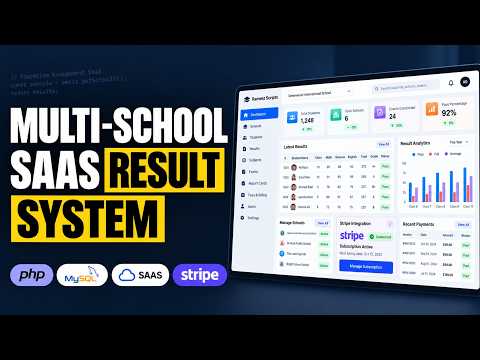
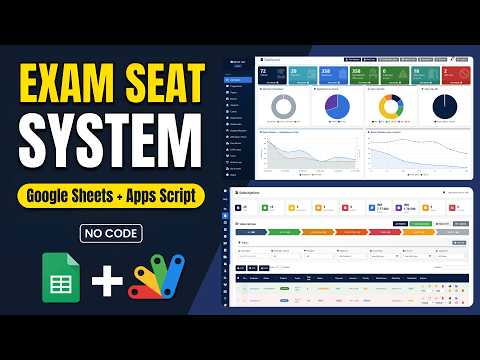
How to Build a Multi School Result Management System (SaaS) Using PHP MYSQL How to Build a Multi School Result Management System (SaaS) Using PHP MYSQL 692 views this month PHP $15.05 USD School Exam Seating System | Google Apps Script + Sheets Dashboard School Exam Seating System | Google Apps Script + Sheets Dashboard 80 views this month Apps Script $2.99 USD How to Build a Complete LMS with AI Quizzes, Leaderboard & Study Planner How to Build a Complete LMS with AI Quizzes, Leaderboard & Study Planner 565 views this month PHP $15.05 USD

Reviews & Feedback

What buyers and viewers say about How to Make Student Result Portal in Google Sheets + Apps Script | Admin & Teacher Dashboard | D35.

No star ratings yet Tap a star to be the first to rate it.
21 comments from
YouTube viewers
Sort
@omarizaaa via YouTube
I ama fast
1 like on YouTube
@milindmore6540 via YouTube
How many students can check results using appscript
@aboadam-nb5if via YouTube
Great Very Nice
@MahbubAhmed-h5o via YouTube
Excellent ❤❤
@AsaKhatun-mr7pu via YouTube
Very nice project 🎉
@AsaKhatun-mr7pu via YouTube
Wow nice project
@wildscienceexperiment via YouTube
i love you work
@thestoicachive9212 via YouTube
Please I need the code
@thestoicachive9212 via YouTube
Could be helpful, Very nice project Sir.
@rasc-c5e via YouTube
Good project sir Management system
@jordanfelipe31 via YouTube
I need this code😮
@pinkygamit9139 via YouTube
Very Nice Project...For Teacher
@TravelTouch via YouTube
بہت خوب۔ اس کی بہت ضرورت تھی۔
@IshfaqAhmadBhat-p8m via YouTube
The best app . Love it🎉
@emelabanes8434 via YouTube
Great job, brother! Nice project.
@rafikulislam6512 via YouTube
Good project'
@rafikulislam6512 via YouTube
wonderful project
@rafikulislam6512 via YouTube
'Nice project
@GhaplaBank via YouTube
Massive work 💪🏻
@irfanchauhan495 via YouTube
Nice Initiative Brother... Subjects Columns should be added dyanmically... Hope It will be there...
@AsariSAli via YouTube
Goog Job Sir... ❤❤❤